Ideas That Power Digital Growth
Stay ahead with actionable insights, expert opinions, and practical guides covering ecommerce trends, platform updates, automation, AI, and real-world solutions to help businesses grow and scale digitally.
AI Creator helps you generate high-quality product content for your CS-Cart store using AI. Create product descriptions, titles, and SEO text in seconds, with optional multilingual and translation support.
AI Creator – The Product Content Generator & Translation Engine for CS-Cart
AI Creator supercharges your CS-Cart store with powerful AI content generation. Create professional, SEO-friendly, and multilingual product content in seconds using Google Gemini or OpenAI (ChatGPT).
Go beyond content with built-in chat and review translation, including a free translation option to reduce costs. One addon. Two AI engines. Complete automation for modern CS-Cart stores.
Key Features of AI Creator
Dual AI Engine: Gemini + ChatGPT:
Use Google Gemini for creative content or OpenAI (ChatGPT) for SEO-focused writing.
Choose what fits your needs and budget
Full Multilingual Support: Generate content in any language your store supports: English, Hindi, Arabic, French, German, Spanish — or any custom language used in CS-Cart.
Works on All CS-Cart Setups:
CS-Cart, Multi-Vendor, Ultimate, Any theme, Any hosting, Any custom modifications
NEW: AI Chat & Review Translation System: A powerful built-in translation feature designed for global stores.(included free api for translation)
Easy Installation: No technical expertise required—get started in just a few minutes.
Step-by-Step Setup Guide
Step 1: Install the Addon
Installing the AI Creator Addon is simple:
Login to your CS-Cart admin panel.
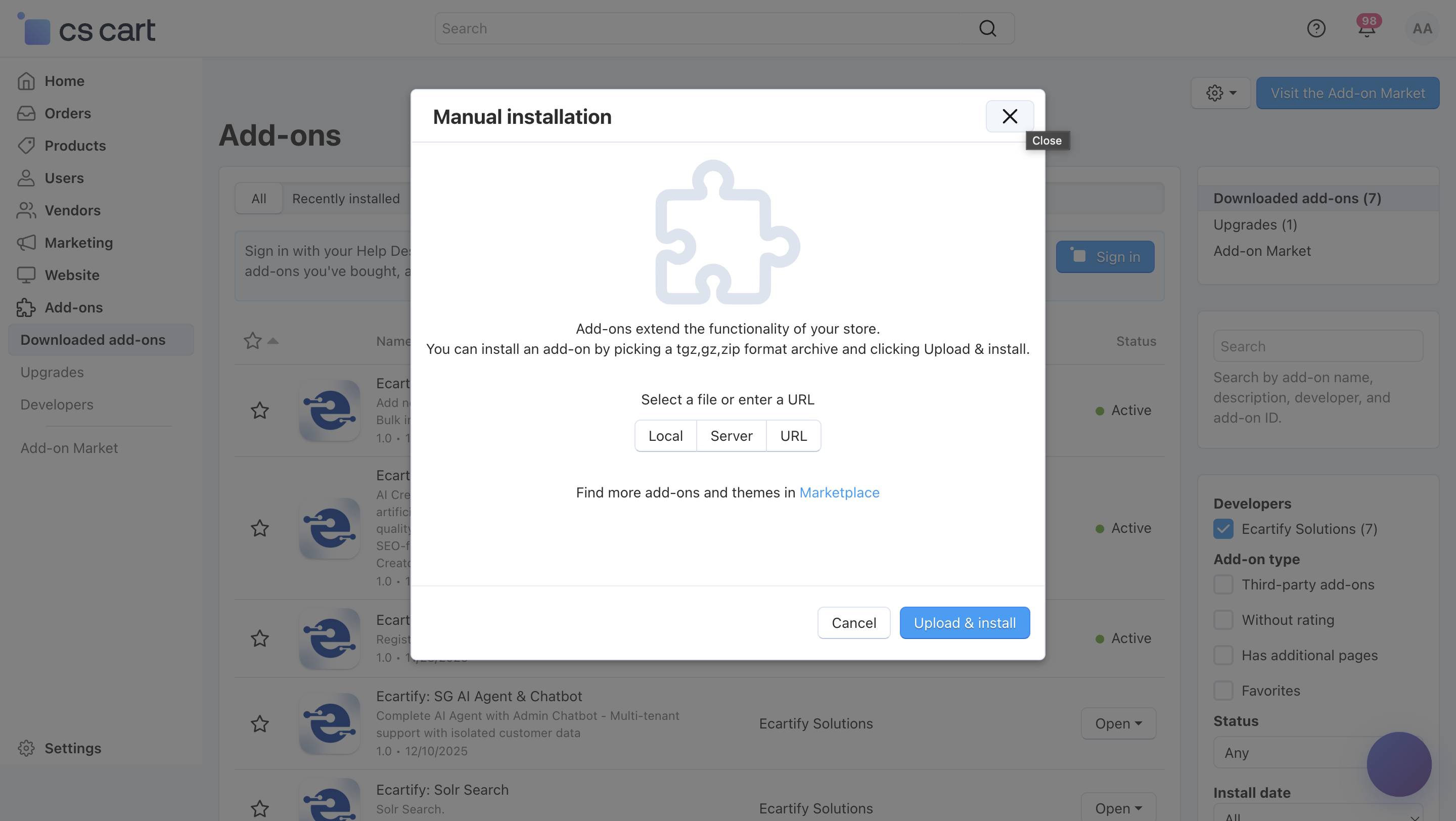
Go To Add-ons → Manage add-ons→ Click on ⚙️ gear icon→ Manual installation
Upload the provided ZIP file of the addon.
Once uploaded, the addon will appear under CS-Cart - Add-ons.
Now click on the AI Creator add-on and add the required settings.
This process takes only a few minutes and requires no coding knowledge.
Step 2: Configure the Settings
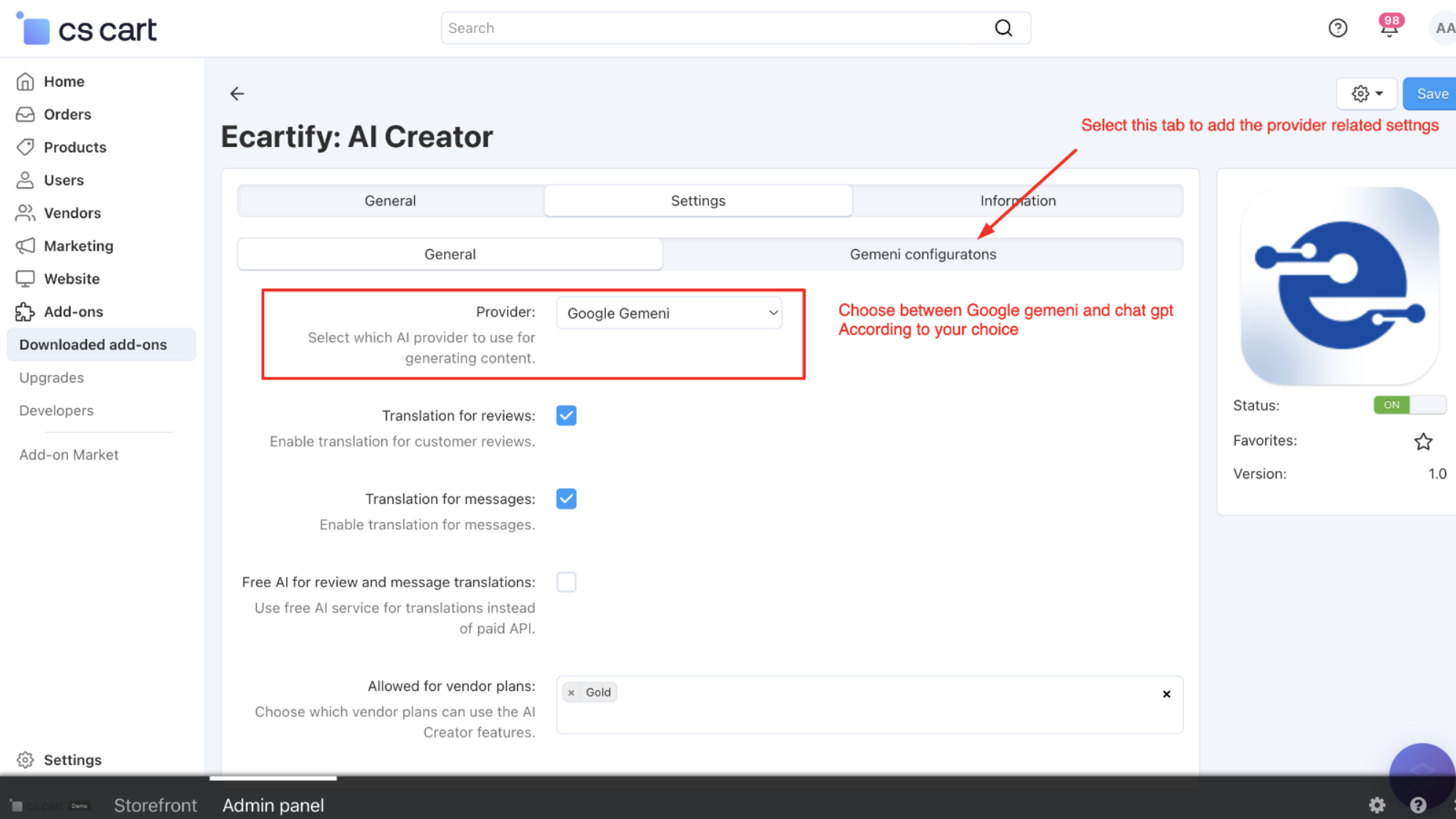
After installing the add-on, navigate to the Add-ons → Manage add-ons section and open the AI Creator add-on settings page. Here, you can configure the general options that control how the AI Creator works across your store, including content generation, translations, and vendor access:
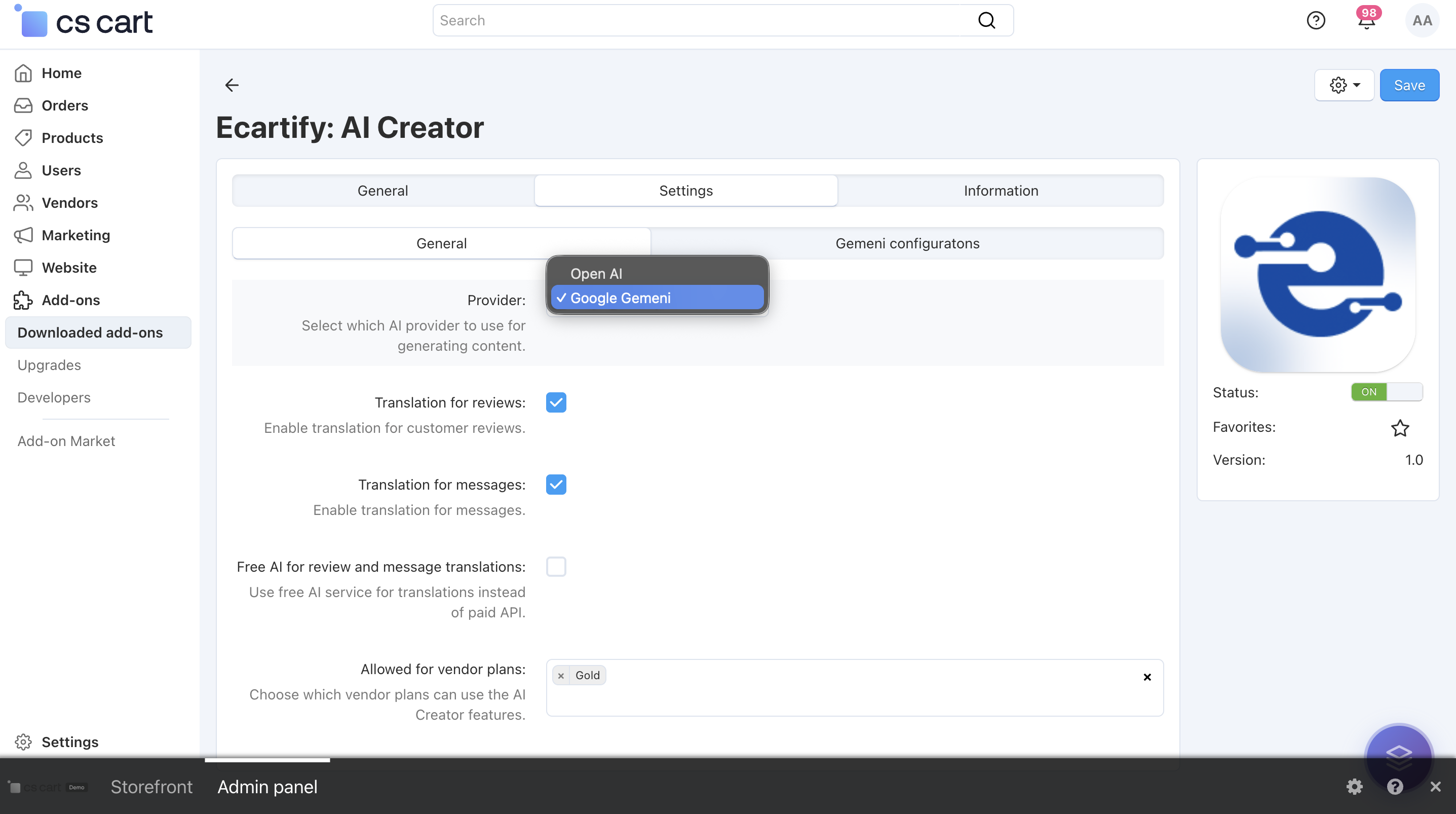
i) Switch between two AI engines:
Use Google Gemini for creative, detailed, and natural-sounding content, or OpenAI (ChatGPT) for structured, precise, and SEO-optimized writing.
You can change the AI anytime based on your content goals, accuracy needs, or budget — giving you full control and flexibility.
Select the preferred AI provider to generate content and translations. This provider will be used for all AI-powered features enabled in the add-on. Choose the provider that best fits your content style, performance needs, or cost preferences.
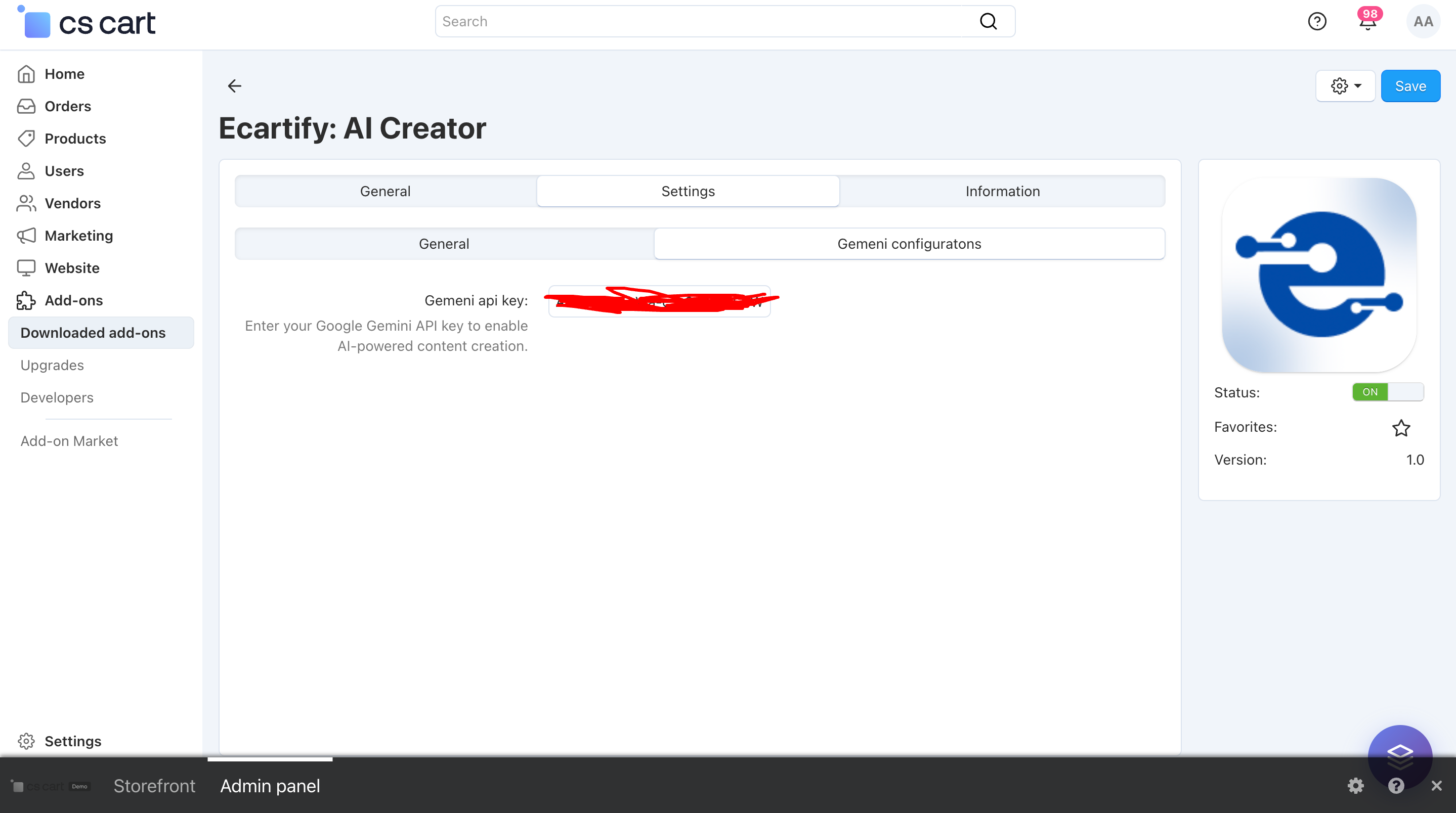
Make sure the required API key is added in the corresponding tab before saving the settings.
Without a valid API key, AI-powered features will not work.
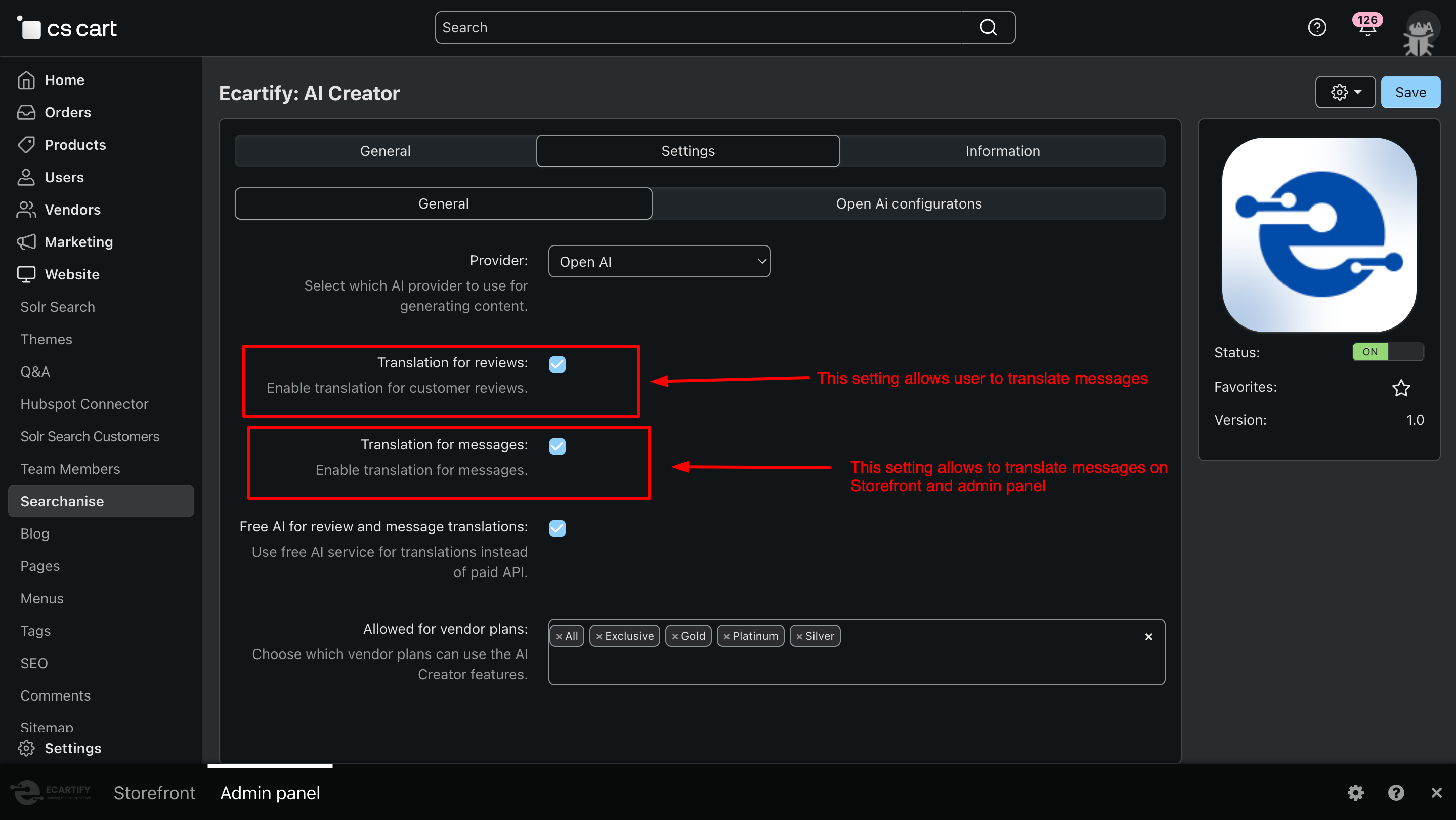
Use the provided options to enable or disable translation for customer reviews and customer/vendor messages as needed. You can easily turn these features on or off from the settings panel — refer to the screenshot for a step-by-step view on how to enable them.
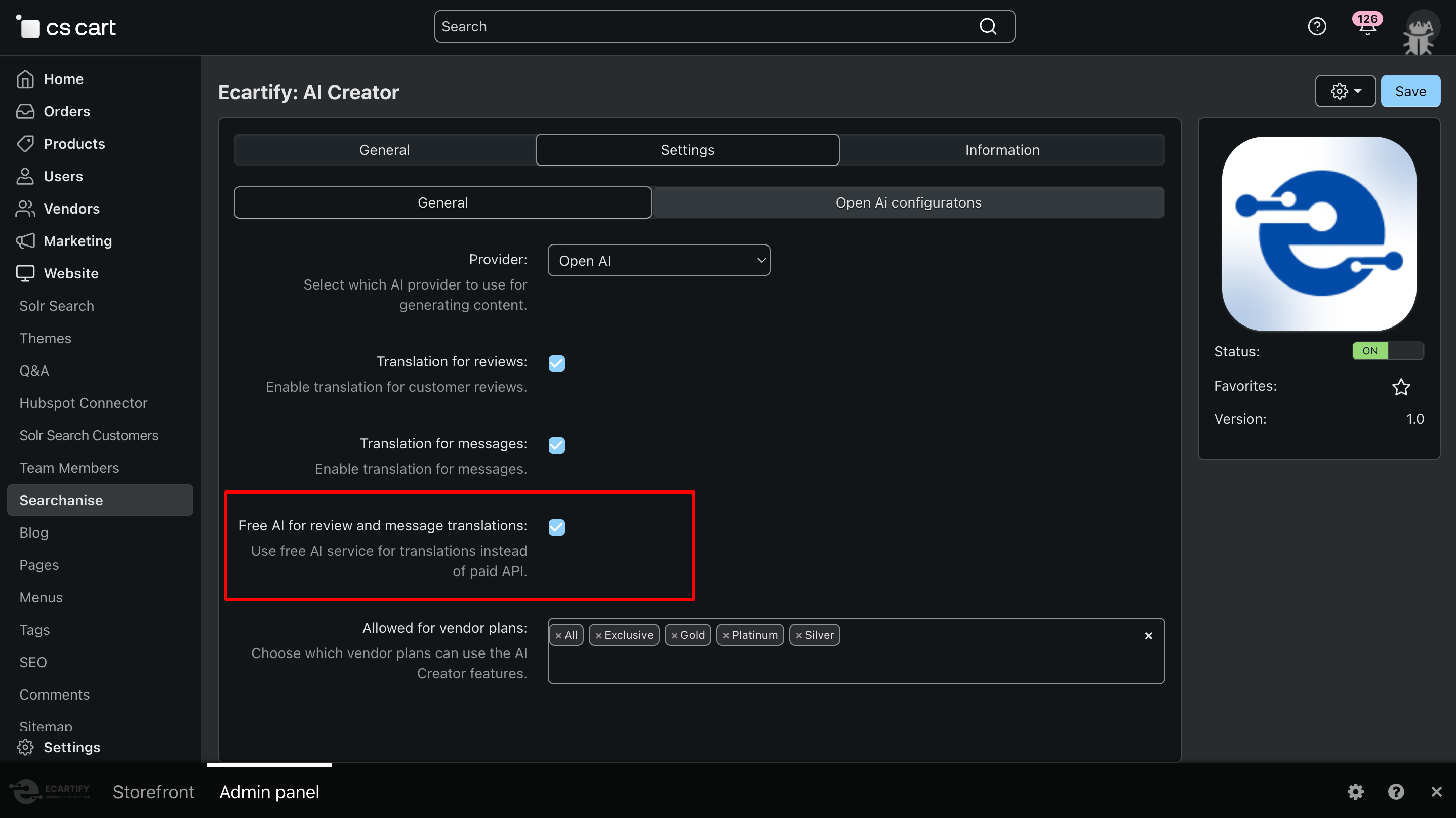
iii) Free AI for review and message translations:
Enable this option to use the built-in free translation service for translating customer reviews and messages instead of paid AI APIs. This helps reduce or completely avoid API costs while still allowing smooth multilingual communication. You can switch to Gemini or OpenAI (ChatGPT) anytime if higher accuracy is needed.
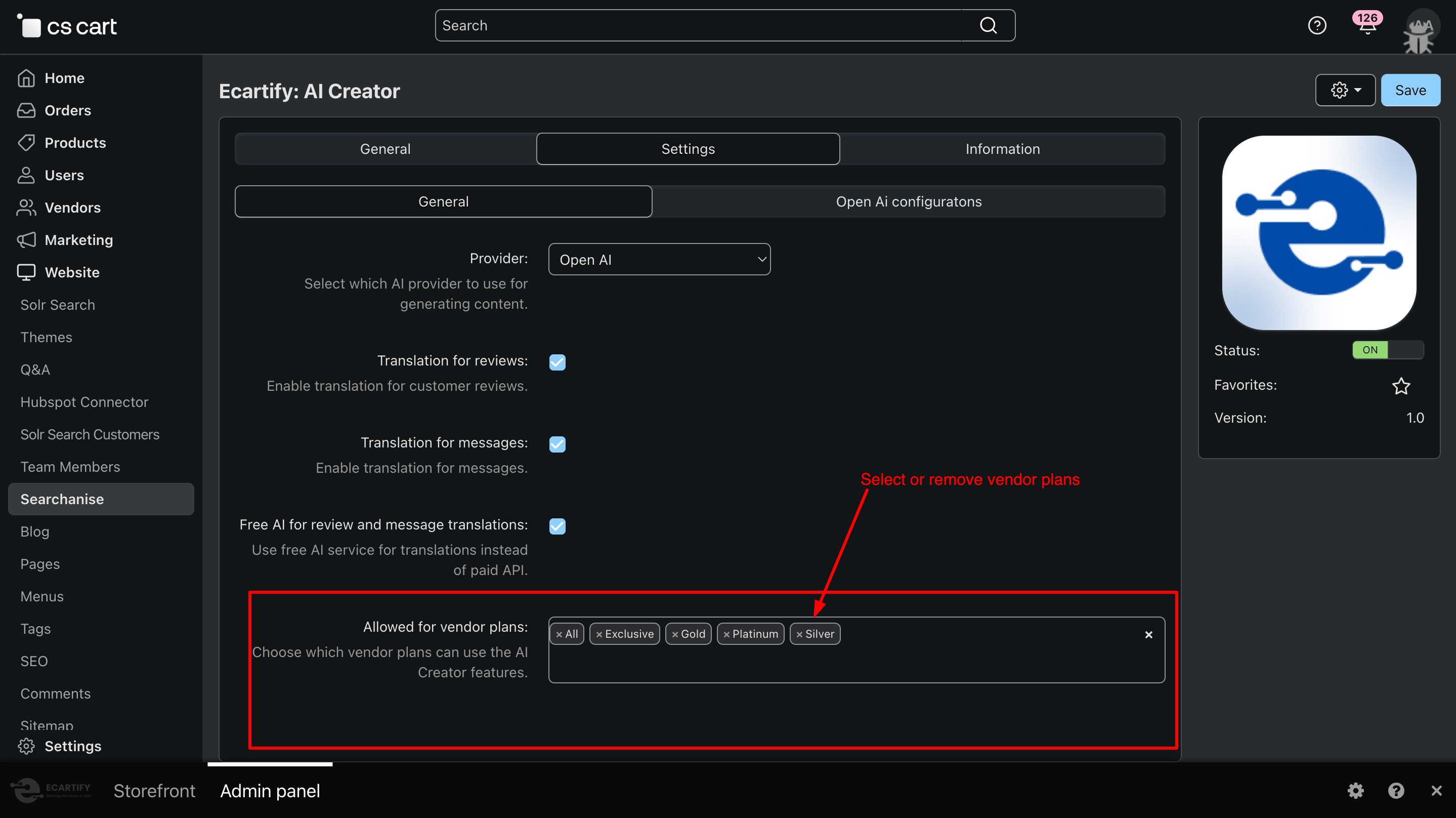
iv) Allowed for vendor plans:
Use this option to select which vendor plans are allowed to access and use the AI Creator features. This gives you full control over AI usage by vendors and helps manage permissions based on different subscription or pricing plans.
All settings are now configured — AI Creator is ready to generate and translatecontent for your store.
Step 3: Unlock the Power of AI Creator
You can run the addon in two ways:
Generate AI-powered product content that is professional, SEO-friendly, and multilingual using Google Gemini or OpenAI (ChatGPT).
Translate customer reviews and messages instantly using AI or the free translation engine to save time and costs.
Step 4: How to generate product content
Generating content with AI Creator is quick and easy. Follow these steps:
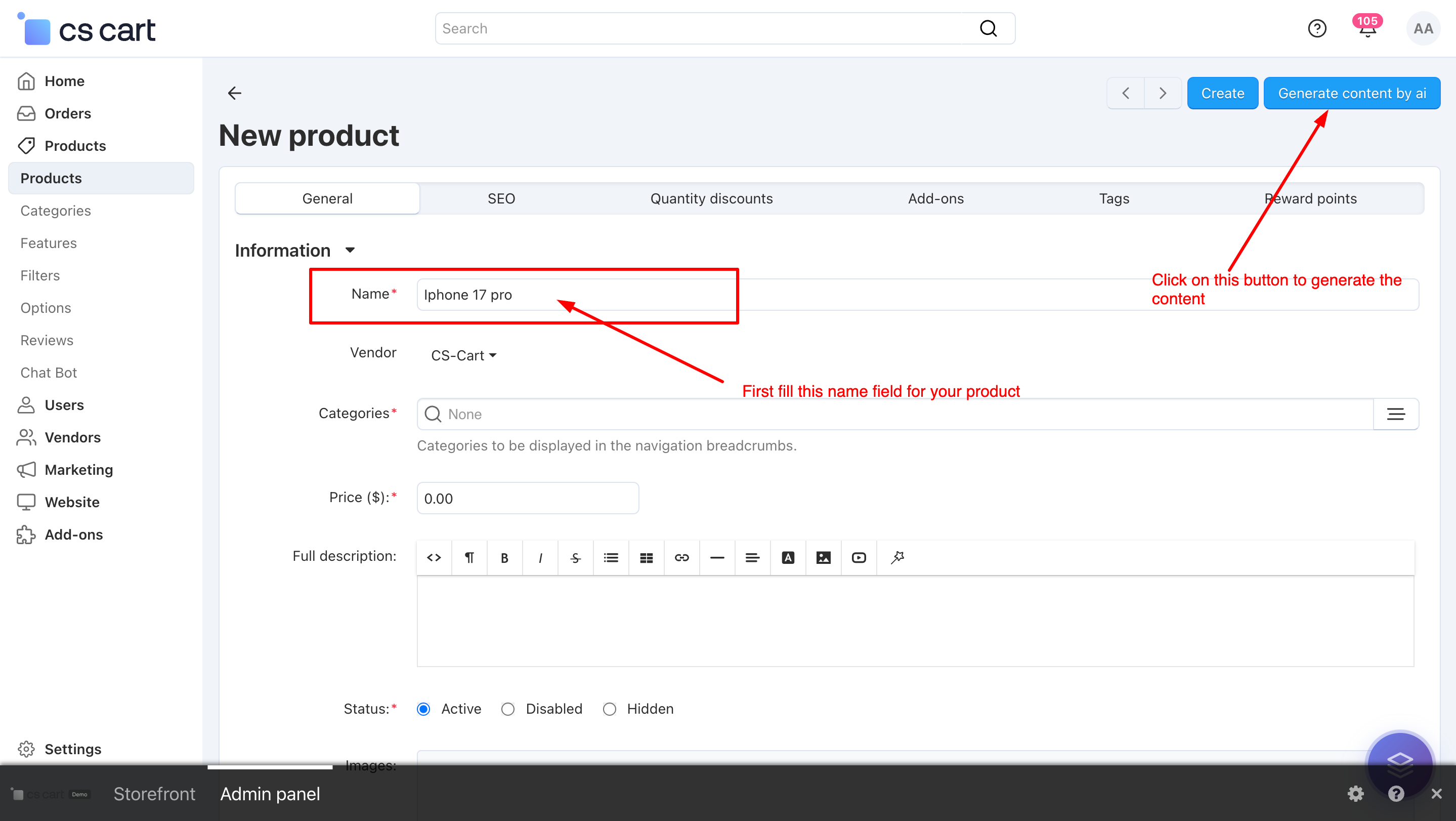
i) Open any product page (new or existing) in your CS-Cart admin panel and fill in the product title. (Note: For updating an existing proudct,click on ⚙️gear button first)
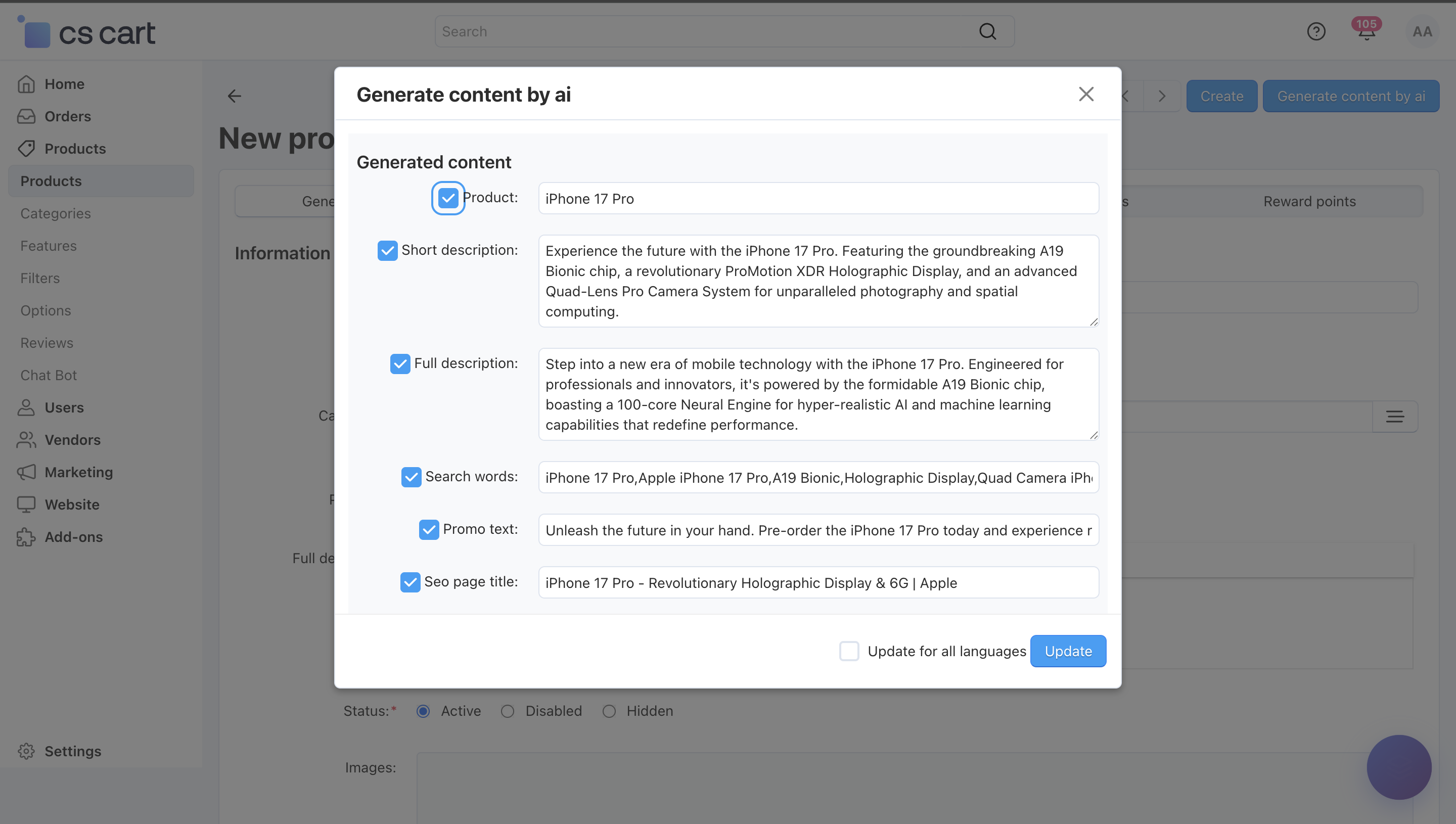
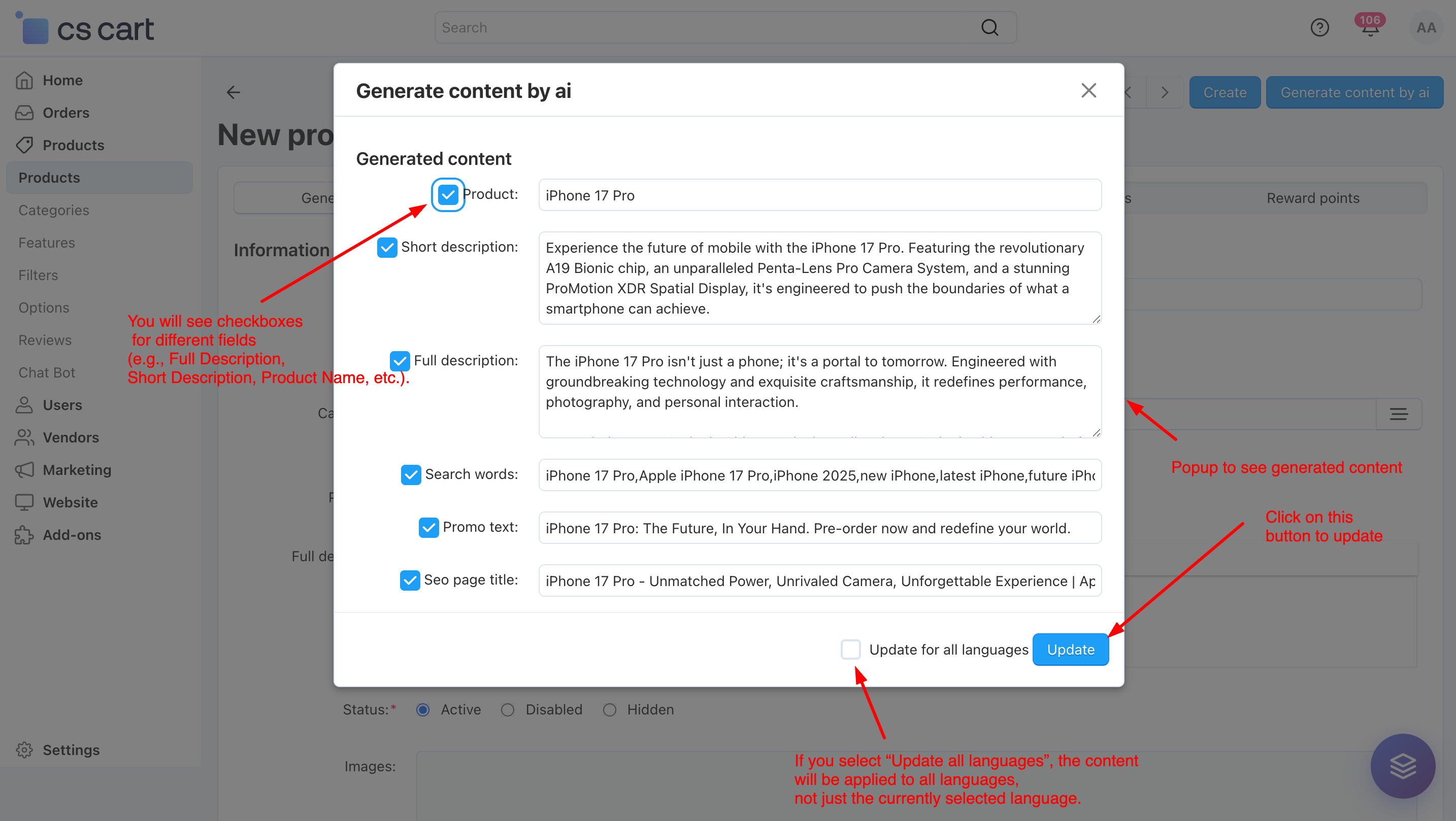
ii) Review the content in the popup. You will see checkboxes for different fields (e.g., Full Description, Short Description, Product Name, etc.).
Only the fields you check will be updated when you click Save.
If you select “Update all languages”, the content will be applied to all languages, not just the currently selected language.
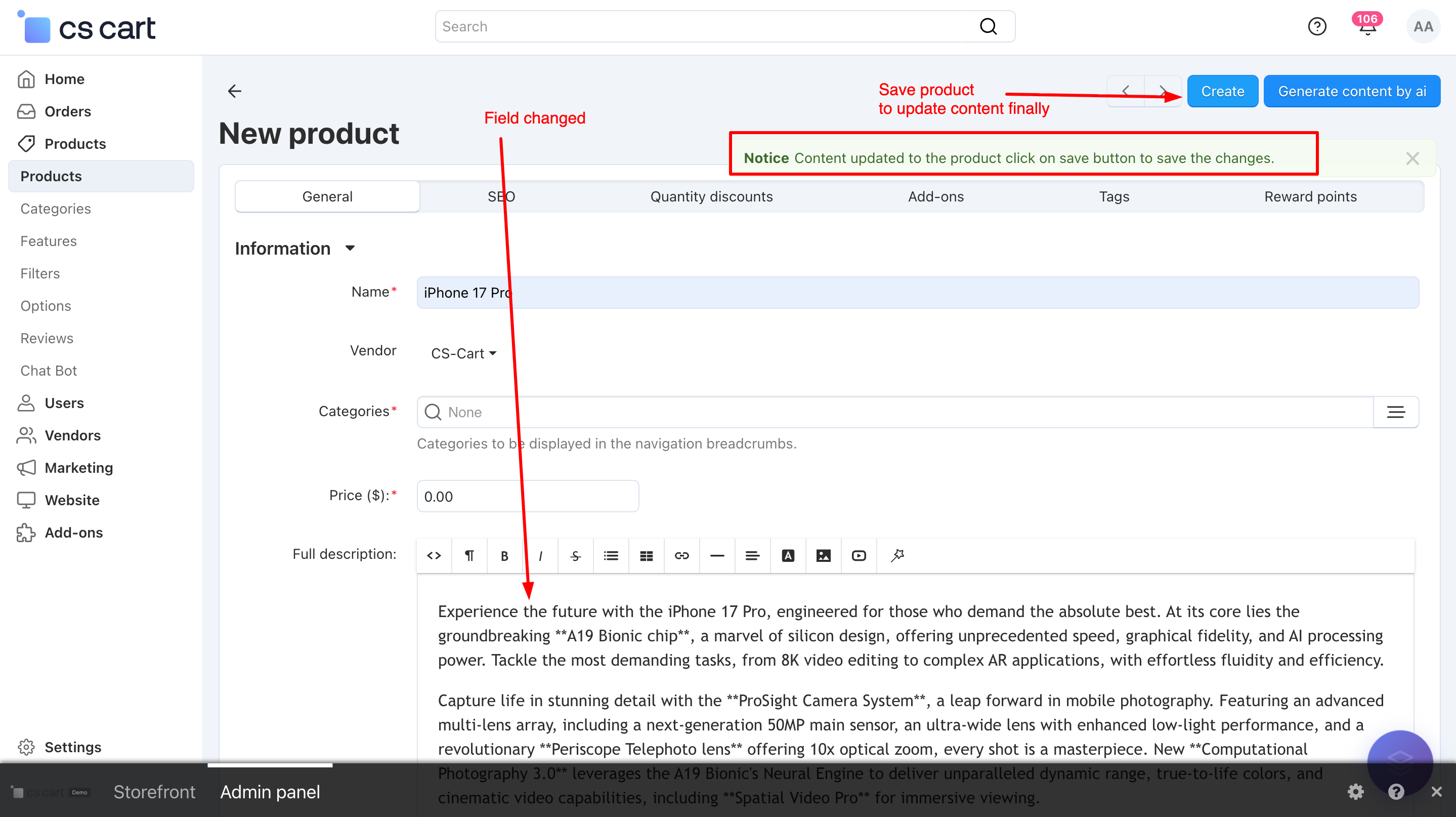
iii) After clicking Apply, the selected content is automatically added to the respective input fields on the product page. Review the content carefully in the input fields. Click Save on the product page to finally save the changes.
.
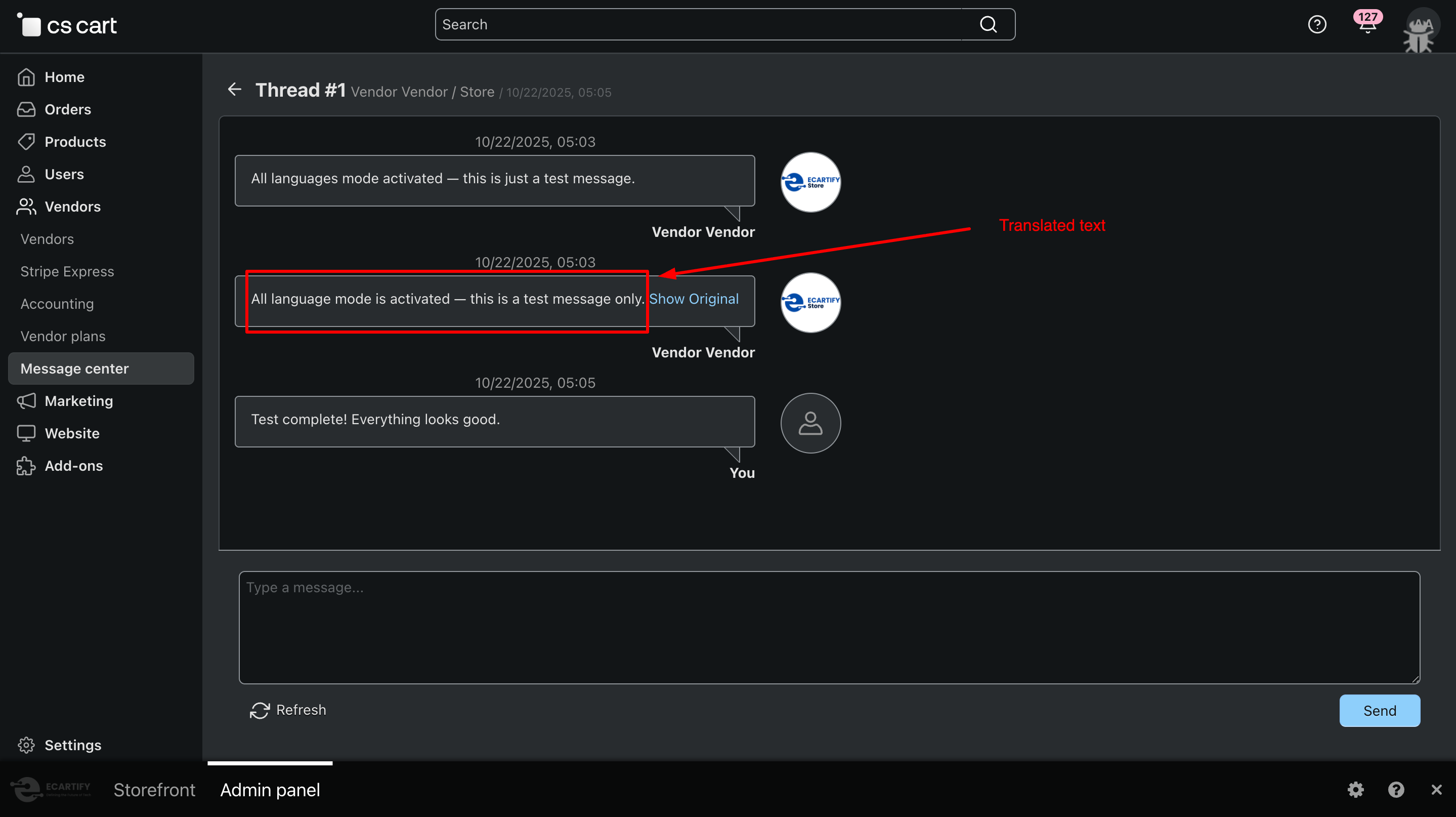
Step 4: How to translate chat and reviews
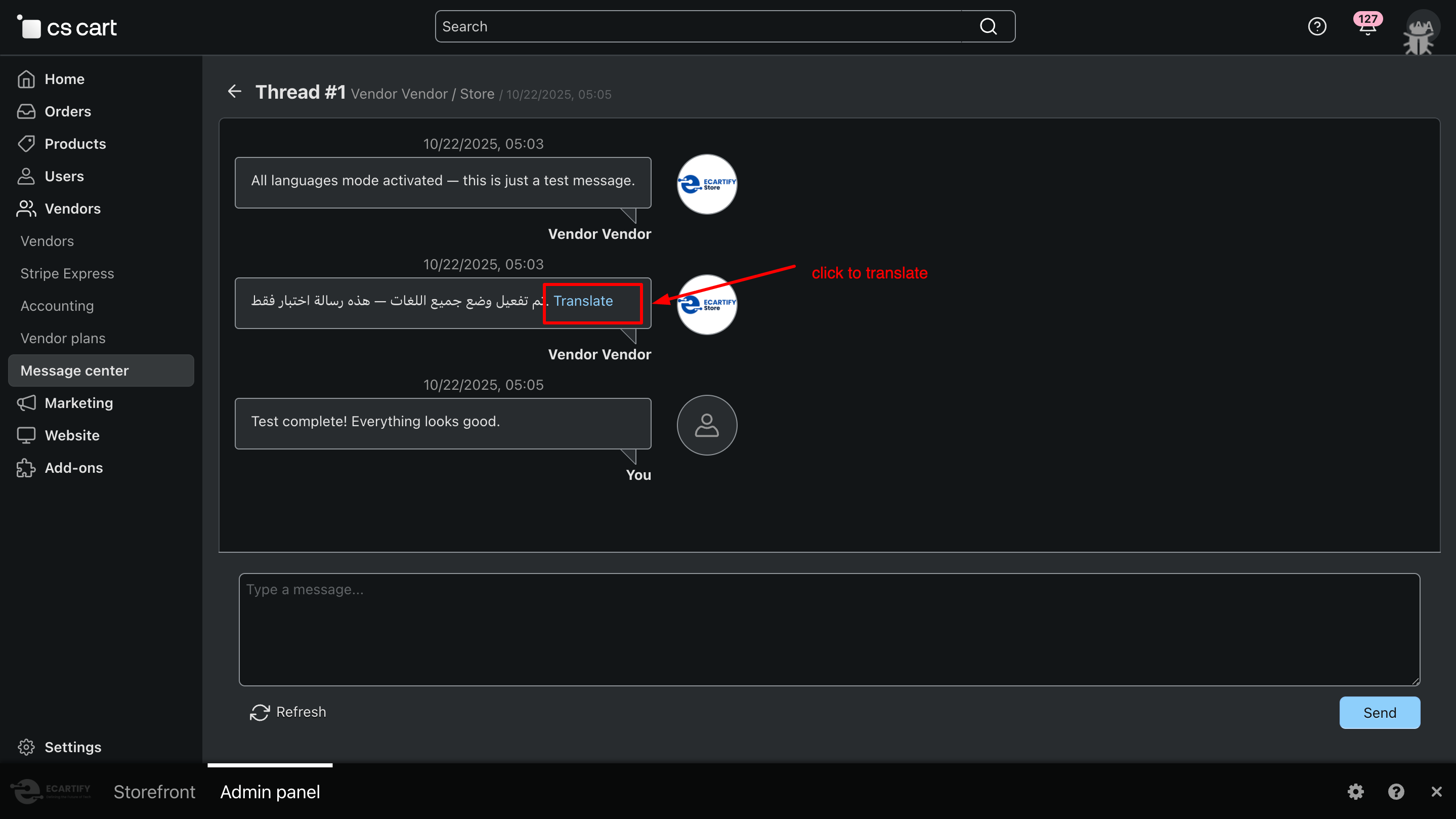
For Chat and reviews page in your CS-Cart backend and frontend.
You will see a Translate button next to the message.
Click on translate button
Translated text
Why Choose AI Creator for Your CS-Cart Store?
AI Creator helps you instantly generate high-quality, SEO-friendly product content for new and existing products in your CS-Cart store using multiple AI engines. It also allows you to translate review and chat messages from one language to another, giving you full control over what gets updated while saving time and improving conversions and customer engagement.
Generate product titles, descriptions, and SEO-friendly content in seconds with advanced AI, and instantly translate chat and review messages across languages for seamless communication.
Multiple AI Engines, One Addon Choose between OpenAI (ChatGPT), Google Gemini, or a free translation engine anytime.
SEO-Friendly & Conversion-Focused Get optimized, keyword-rich content that ranks better and converts more.
Multilingual Content & Chat Translation Generate and translate content across multiple languages with ease.
Your AI Creator Addon is now ready to simplify product content creation and multilingual communication in your CS-Cart store. You can instantly generate SEO-friendly product content and translate customer reviews and chat messages from one language to another, making it easier to understand customer feedback and respond globally. This results in better engagement, improved trust, and higher conversions.
Pro Tip: Use the free translation API for translating reviews and chat messages to save costs, and leverage OpenAI or Google Gemini for high-quality product content and advanced translations on important pages.