

Ideas That Power Digital Growth
Stay ahead with actionable insights, expert opinions, and practical guides covering ecommerce trends, platform updates, automation, AI, and real-world solutions to help businesses grow and scale digitally.
02/23/2026

Ecartify: Marketplace Community Groups Addon
Transform your marketplace into a thriving community platform with vendor-managed community, exclusive discounts, real-time chat, and collaborative features.Marketplace Community Groups Addon
Modern e-commerce is evolving beyond simple transactions. Successful marketplaces are building communities where vendors and customers connect, collaborate, and engage in meaningful relationships. Wholesale buyers want exclusive access to their trusted suppliers. Vendors need better ways to communicate with their loyal customers. Communities drive repeat business, increase customer lifetime value, and create competitive advantages.
But CS-Cart's default functionality doesn't support community features, vendor-customer collaboration spaces, or community-based exclusive benefits—leaving marketplace owners struggling to build the engagement their business needs to thrive.
Introducing Ecartify: Marketplace Community Groups Addon — a complete community management system that transforms your CS-Cart marketplace into a collaborative platform where vendors create and manage communities, customers join communities for exclusive benefits, real-time chat enables instant communication, and community-based discounts reward member loyalty.
But CS-Cart's default functionality doesn't support community features, vendor-customer collaboration spaces, or community-based exclusive benefits—leaving marketplace owners struggling to build the engagement their business needs to thrive.
Introducing Ecartify: Marketplace Community Groups Addon — a complete community management system that transforms your CS-Cart marketplace into a collaborative platform where vendors create and manage communities, customers join communities for exclusive benefits, real-time chat enables instant communication, and community-based discounts reward member loyalty.
What is Ecartify: Marketplace Community Groups Addon?
Ecartify: Marketplace Community Groups Addon is a comprehensive community management solution that brings social and collaborative features directly into your CS-Cart marketplace:
- Vendors create and manage community-based communities
- Public, private, and invite-only community access control
- Customer membership system with join requests and approvals
- Built-in community feed for announcements, updates, and offers
- Real-time community chat for vendor-customer communication
- File sharing system for catalogs, brochures, and documents
- Exclusive community discounts with vendor approval workflow
- Private product visibility for community members only
- Complete notification system for engagement
This addon is built for multi-vendor marketplaces that want to foster community engagement, strengthen vendor-customer relationships, and create exclusive membership benefits.
How the Community System Works
1
Vendor Creates a Community
Vendors create community from their vendor panel. Each community can be public (anyone can join) or private (join requests required). The vendor owns and manages their community.
2
Customers Join Communities
Customers discover communities on the marketplace and request to join. For public communities, they're added instantly. For private communities, vendors review and approve join requests. This ensures controlled community building.
3
Vendors Post Updates & Share Files
Once the community is active, vendors post announcements, updates, special offers, and important information to the community feed. They can also upload files like product catalogs, brochures, or technical documents for members to download.
4
Real-Time Community Chat
Members communicate directly through the built-in community chat system. Vendors can provide support, answer questions, and engage with customers in real-time. This creates stronger relationships and faster collaboration.
5
Exclusive Community Discounts
Administrators create community-based discounts, but these require approval from vendors whose products are included. Once approved, discounts automatically apply when community members purchase from approved vendors.
6
Private Product Access
Vendors can show exclusive products or special pricing only to community members. This creates VIP experiences and strengthens customer loyalty through privileged access.
Key Features of Communities Addon
Flexible Communities Creation & Management
Vendors have complete control over their communities with powerful management tools:
- Create unlimited communities from the vendor panel
- Set community type: Public, Private, or Invite-Only
- Manage community details, description, and settings
- Approve or reject member join requests
- Invite specific customers to join communities
- Remove members if needed
- Associate multiple vendors with a single community
Vendors build targeted communities around their products, niches, or customer segments.
Complete Membership System
Customers can discover and join communities based on their interests and needs:
- Browse all available communities on the marketplace
- View community details and member benefits
- Request to join communities directly
- Receive notifications on approval status
- Access community-exclusive features after joining
- Leave communities at any time
- Track all community memberships from account dashboard
Simple, transparent membership management creates smooth customer experiences.
Community Feed & Communication Hub
Vendors share updates, announcements, and offers directly with community members:
- Post text updates and announcements to the community feed
- Share special offers visible only to members
- Announce new products or services
- Provide important information and updates
- Members see feed posts in chronological order
- Full WYSIWYG editor for rich content formatting
- Automatic notifications when vendors post updates
Keep your community engaged and informed with a dedicated communication channel.
Real-Time Community Chat
Instant messaging brings vendors and customers together for live collaboration:
- Built-in chat system for each community
- Real-time messaging between vendors and members
- Faster customer support and question resolution
- Collaborative discussions and engagement
- Improves response times and customer satisfaction
Chat transforms static communities into dynamic, interactive communities.
File Sharing System
Vendors share important business documents and resources with community members:
- Upload product catalogs and brochures
- Share technical documentation and guides
- Distribute price lists and spec sheets
- Provide exclusive member-only resources
- Secure file access for members only
- Members can download and view files
- Organize files with descriptions and categories
Centralize all important community resources in one accessible location.
Smart community Discount System
Create exclusive pricing benefits for community members with vendor approval control:
- Administrators create community-based discount promotions
- Discounts sent to vendors for approval before activation
- Vendors approve or reject discounts for their products
- Once approved, discounts auto-apply for community members
- Supports percentage and fixed-amount discounts
- Discounts visible only to community members
- Full integration with CS-Cart promotion system
Reward member loyalty while giving vendors full control over their pricing.
Exclusive Product Visibility
Vendors can create VIP product experiences for community members:
- Display member-only pricing on products
- Strengthens member value proposition
- Drives community membership growth
Give members privileged access that makes community membership valuable.
Complete Notification System
Keep members engaged with automated notifications for all communities activities:
- Notifications for new feed posts
- Alerts for new chat messages
- File upload notifications
- Community discount announcements
- Membership approval confirmations
Ensure no member misses important community updates and benefits.
Full Admin & Vendor Control
Powerful backend management tools for both administrators and vendors:
- Admin Backend: Manage all communities, members, vendors, and discounts
- Vendor Panel: Vendors manage their own communities and approvals
Complete control at both marketplace and vendor levels.
Step-by-Step Usage Guide
Step 1: Install and Activate the Addon
Getting started with Marketplace Community Groups Addon is straightforward:
Download the addon from CS-Cart marketplace or Ecartify website
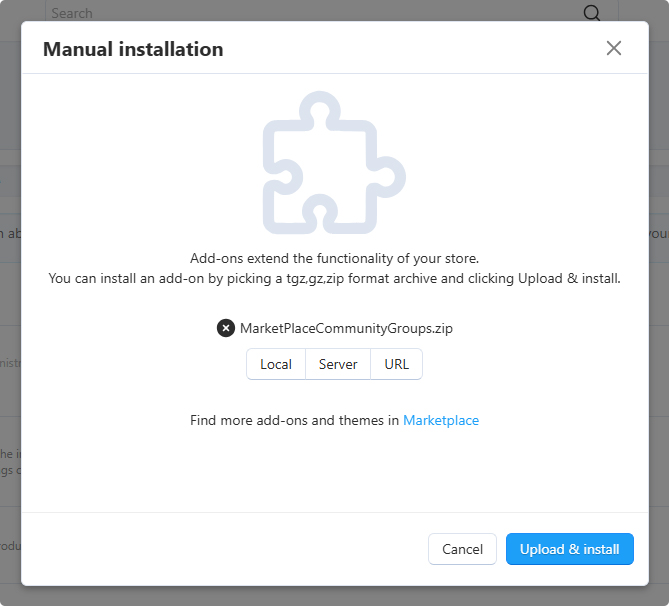
Navigate to Add-ons in your CS-Cart admin panel
Upload and install "Ecartify: Marketplace Community Groups Addon"
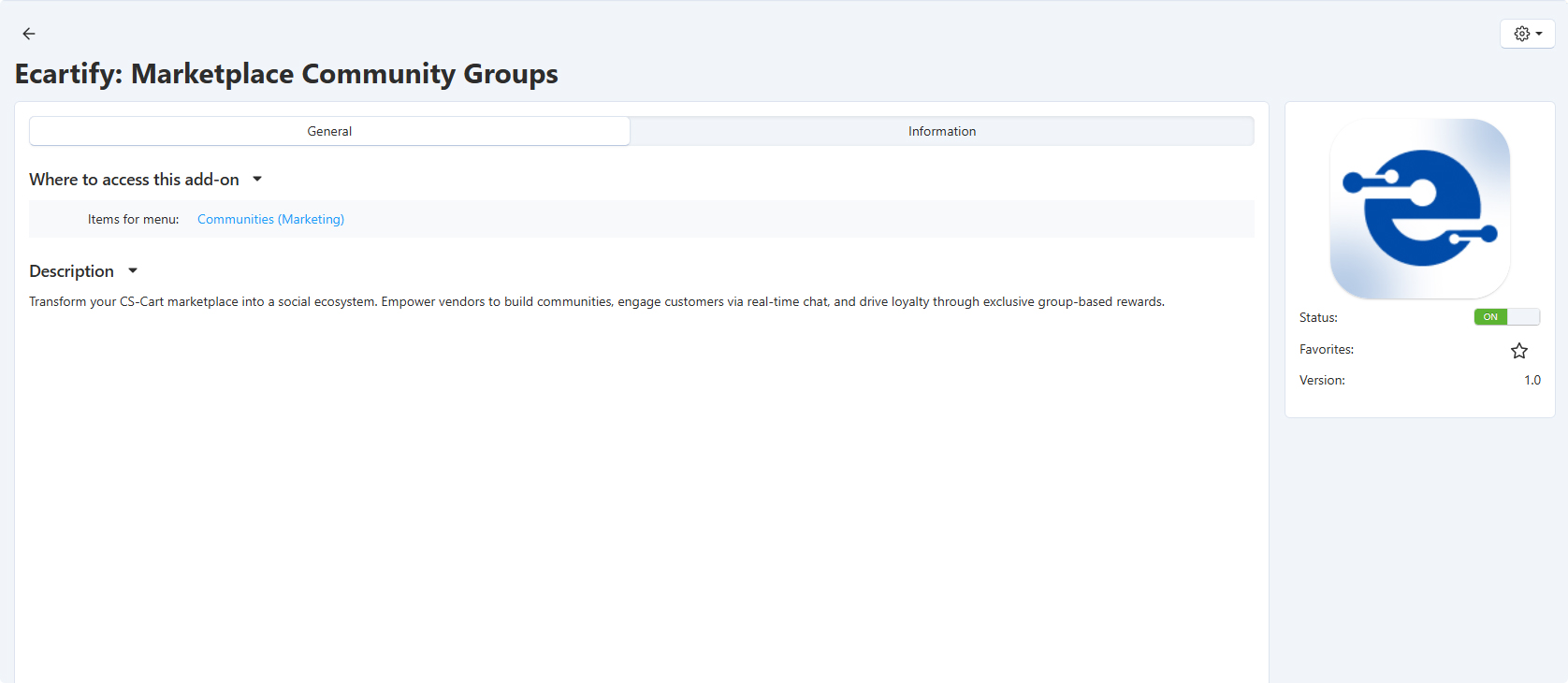
Activate the addon from the add-ons list
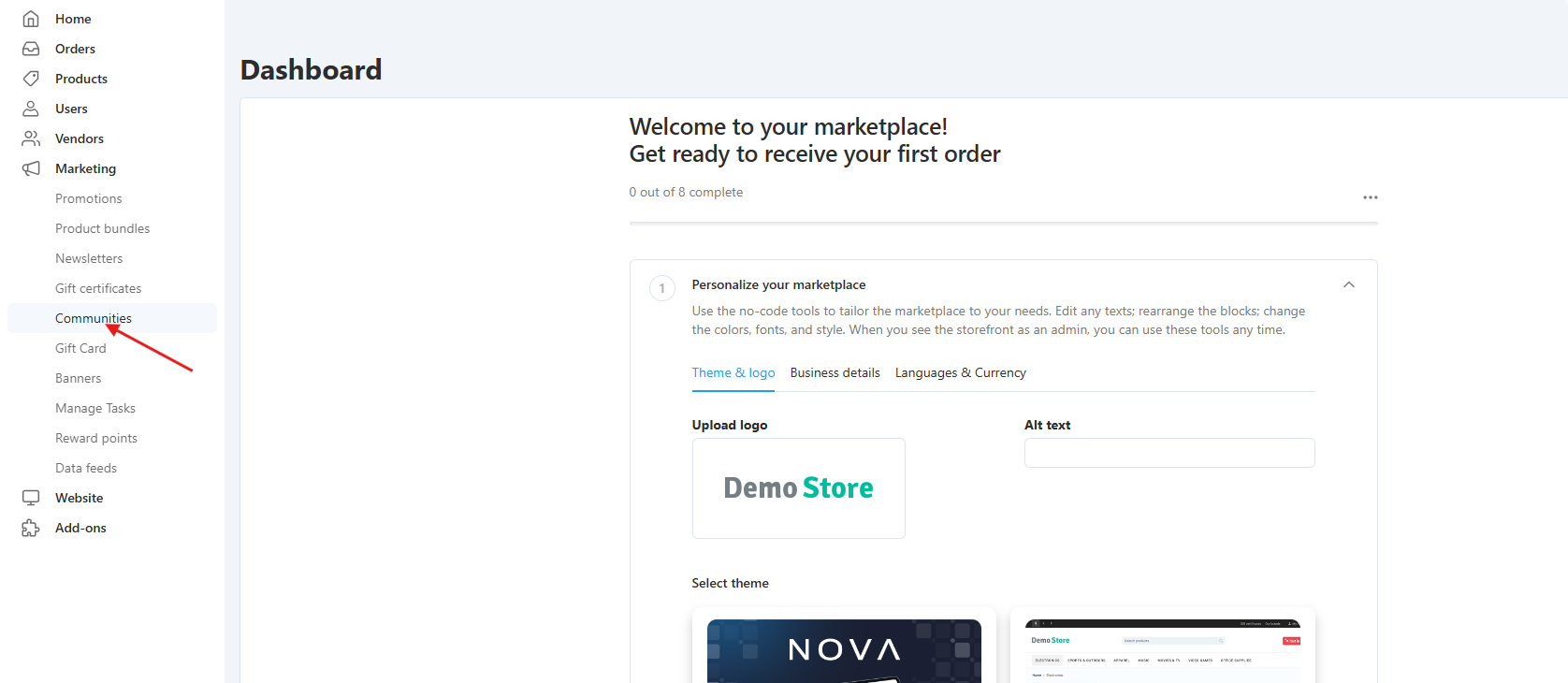
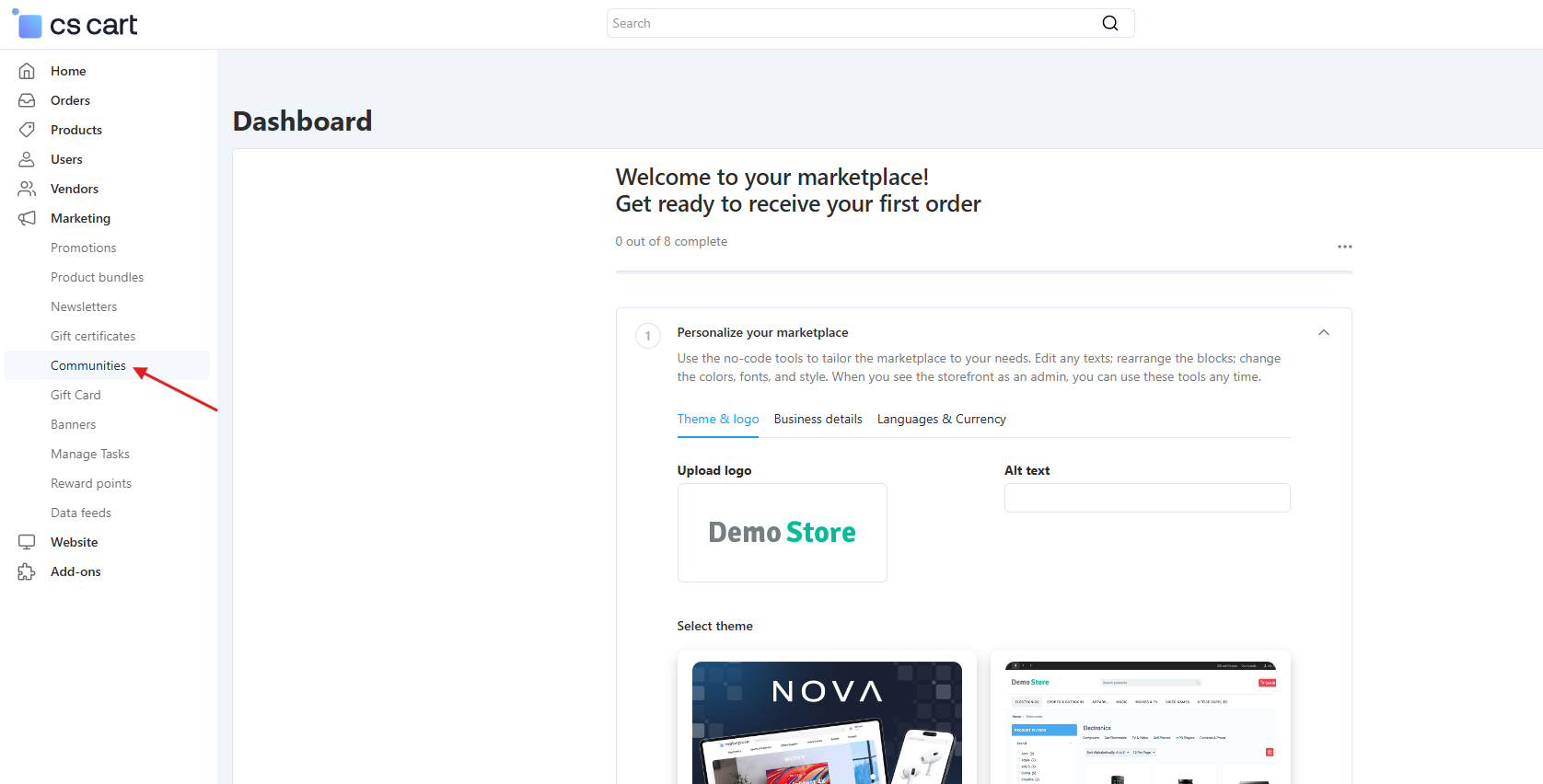
Communities menu appears in admin panel and vendor dashboard
The addon is now ready for vendors to start creating communities!
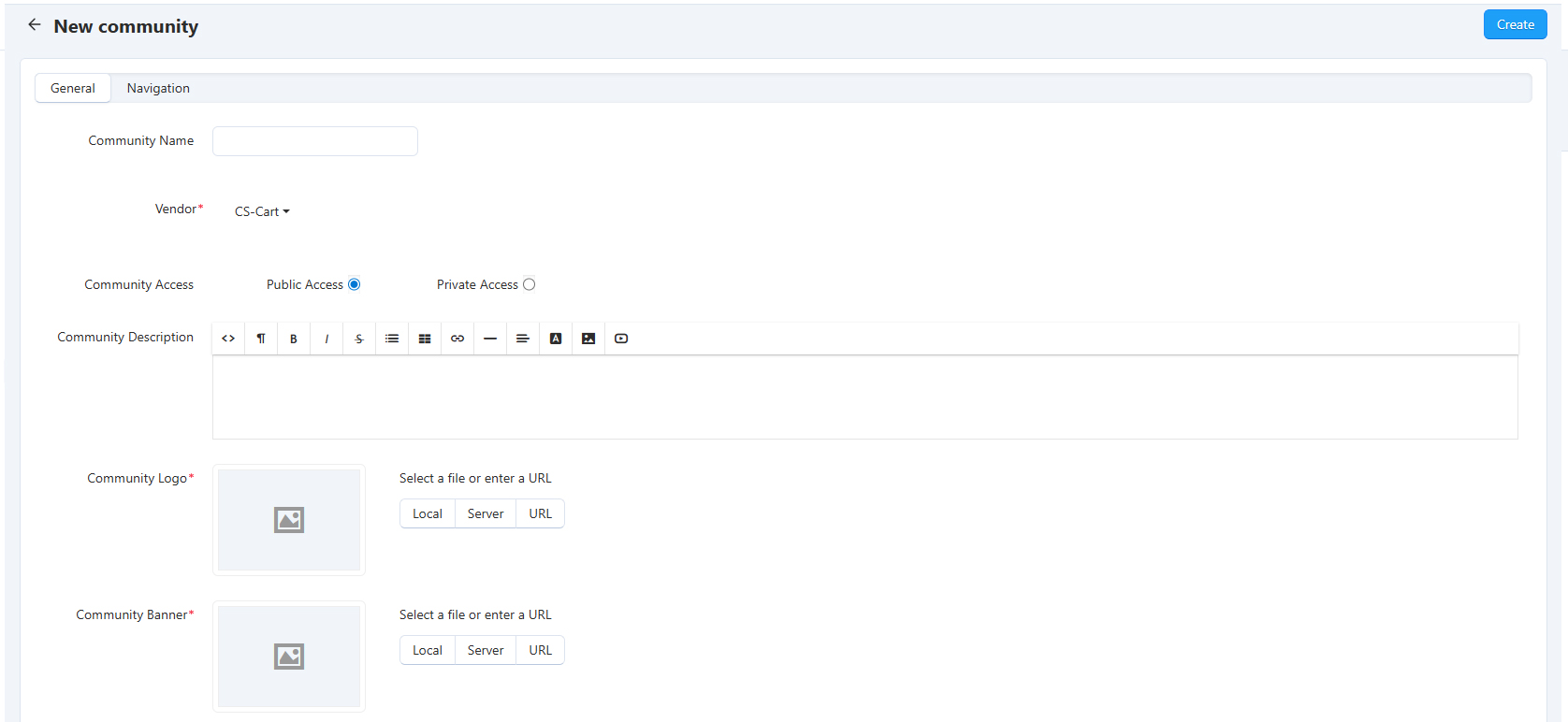
Step 2: Admin Creates a Community
Admin create and configure their community:
Admin logs into their admin panel
Navigate to Communities → Create Community
Enter community name, description, and details and select the main vendor from the vendor selector.
Select community type: Public or Private.
Set community image/logo for branding
Save the community to publish it on the marketplace
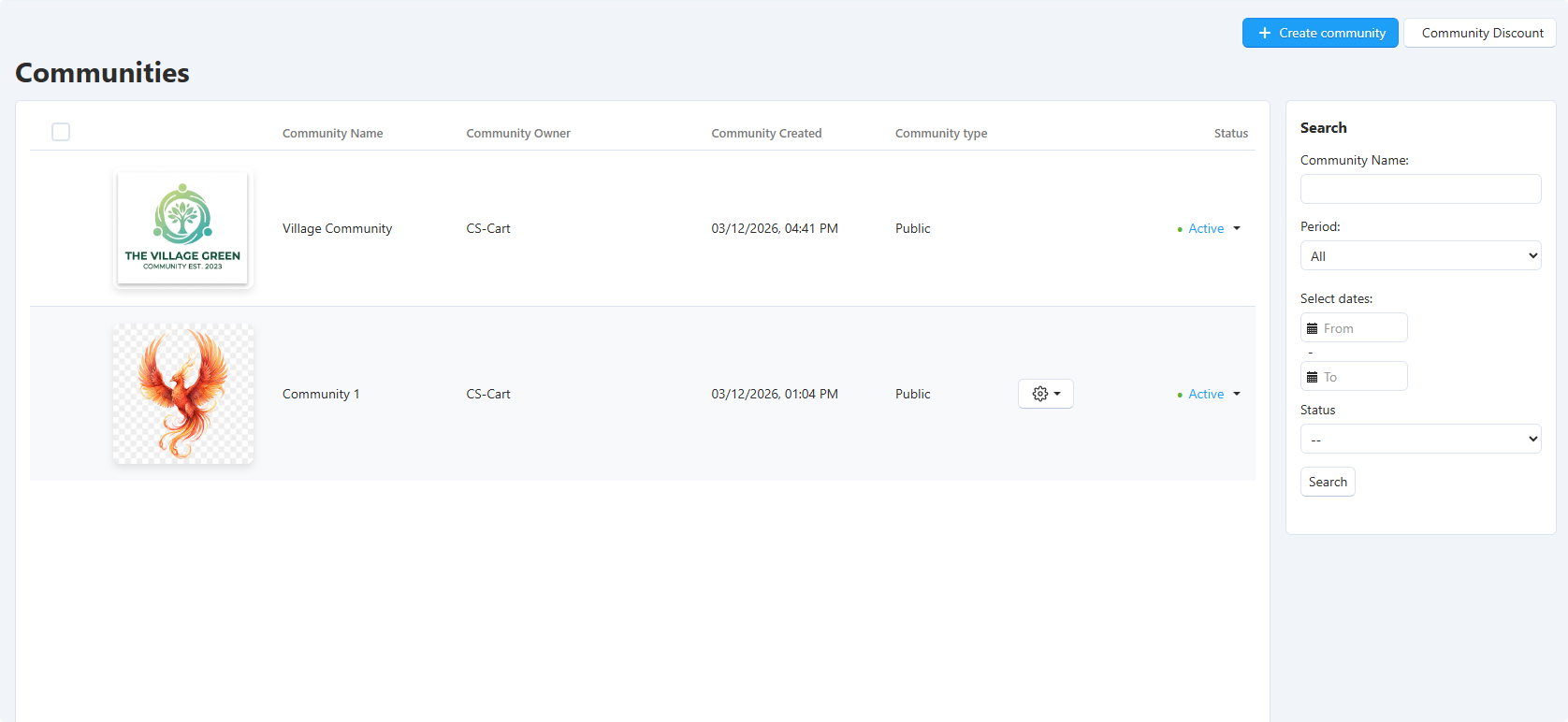
The addon is now ready for vendors to start creating communities!
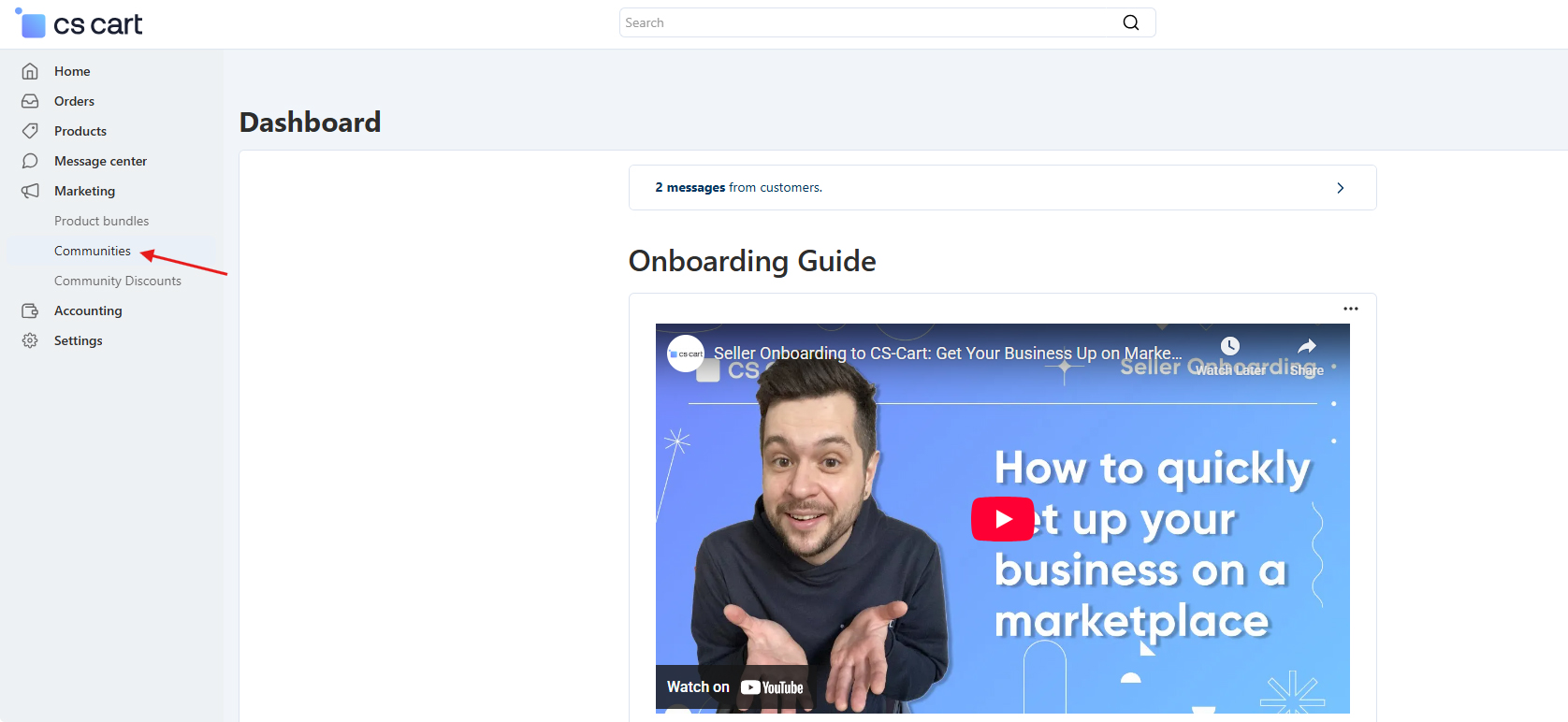
Step 3: Vendor Creates a Community
Vender can also create and configure their community:
Vendor logs into their vendor panel
Navigate to Communities → Create Community
Enter community name, description, and details
Select community type: Public or Private.
Set community image/logo for branding
Save the community to publish it on the marketplace
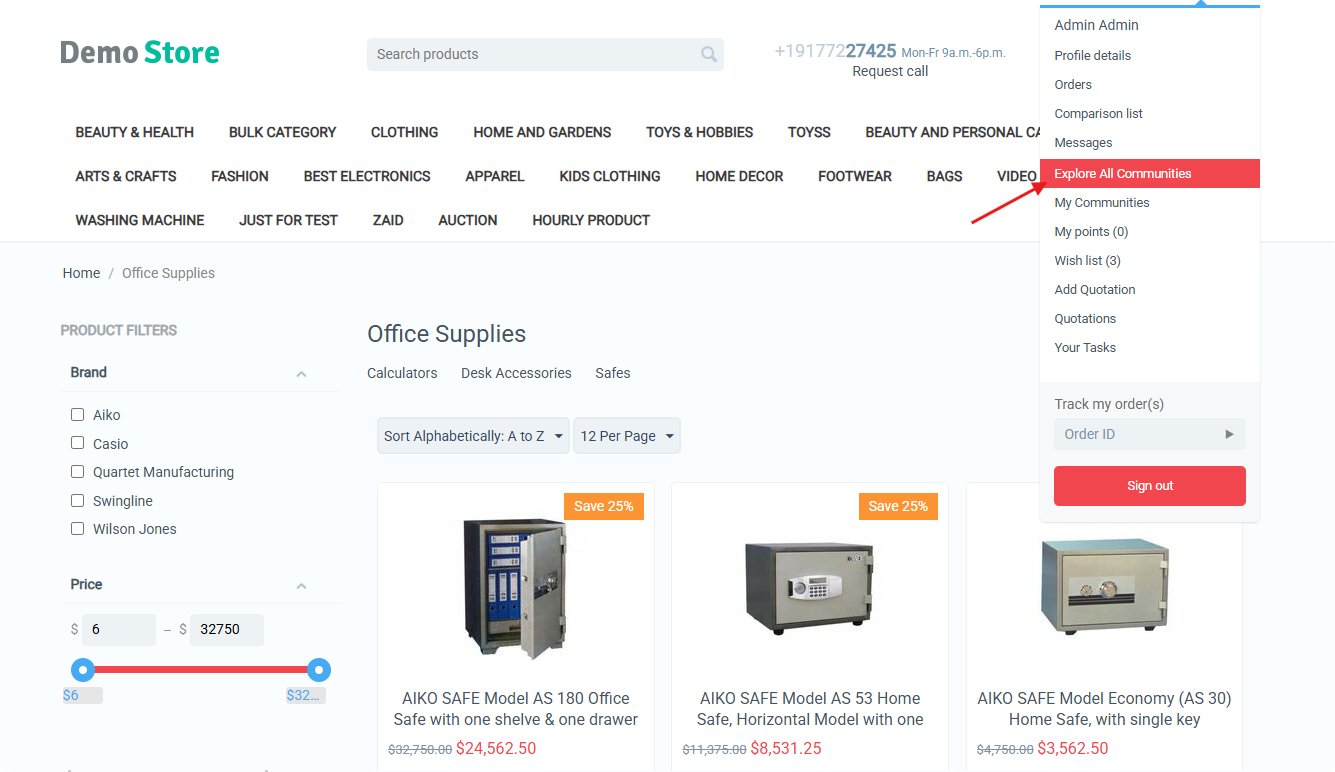
Step 4: Customers Join Communities
Customers discover and join communities from the frontend:
Customer browses available communities on the marketplace
Clicks on a community to view details and benefits
Clicks "Request to Join" / "Follow Community" button
For public communities: instant access granted
For private communities: join request sent to vendor
Vendor reviews and approves/rejects the request
Customer receives notification of approval status
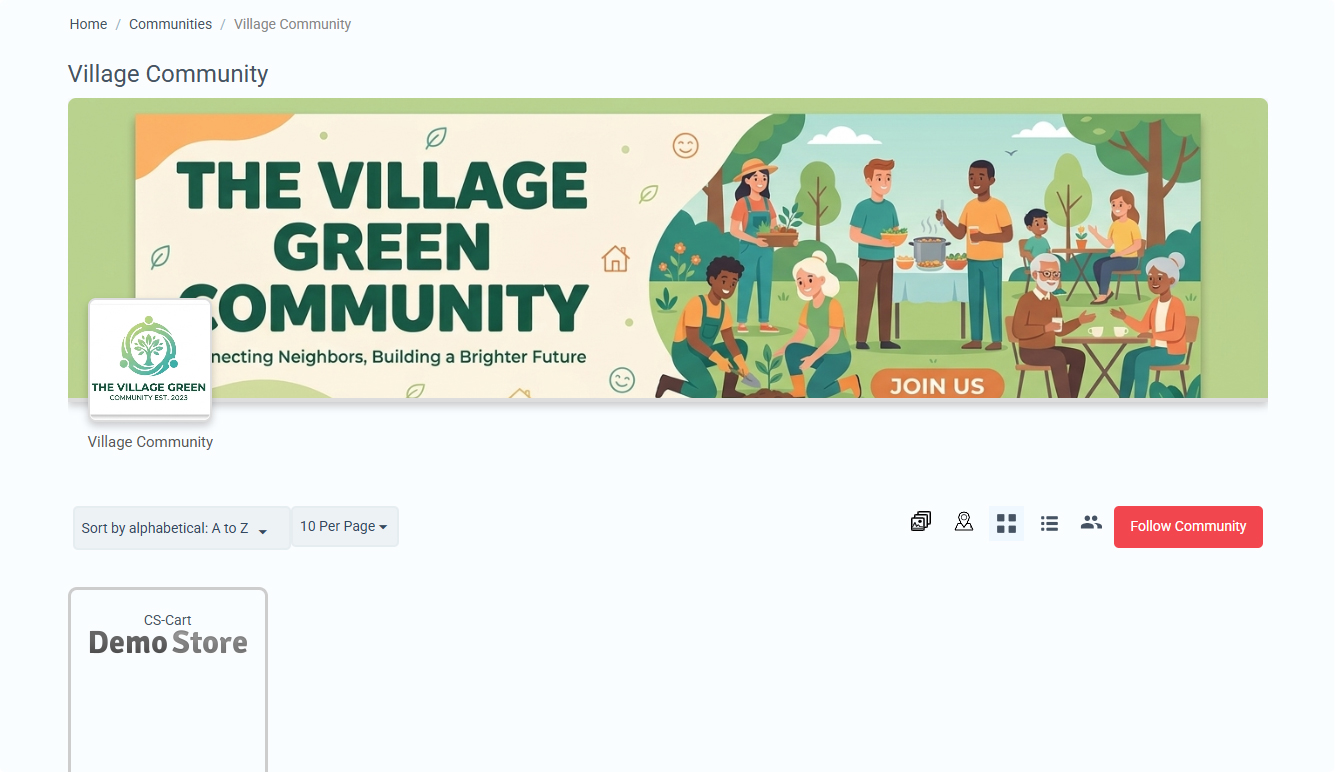
Once approved, customers gain access to all community features and benefits.
Step 5: Vendor Engages with Community Members
Vendors use channels to communicate and engage with their community:
Use Community Chat:
Engage in real-time conversations with members for support, questions, and collaboration.
Engage in real-time conversations with members for support, questions, and collaboration.
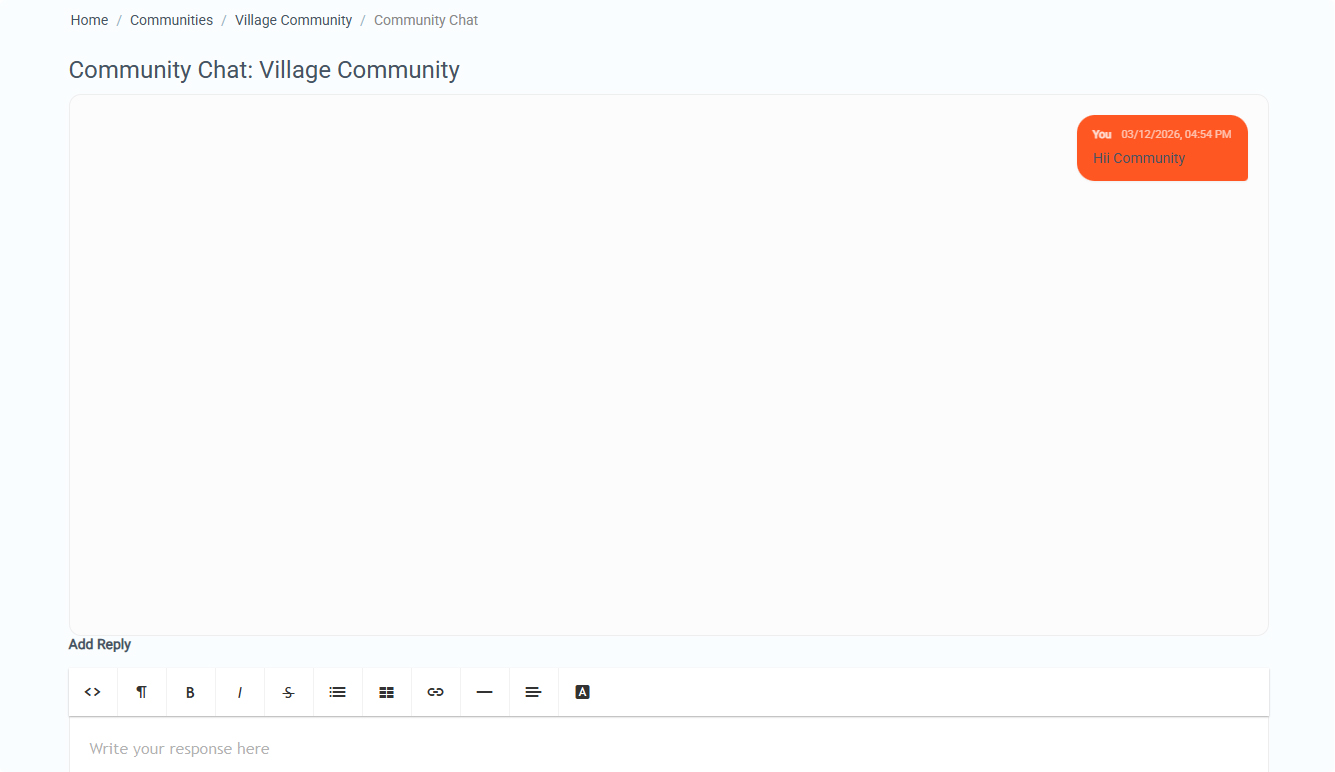
Active engagement builds stronger relationships and increases customer loyalty.
Step 6: Create Exclusive Community Discounts
Both administrators and community vendors can create special discounts for community members:
Admin-Created Discounts (Requires Vendor Approval):
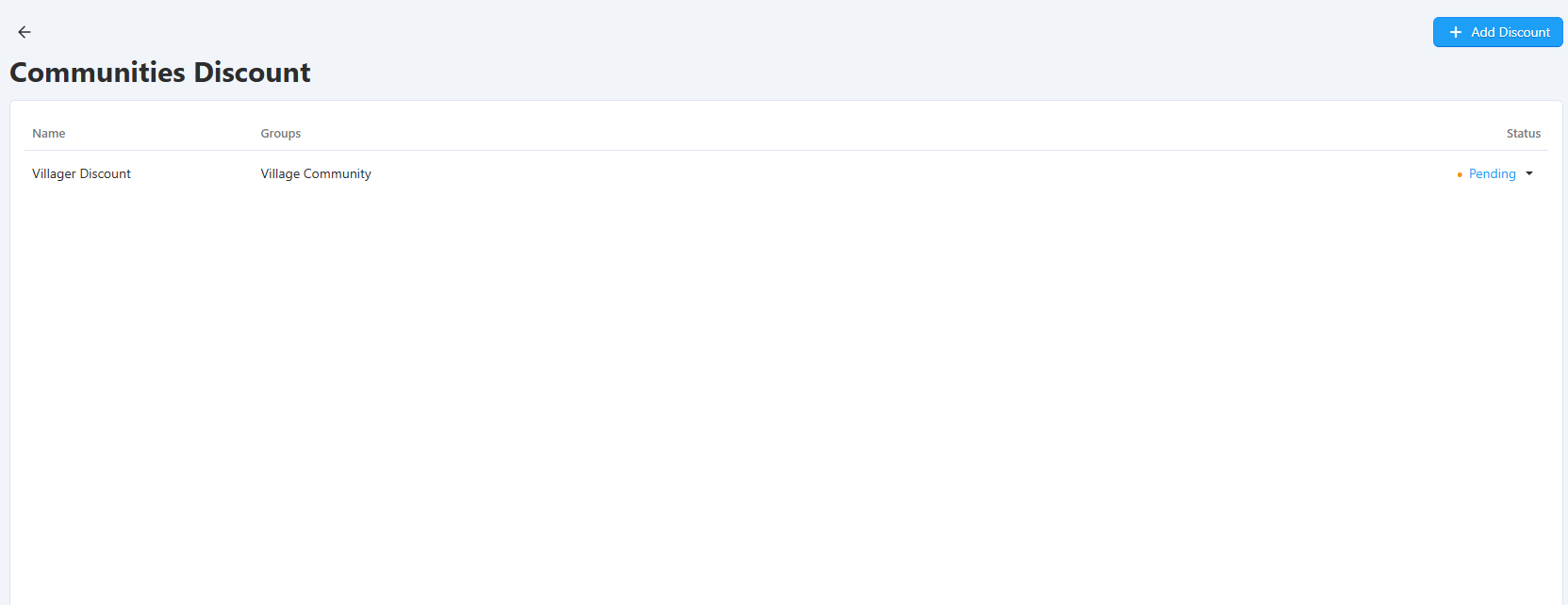
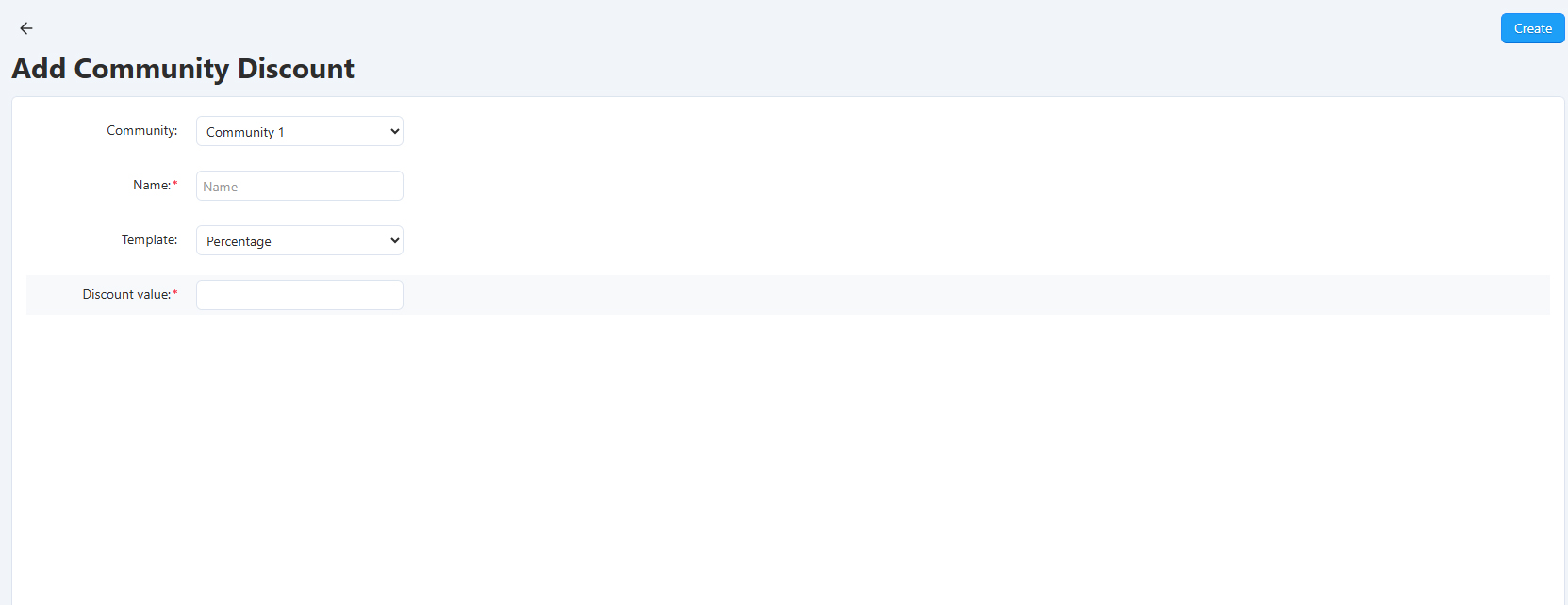
- Admin navigates to Marketing → Communities → Community Discounts
- Creates a new promotion targeting a specific community
- Sets discount type (percentage or fixed amount)
- Selects which vendor products are included
- System sends approval requests to affected vendors
- Vendors approve or reject the discount from their panel
- Once approved, discount auto-applies for community members
Vendor-Created Discounts:
- Vendor navigates to Marketing → Community Discounts in their vendor panel
- Creates a new discount for their own community
- Sets discount type and amount for their products only
- Selects which of their products receive the discount
- Discount is immediately active for community members
- Vendor has full control to enable/disable at any time
Step 7: Members Enjoy Exclusive Benefits
Community members experience the full value of their membership:
Access community-exclusive products pricing
Participate in community chat discussions
Automatically get community discounts at checkout
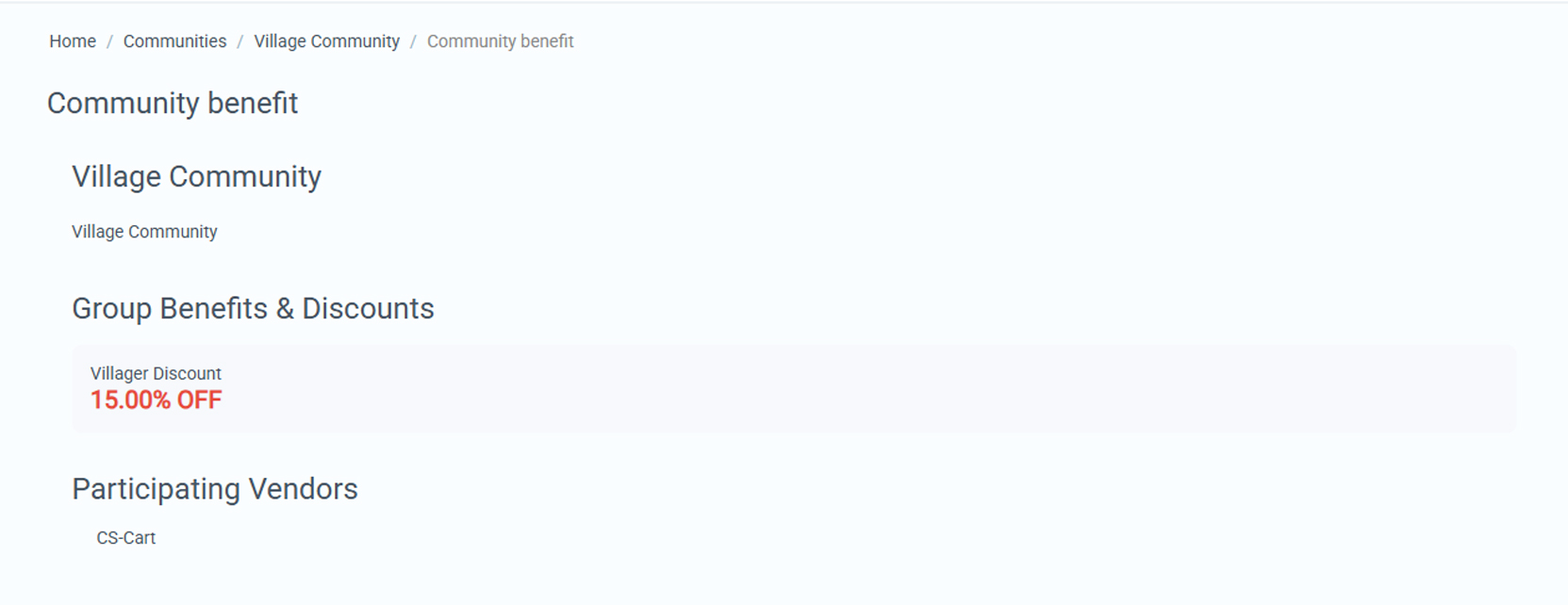
Members get VIP treatment that drives repeat purchases and brand loyalty.
Who Should Use This Addon?
Marketplace Community Groups Addon is perfect for:
Multi-Vendor Marketplaces:
Build engaged communities around vendor brands and product categories.
Build engaged communities around vendor brands and product categories.
Niche Marketplaces:
Build tight-knit communities around specific interests or product categories.
Build tight-knit communities around specific interests or product categories.
Community-Driven Platforms:
Transform your marketplace into a social commerce platform with collaboration features.
Transform your marketplace into a social commerce platform with collaboration features.
If building community engagement and customer loyalty is important to your marketplace success, this addon is essential.
Ecartify: Marketplace Community Groups Addon
Ecartify: Marketplace Community Groups Addon transforms your CS-Cart marketplace from a simple transaction platform into a thriving community ecosystem where vendors and customers connect, collaborate, and build lasting relationships.
With vendor-managed communities, real-time chat, exclusive discounts, and private product access, you create a competitive advantage that goes far beyond just selling products—you build loyal communities that drive repeat business and long-term growth.
If you want to increase customer lifetime value, strengthen vendor-customer relationships, and create a marketplace that customers want to be part of, this addon is absolutely essential for your platform's success.
Ready to Build a Thriving Community?
Stop competing on price alone. Upgrade to Ecartify: Marketplace Community Groups Addon and transform your marketplace into a community-driven platform where vendors and customers collaborate, communicate, and grow together through exclusive communities and member benefits.
