Ideas That Power Digital Growth
Stay ahead with actionable insights, expert opinions, and practical guides covering ecommerce trends, platform updates, automation, AI, and real-world solutions to help businesses grow and scale digitally.
Enhance your CS-Cart store with lightning-fast and accurate product search powered by Apache Solr. This addon delivers smarter search results, better relevance, advanced filtering, and high performance even with large product catalogs.
Solr Search – The High-Performance Product Search Engine for CS-Cart
Solr Search supercharges your CS-Cart store with lightning-fast and scalable product search. By replacing heavy SQL queries with Apache Solr, it delivers accurate results even for large product catalogs without slowing down your store.
Go beyond basic search with background product syncing and cron-based automation. One addon. Enterprise-grade search. Built to keep your CS-Cart store fast, responsive, and ready to scale.
Key Features of Solr Search addon
High-Performance Product Search:
Replaces slow SQL queries with Apache Solr for ultra-fast and accurate search results.
Optimized for Large Catalogs: Handles thousands or millions of products without impacting store performance..
Background Product Sync:
Index products in the background without blocking your CS-Cart frontend.
Cron-Based Automation: Automatically keep Solr data updated using scheduled cron jobs.
Advanced Filtering & Sorting: Supports filters like price, category, vendor, attributes, and custom fields
Faster Page Load Times: Reduces database load and improves overall site speed.
Scalable & Future-Ready: Designed to grow with your business as your product catalog expands.
CS-Cart & Multi-Vendor Compatible: Works seamlessly with CS-Cart, Multi-Vendor, Ultimate editions, any theme, and any hosting.
Advanced Filtering & Sorting: Supports filters like price, category, vendor, attributes, and custom fields
Faster Page Load Times: Reduces database load and improves overall site speed.
Scalable & Future-Ready: Designed to grow with your business as your product catalog expands.
CS-Cart & Multi-Vendor Compatible: Works seamlessly with CS-Cart, Multi-Vendor, Ultimate editions, any theme, and any hosting.
Multilingual Search Support: Supports multilingual product search with accurate results across all CS-Cart languages.
Step-by-Step Setup Guide
Step 1: Install the Addon
Installing the AI Creator Addon is simple:
Works seamlessly with CS-Cart, Multi-Vendor, Ultimate editions, any theme, and any hosting.
Login to your CS-Cart admin panel.
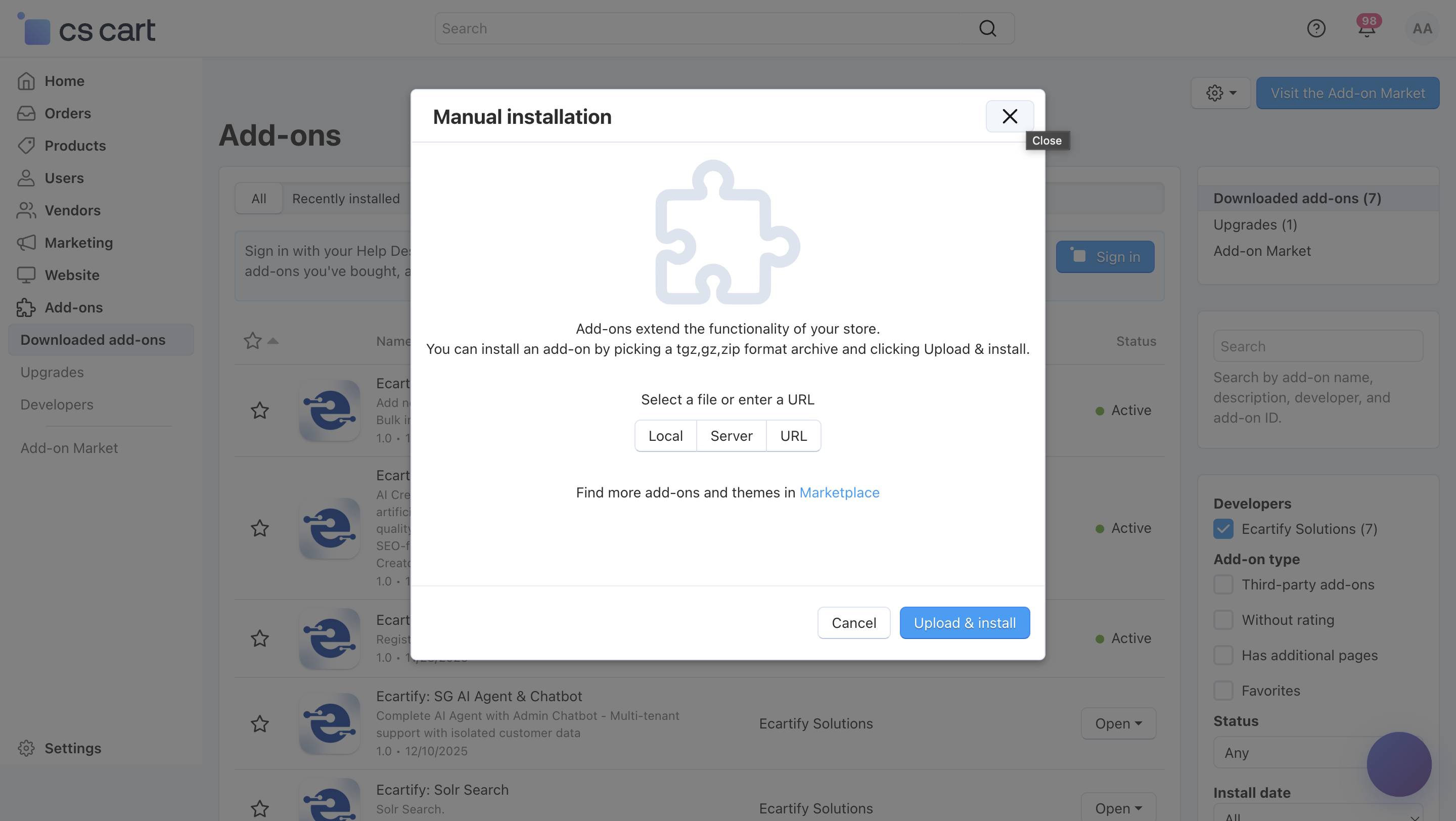
Go To Add-ons → Manage add-ons→ Click on ⚙️ gear icon→ Manual installation
Upload the provided ZIP file of the addon.
Once uploaded, the addon will appear under CS-Cart - Add-ons.
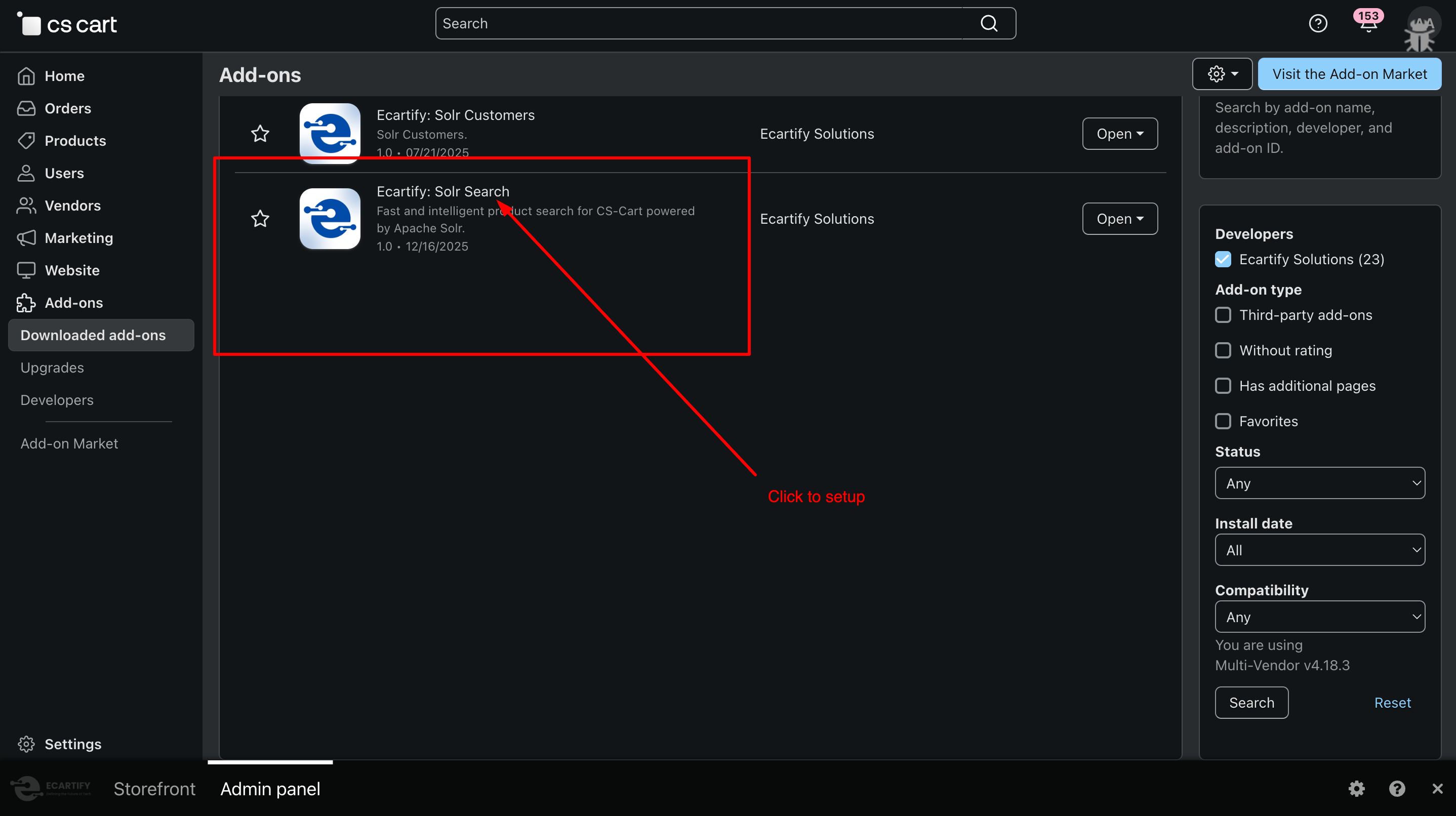
Now click on the Solr Search add-on and add the required settings.
This process takes only a few minutes and requires no coding knowledge.
Step 2: Configure the Settings
After installing the add-on, go to Add-ons → Manage add-ons and open the Solr Search settings page. From here, you can configure the core options that control how Solr works in your store, including product indexing, search behavior, multilingual support, and cron-based background synchronization:
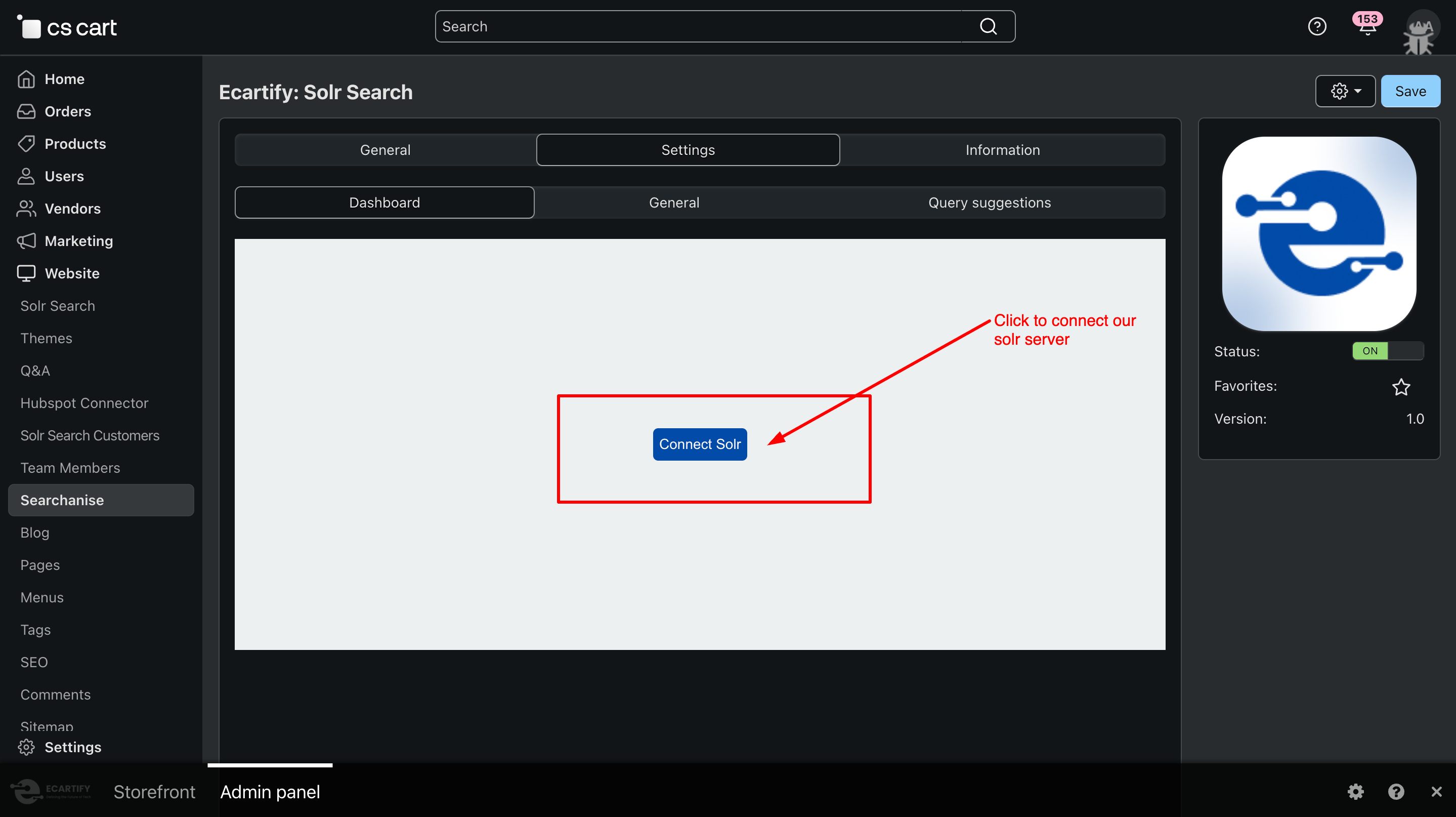
i) Connect Solr Server:
Click the Connect button and enter your Solr server details to establish a connection. This is the first step to enable fast, scalable product search for your CS-Cart store.
After clicking, a request will be sent to the Solr server. Product indexing will start only after the connection is approved, ensuring your store’s search data is synced securely and accurately.
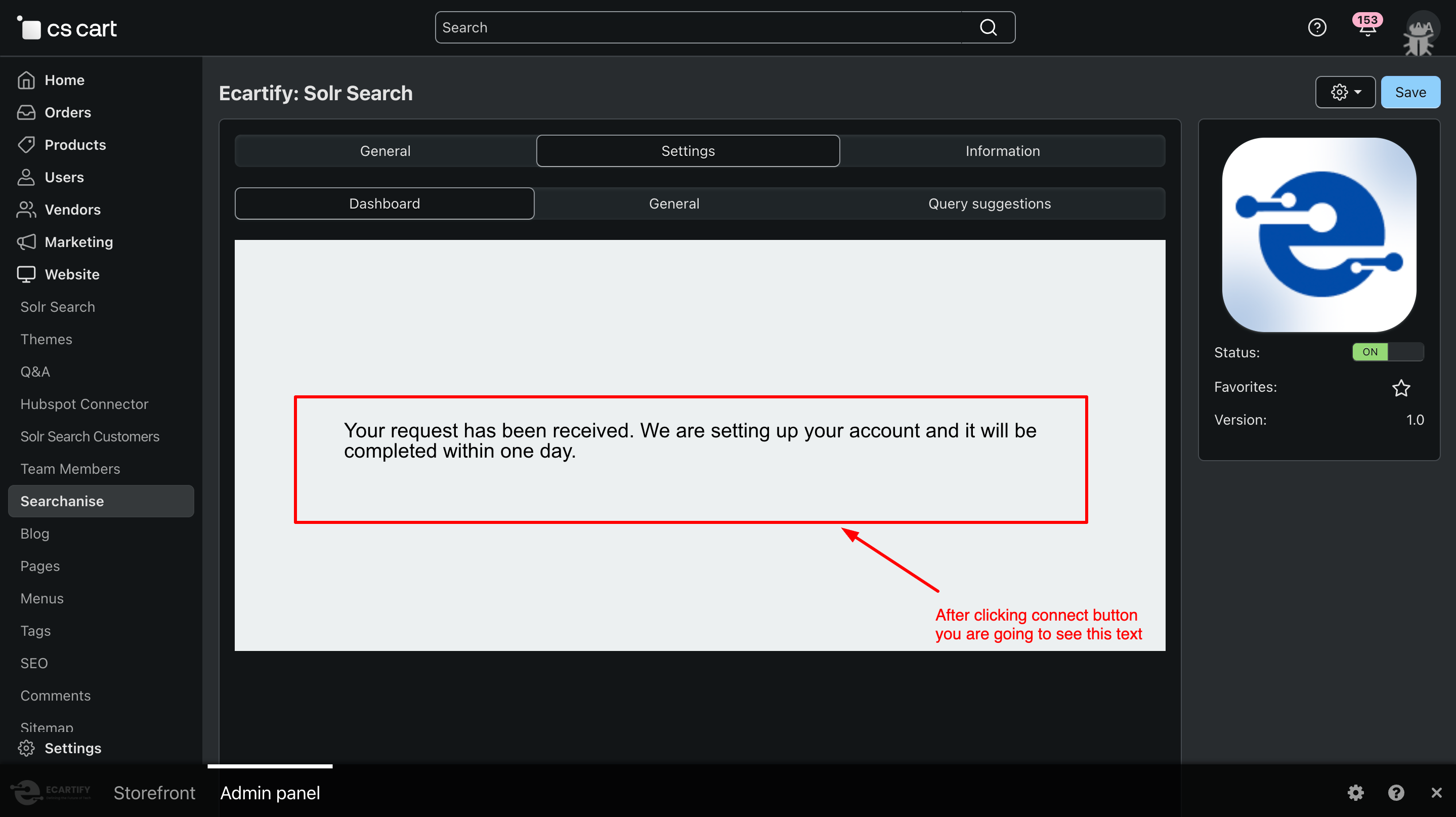
When you click the Connect button, your CS-Cart store sends a request to set up the Solr connection. Once the request is received, you’ll see the message:
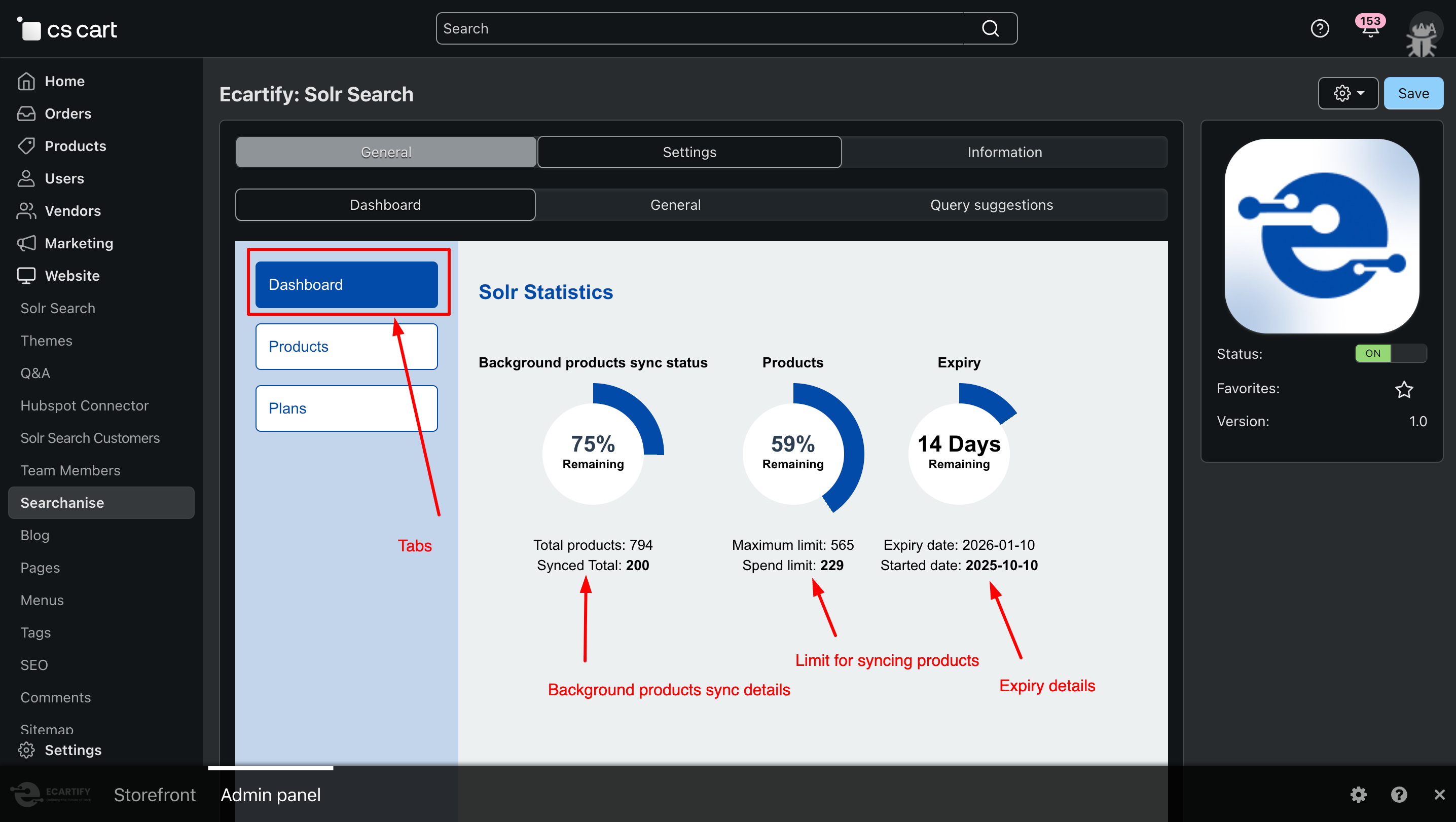
ii) Solr Dashboard Overview:
After the setup is complete, you will see a dedicated Solr dashboard. This dashboard displays the total number of synced products, plan expiry information, and control options to pause syncing or remove all indexed products from Solr.
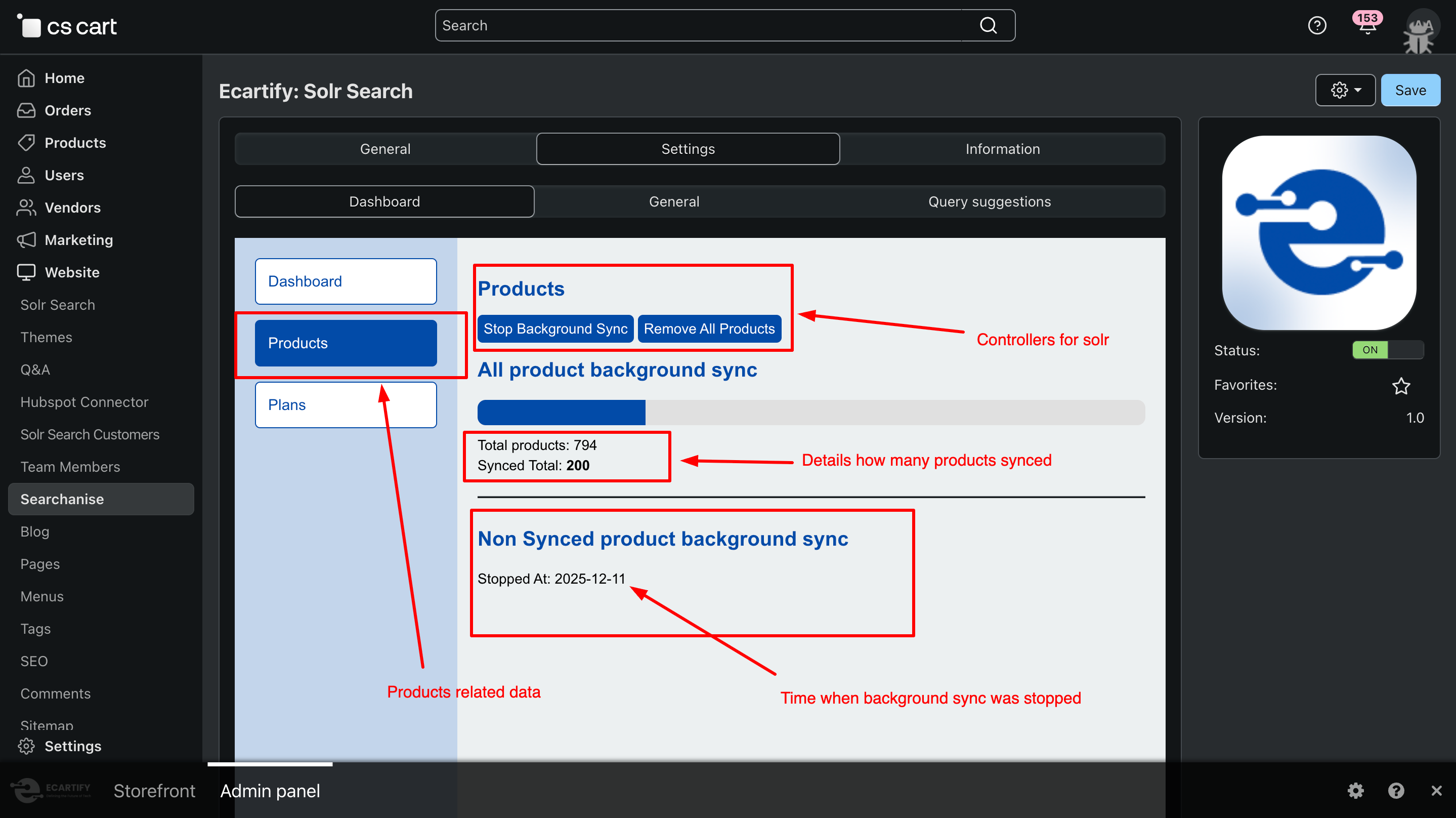
iii) Product Sync Control Section:
This section of the dashboard shows detailed product sync information, including when syncing was last stopped and how many products have been synced. It also provides control options to stop syncing or remove all products from Solr whenever needed.
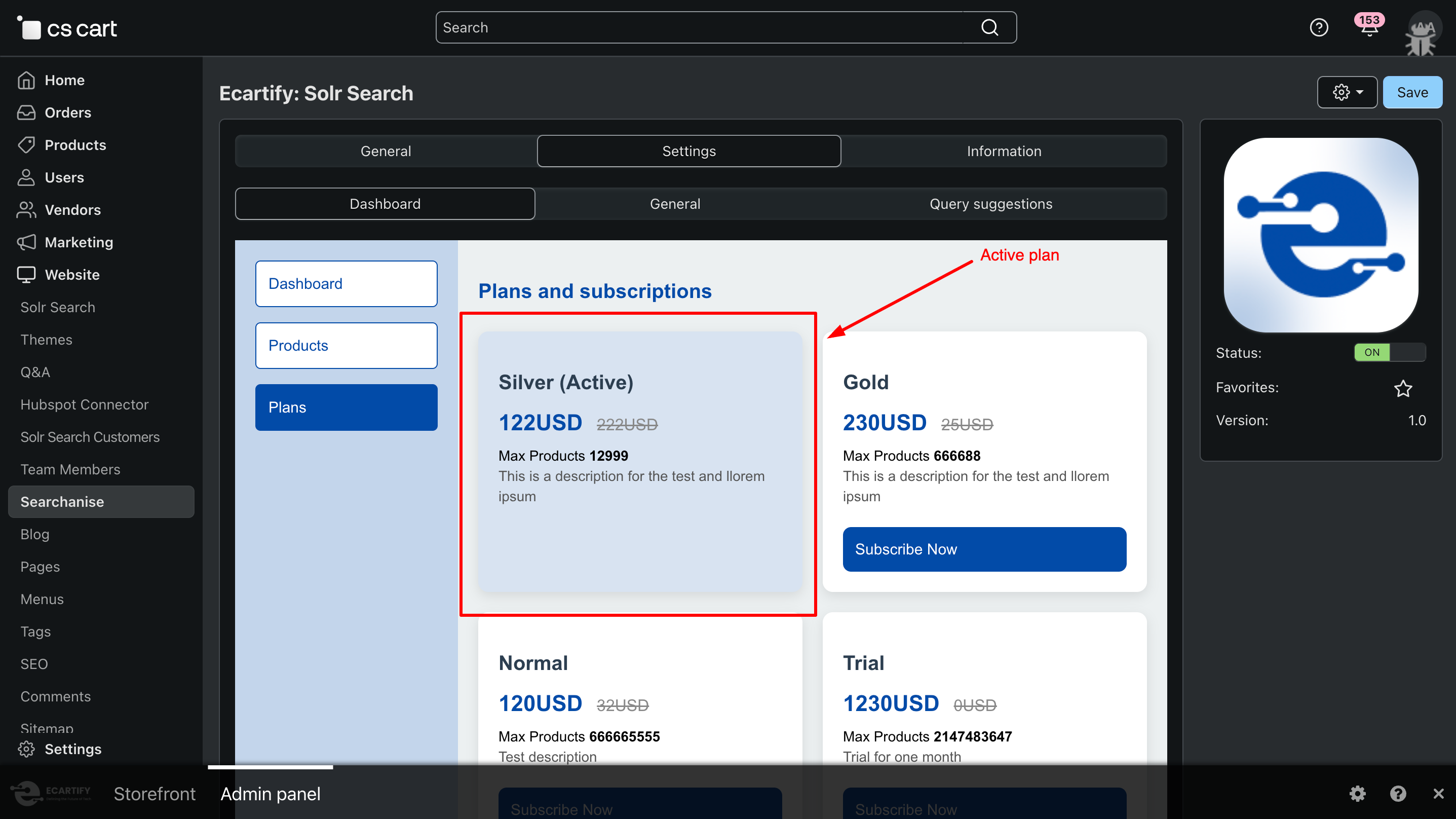
iv) Plan Details & Status:
This section displays plan-related information, including which plan is currently active and its status. You can also view other available plans and manage plan-related details directly from the dashboard.
v) General settings:
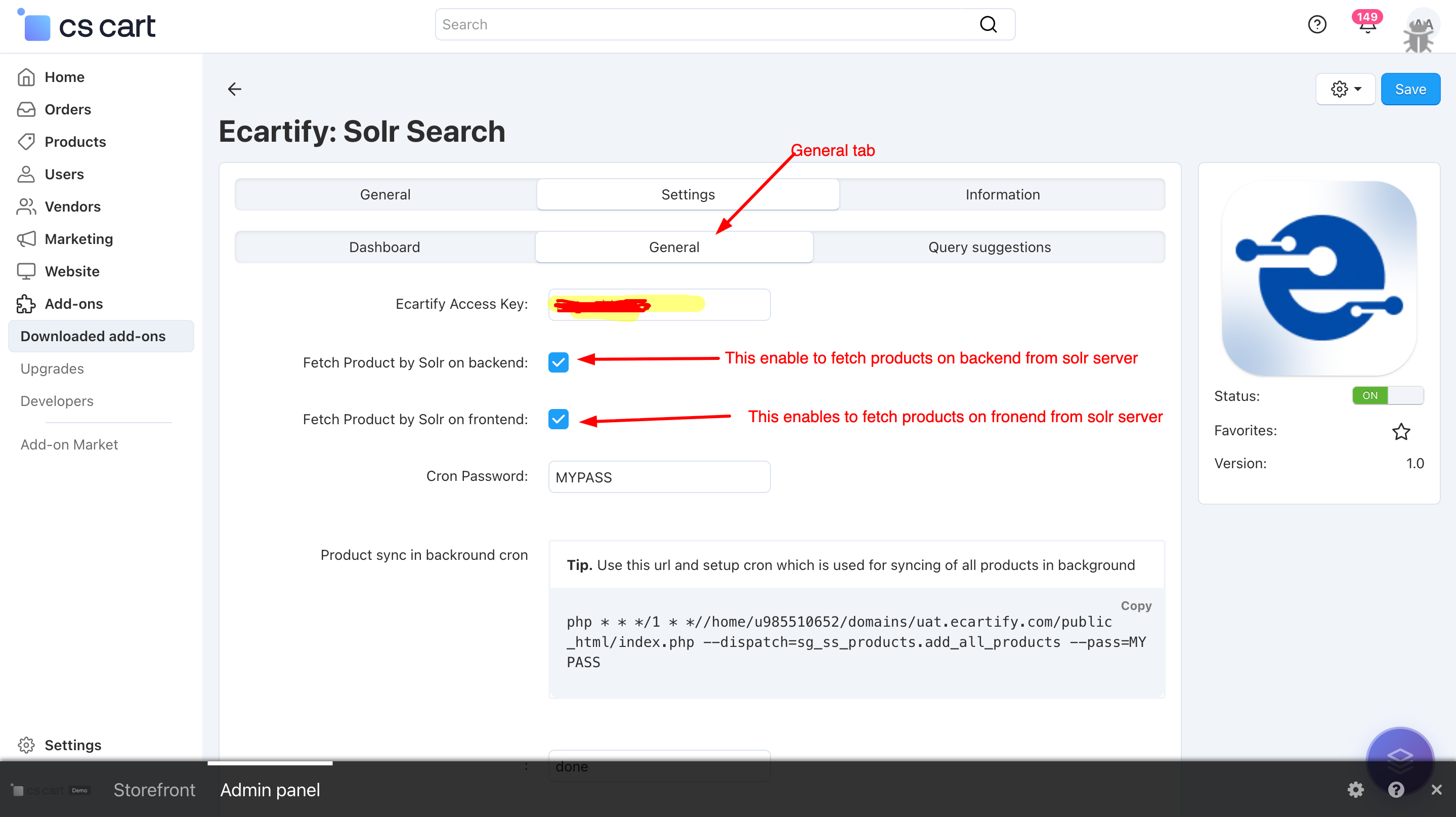
The General Settings section allows you to configure and manage your Solr connection and product synchronization easily.
The access key is automatically generated when you click the Connect button, or you can manually purchase a plan and use the provided key via the plan purchase link available on the settings page.
Fetch products via solr :
Fetch Product by Solr on Backend:
Enables Solr-based product loading in the CS-Cart admin panel.
Fetch Product by Solr on Frontend:
Enables Solr-powered product loading on the storefront, improving page load speed and search performance.
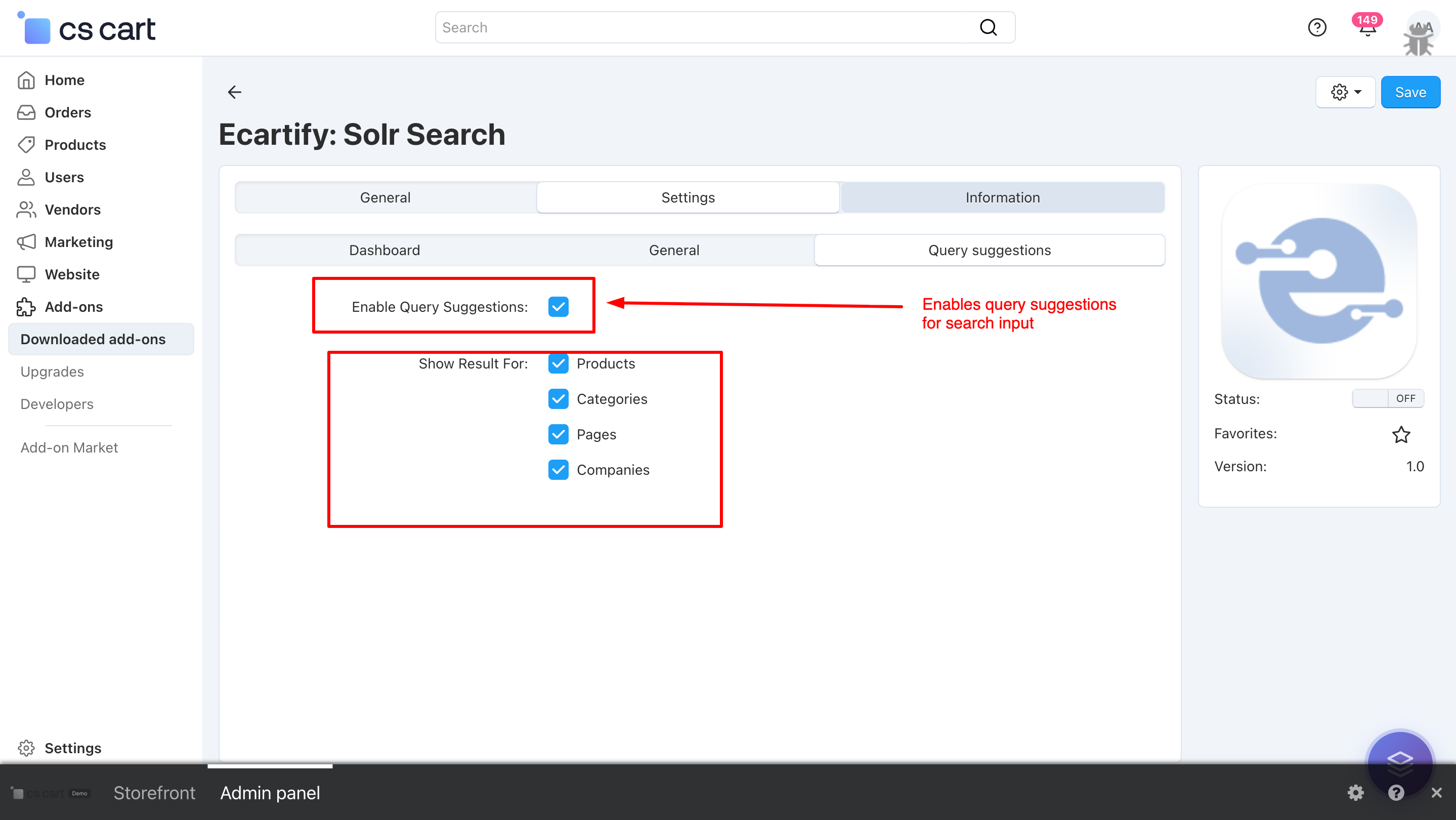
vi) Query Suggestions:
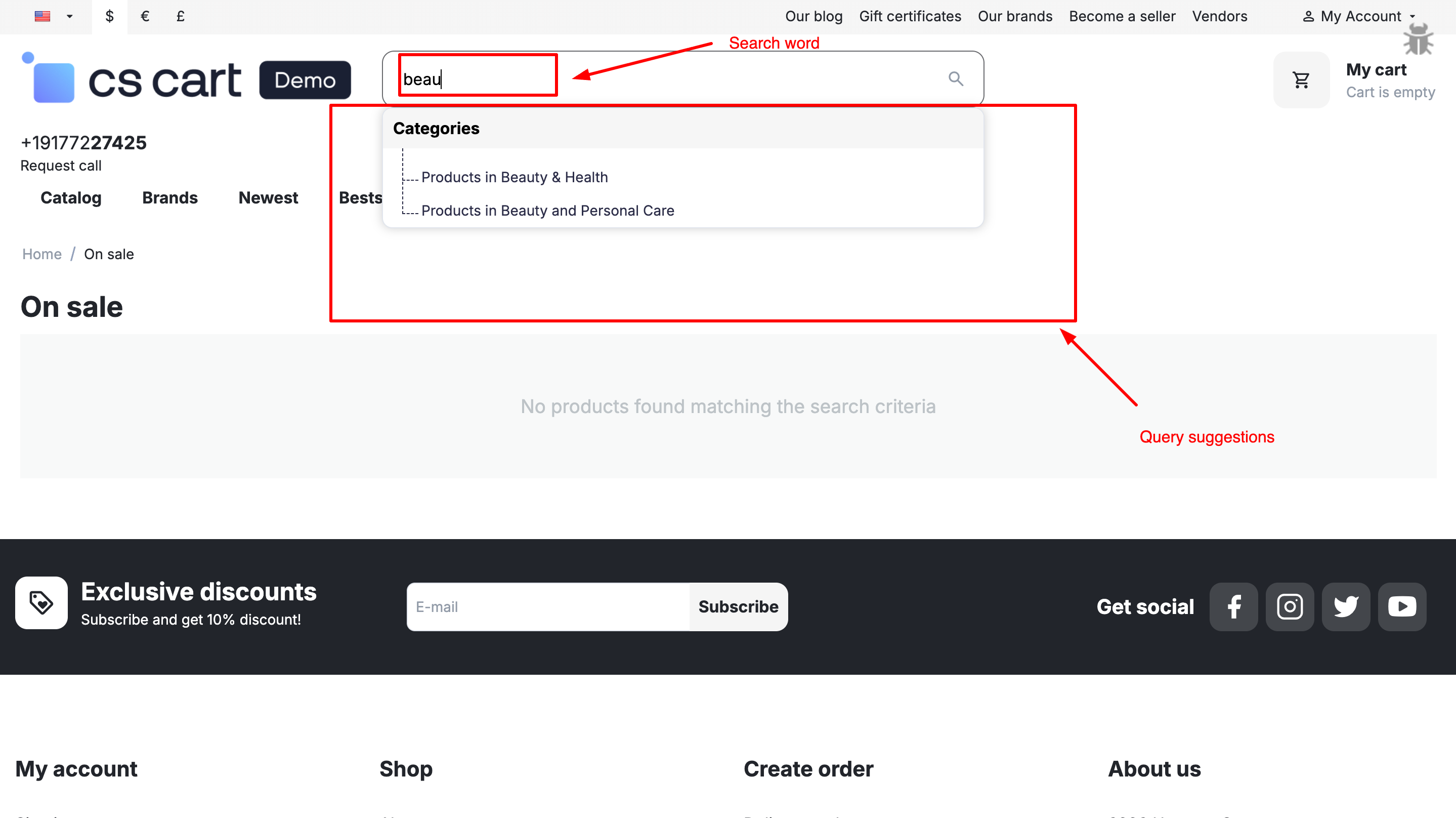
This setting enables real-time search suggestions while typing in the search input. It displays relevant Products, Categories, Pages, and Companies based on the entered query, helping users find results faster and improving overall search experience.
If a result type is enabled, suggestions will be displayed only for that type during search input.
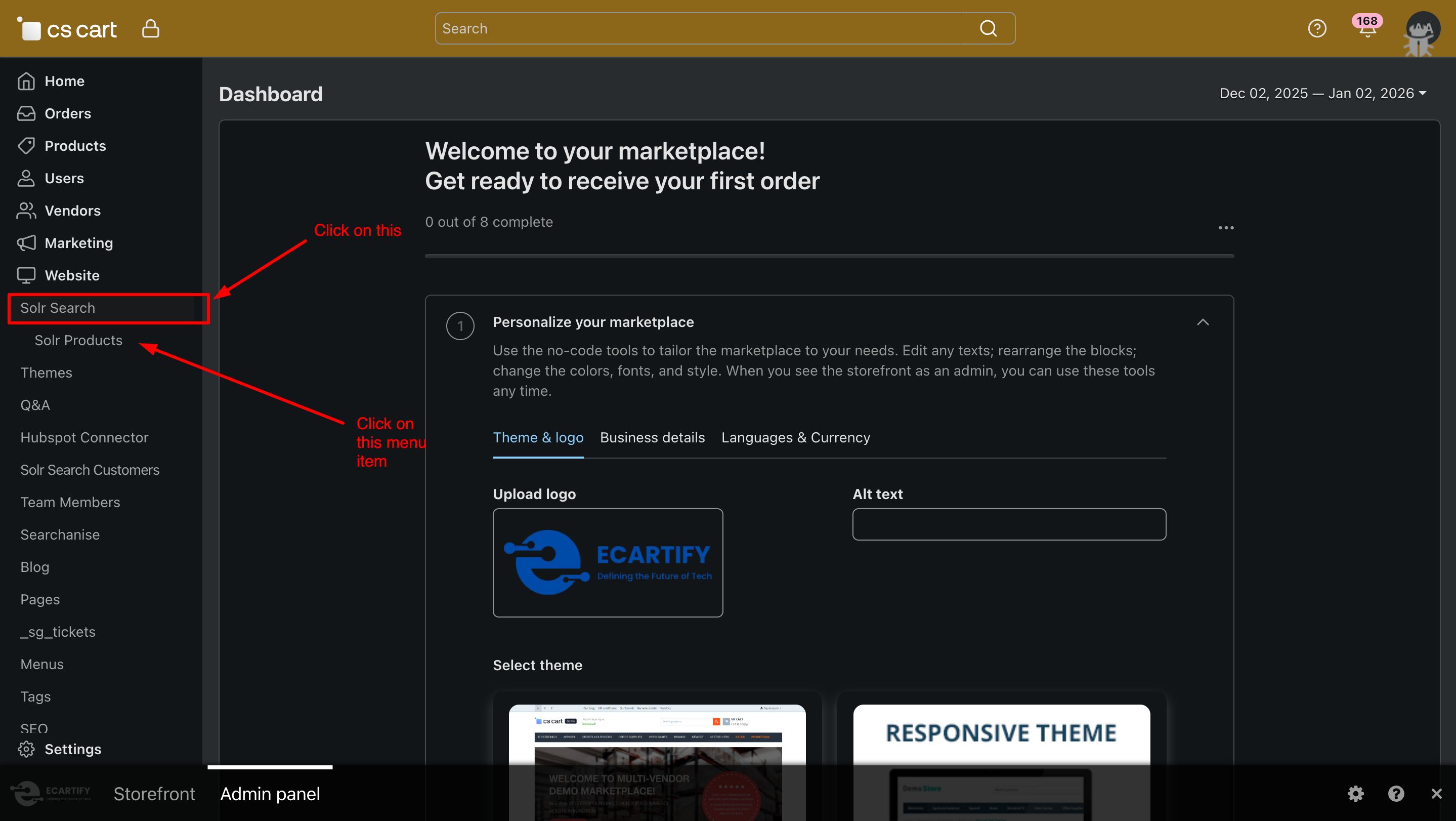
Step 3: Access Solr Search & Products Page
To start using the Solr Search addon:
Go to your CS-Cart Admin Panel.
From the Website menu, click on the Solr Search tab.
Inside Solr Search, click on Products.
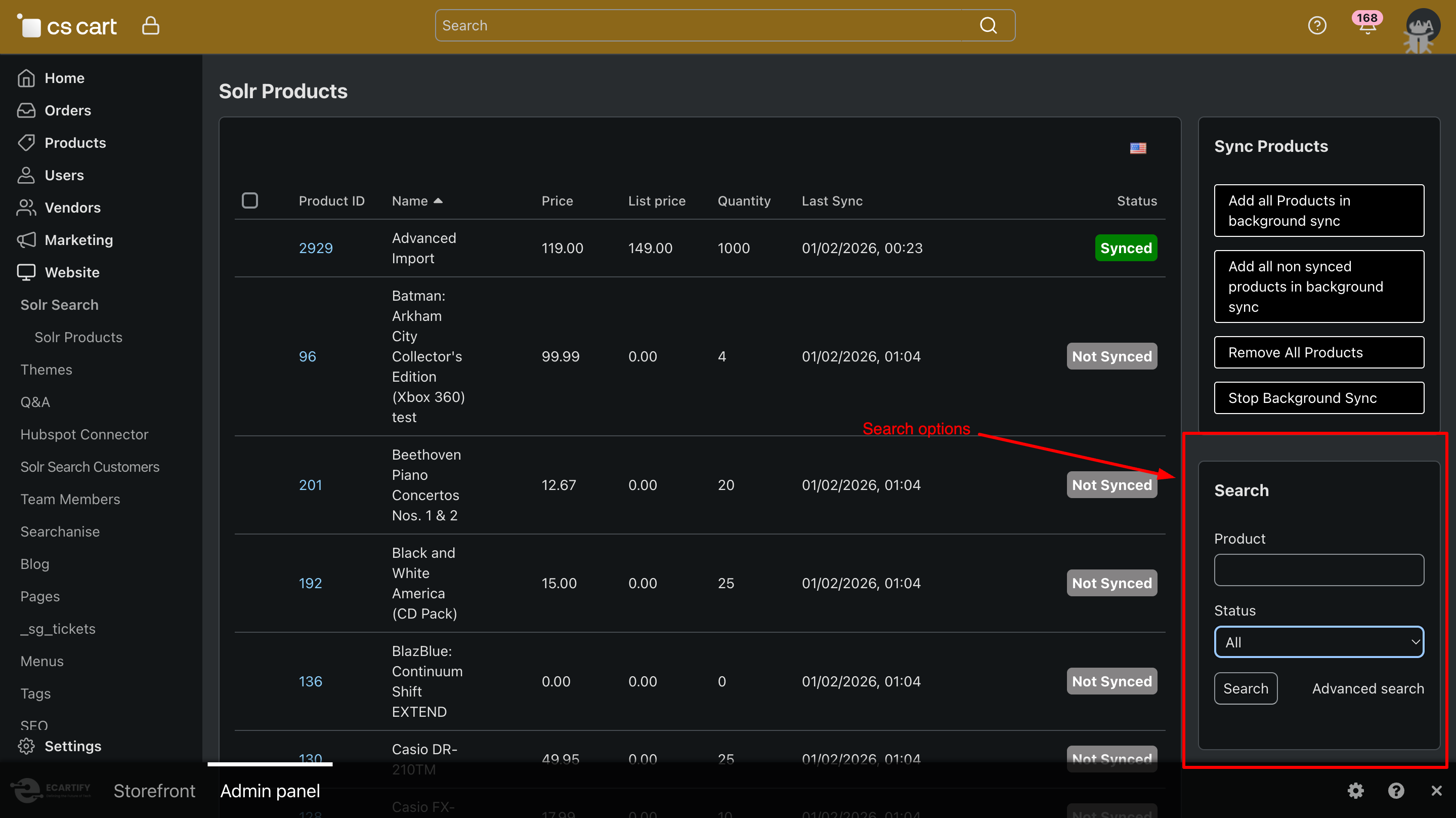
A dedicated Solr Products page will open, where you can manage product syncing and search behavior using Solr.
Step 4: How to Sync Products with Solr
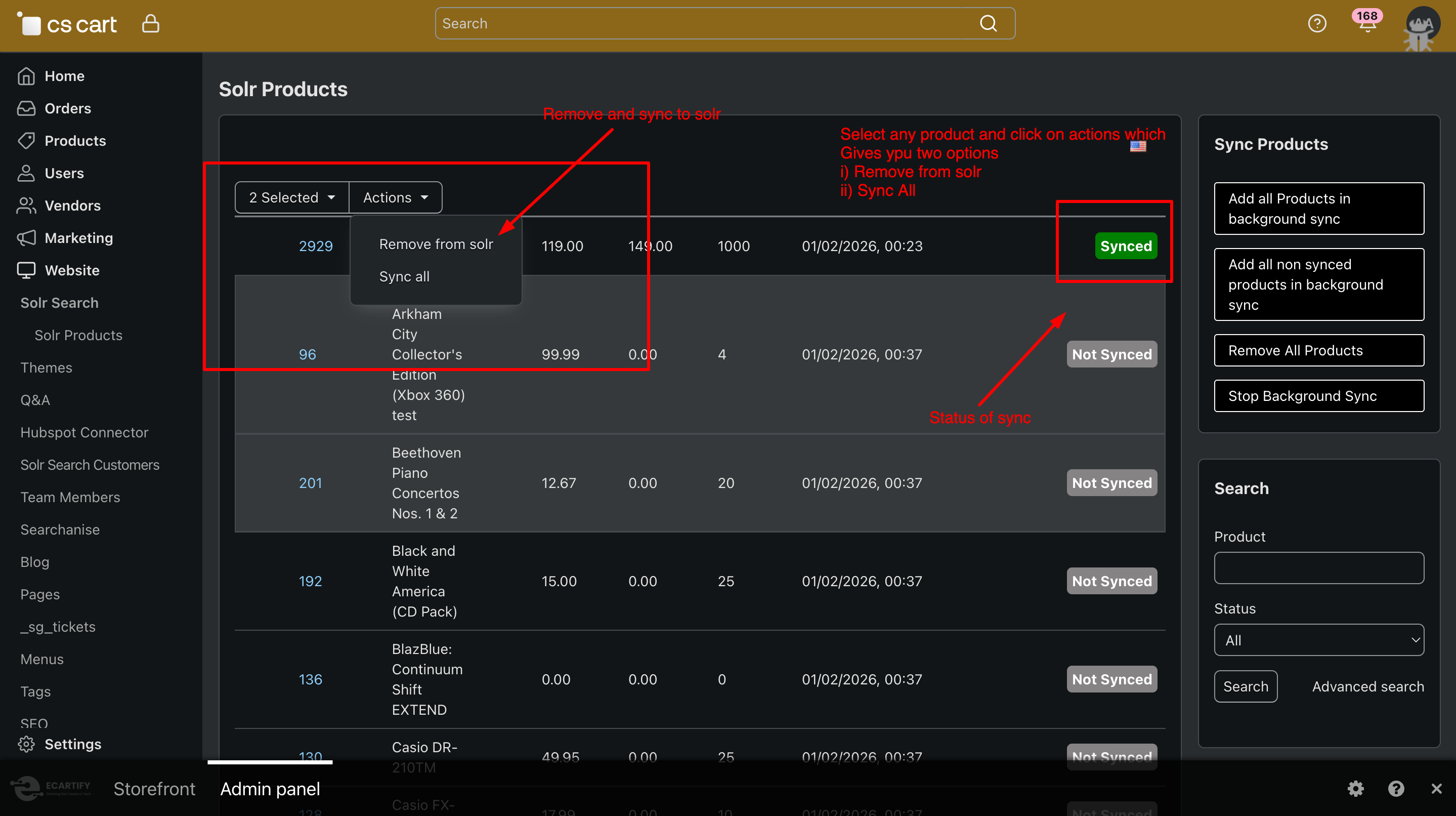
Syncing products from CS-Cart to Solr is simple and efficient. Follow these steps:
i) Go to Website → Solr Search → products from the CS-Cart Admin Panel menu. You will see the Products Sync page, where all product-related Solr actions are available.
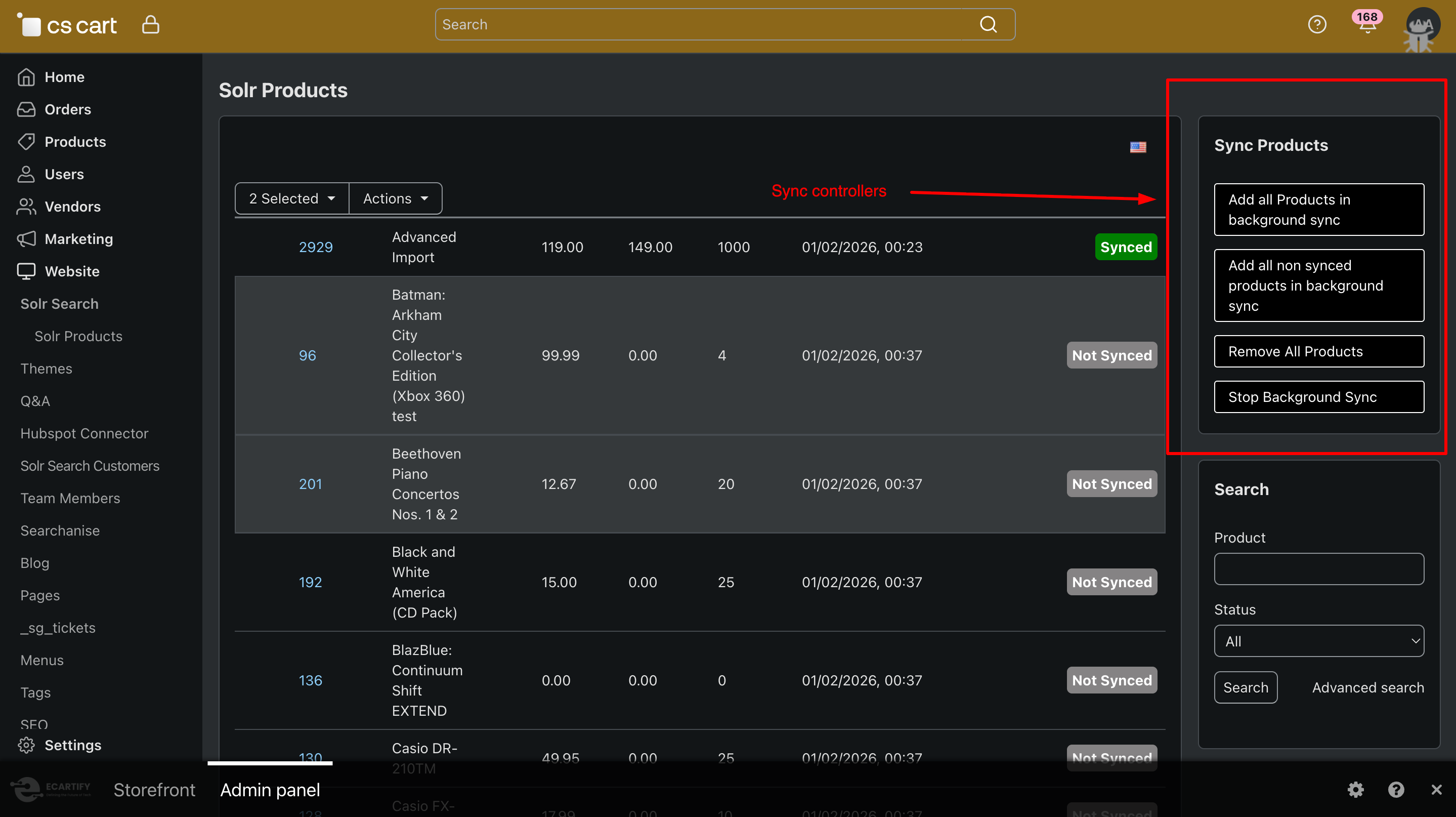
ii) Sync Options Available
Sync Products
Sync selected products instantly to Solr.
Add All Products in Background Sync
Sends all products to Solr using background cron (recommended for large catalogs).
Add All Non-Synced Products in Background Sync
Syncs only products that are not yet indexed in Solr.
Remove All Products
Deletes all indexed products from Solr.
Stop Background Sync
Stops any running background sync process.
iii) Use the Search, Product, and Status (All / Synced / Not Synced) options to quickly find and manage products during the Solr sync process.
.
Step 4: Products result and Query suggestions by solr search
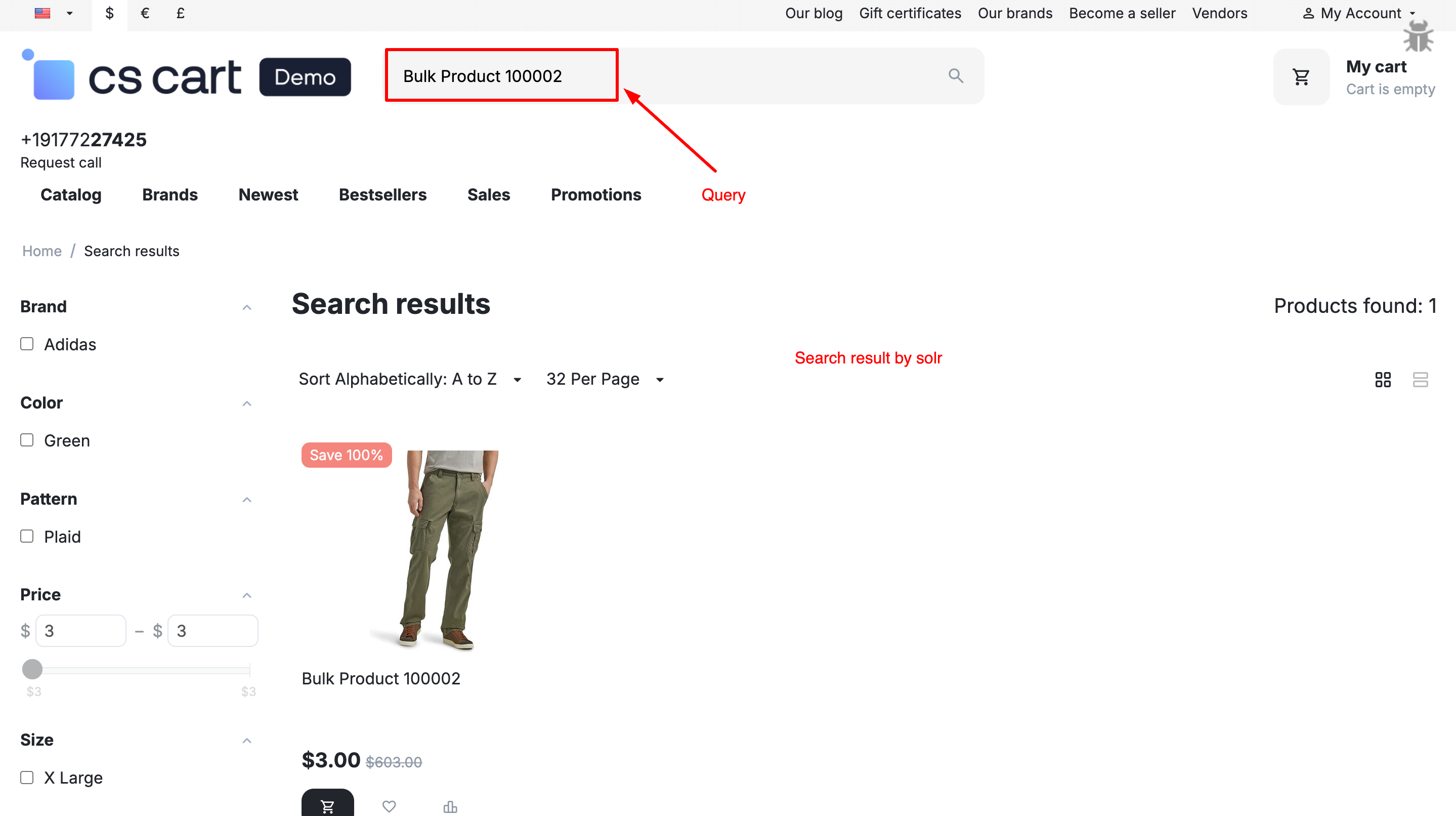
To fetch products from Solr Search on the storefront, you must enable frontend Solr results in the addon settings, so all search queries are routed through Solr instead of CS-Cart’s default SQL search.
Query suggestions will appear directly in the storefront search input as users type, but only when the option is enabled in the addon settings from the CS-Cart admin panel.
Why Choose Solr Search for Your CS-Cart Store?
Solr Search Addon connects your CS-Cart store directly with Apache Solr, allowing products to be fetched from Solr instead of the database. This removes the load from SQL queries and delivers lightning-fast search results even with a large product catalog.
Instant High-Speed Search Results
Fetch products directly from Solr instead of SQL, ensuring faster response times and smooth
performance—even with thousands of products.
Optimized for Large Product Catalogs
No matter how many products your store has, Solr handles search efficiently without slowing down your CS-Cart
store.
Advanced & Accurate Search
Deliver highly relevant search results using Solr’s powerful indexing, filtering, and ranking capabilities.
Query Suggestions & Smart Results
Show smart query suggestions directly in the storefront search input, helping users find products faster as
they type.
Background Product Sync
Sync all products, only non-synced products, or remove products using background cron jobs—without impacting store performance.
Seamless CS-Cart Integration
Built specifically for CS-Cart, the addon integrates smoothly with your existing store setup and admin workflow.
Your Solr Search Addon is now ready to supercharge search performance in your CS-Cart store. By fetching products directly from Apache Solr instead of SQL, your store delivers faster, more accurate, and highly relevant search results—even with a large product catalog. This results in smoother browsing, quicker product discovery, and an overall improved shopping experience that boosts conversions.
Pro Tip: For best performance, always keep your products fully synced with Solr using background cron sync and enable frontend product fetching via Solr in addon settings. This ensures lightning-fast search results and reduced database load, even during high traffic.