
Ideas That Power Digital Growth
Stay ahead with actionable insights, expert opinions, and practical guides covering ecommerce trends, platform updates, automation, AI, and real-world solutions to help businesses grow and scale digitally.
12/19/2025

Unlock Smarter Automation with a Universal AI Agent
Learn how a flexible, adaptable AI agent can streamline processes, learn from context, and handle multi-step tasks across systems.Ecartify: Universal AI Agent – Complete Description & Setup
Transform your CS-Cart store management with the Universal AI Agent. This revolutionary addon enables you to interact with your store's database using natural language - no SQL knowledge required! Simply ask questions like "Show me products with low stock" or "What were today's sales?" and get instant, accurate answers. Manage inventory, analyze sales, create products, and track orders - all through simple conversation.
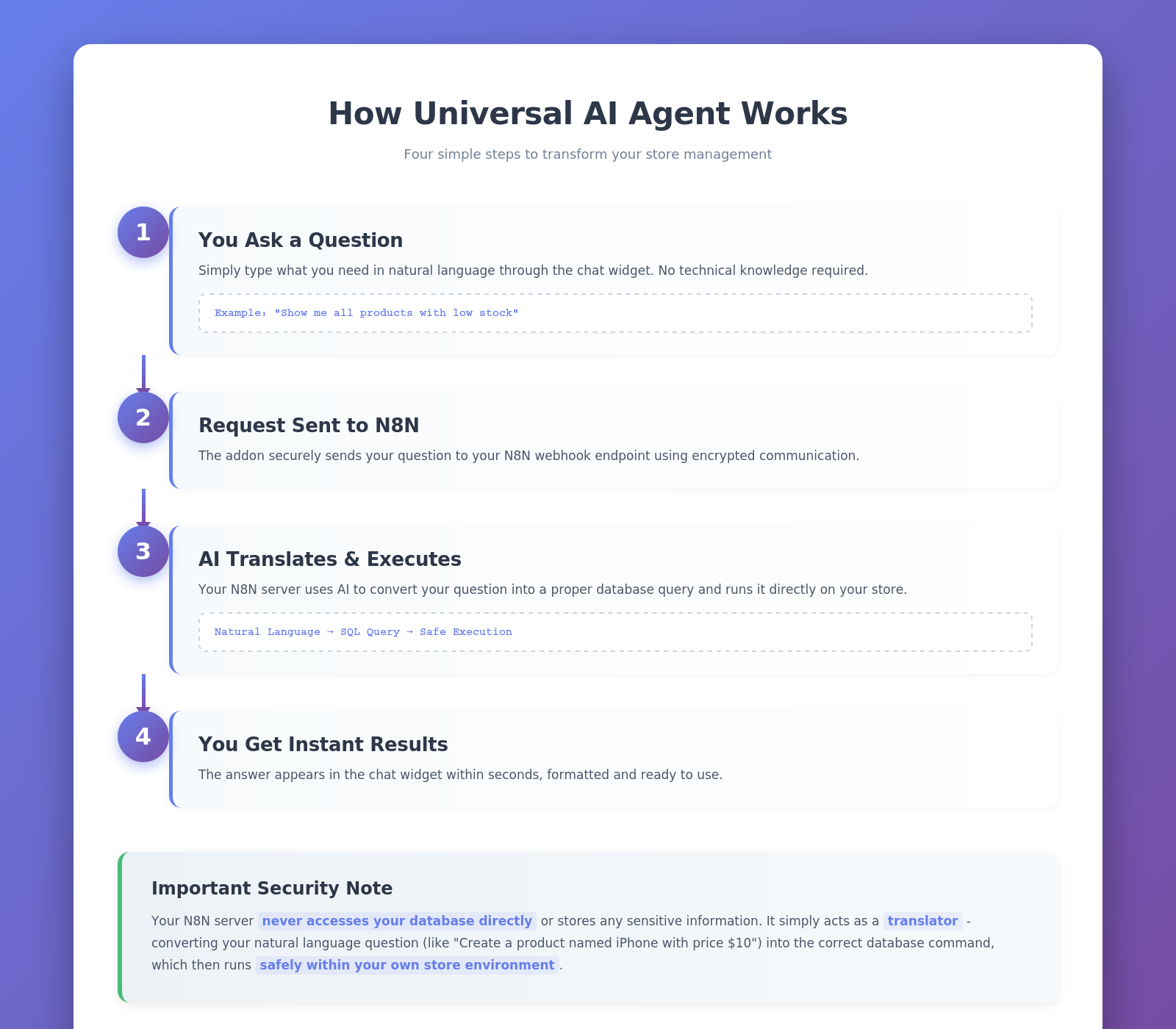
Key Features of Universal AI Agent
Natural Language Interface:
Ask questions in plain English - no technical knowledge required.
Ask questions in plain English - no technical knowledge required.
Comprehensive CRUD Operations:
Create, Read, Update, and Delete products, categories, orders, and users.
Create, Read, Update, and Delete products, categories, orders, and users.
Instant Analytics:
Get real-time insights on sales, inventory, and customer behavior.
Get real-time insights on sales, inventory, and customer behavior.
Granular Security Controls:
Control what operations the AI can perform with approval workflows.
Control what operations the AI can perform with approval workflows.
Multi-Vendor Support:
Perfect for marketplaces with vendor-specific access controls.
Perfect for marketplaces with vendor-specific access controls.
Conversation Memory:
Maintains context across multiple queries for natural interactions.
Maintains context across multiple queries for natural interactions.
Rate Limiting:
Built-in protection against abuse with customizable request limits.
Built-in protection against abuse with customizable request limits.
SQL Preview:
See the actual database query before execution for complete transparency.
See the actual database query before execution for complete transparency.
Easy N8N Integration:
Use our free server or host your own.
Use our free server or host your own.
Step-by-Step Setup Guide
Step 1: Install the Addon
Installing the Universal AI Agent addon is simple and takes just a few minutes:
Download the addon from CS-Cart marketplace or Ecartify website
Login to your CS-Cart admin panel
Navigate to Add-ons → Manage add-ons
Upload the provided ZIP file
Click Install & Activate
No coding knowledge required - the entire process is automated!

Step 2: Configure N8N Integration
After installation, navigate to the addon settings page. You have two easy options to get started:
Option 1: Use Our Ready-Made Server (Recommended)
We provide a free N8N server that's already configured and ready to use!
Live URL: You can find the URL on the addon settings page.
Simply paste this URL into the addon settings and start asking questions immediately.
Note: Currently free during beta. Future subscription plans may apply.
We provide a free N8N server that's already configured and ready to use!
Live URL: You can find the URL on the addon settings page.
Simply paste this URL into the addon settings and start asking questions immediately.
Note: Currently free during beta. Future subscription plans may apply.
Option 2: Host Your Own N8N Server
Prefer complete control? Set up your own N8N server:
• Install N8N on your hosting
• Go to Addon Settings and import our workflow template
• Configure Gemini or any AI model
• Get your webhook URL
• Add it to the addon settings
Prefer complete control? Set up your own N8N server:
• Install N8N on your hosting
• Go to Addon Settings and import our workflow template
• Configure Gemini or any AI model
• Get your webhook URL
• Add it to the addon settings
Both options work perfectly - choose what fits your needs!

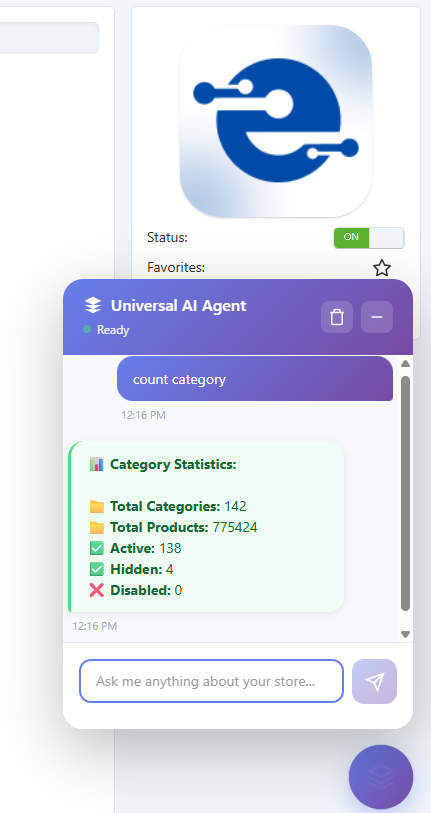
Step 3: Configure Chat Widget
Customize how the AI assistant appears in your admin panel:
Enable/Disable Widget: Turn the chat interface on or off as needed
Position Anywhere: Choose from bottom-right, bottom-left.
Set Default Vendor: Limit queries to a specific vendor's data (perfect for multi-vendor stores)
Set Default Category: Filter results to a specific product category automatically
The widget provides one-click access to AI assistance - always there when you need it, hidden when you don't!
Step 4: Configure Security Settings
Control exactly what the AI can do with your database for maximum safety:
Auto-confirm Read Operations: Automatically execute SELECT queries without manual approval
Require Confirmation for Write Operations: Manual approval needed for INSERT, UPDATE, DELETE operations
Enable Direct SQL Execution: Allow or block direct SQL query execution (use with caution)
Rate Limiting: Set maximum requests per user per hour (recommended: 100)
Excluded Tables: Specify which database tables to hide from the AI (e.g., sessions, api_sessions)
Maximum Search Results: Limit results to improve performance (recommended: 50)
Step 5: Configure Conversation Settings
Maintain context and transparency across multiple queries:
Conversation Memory: Set how many previous messages to remember (default: 20 messages)
This allows the AI to understand follow-up questions and maintain context
This allows the AI to understand follow-up questions and maintain context
Conversation Logging: Enable logging for analytics and debugging purposes
Review past conversations to improve efficiency
Review past conversations to improve efficiency
Log Retention: Auto-delete logs older than specified days (default: 90 days)
Keeps your database clean and compliant
Keeps your database clean and compliant
SQL Preview: Show users the actual SQL query before execution
Complete transparency for what's happening in your database
Complete transparency for what's happening in your database
Step 6: Set Up Vendor Permissions (Optional)
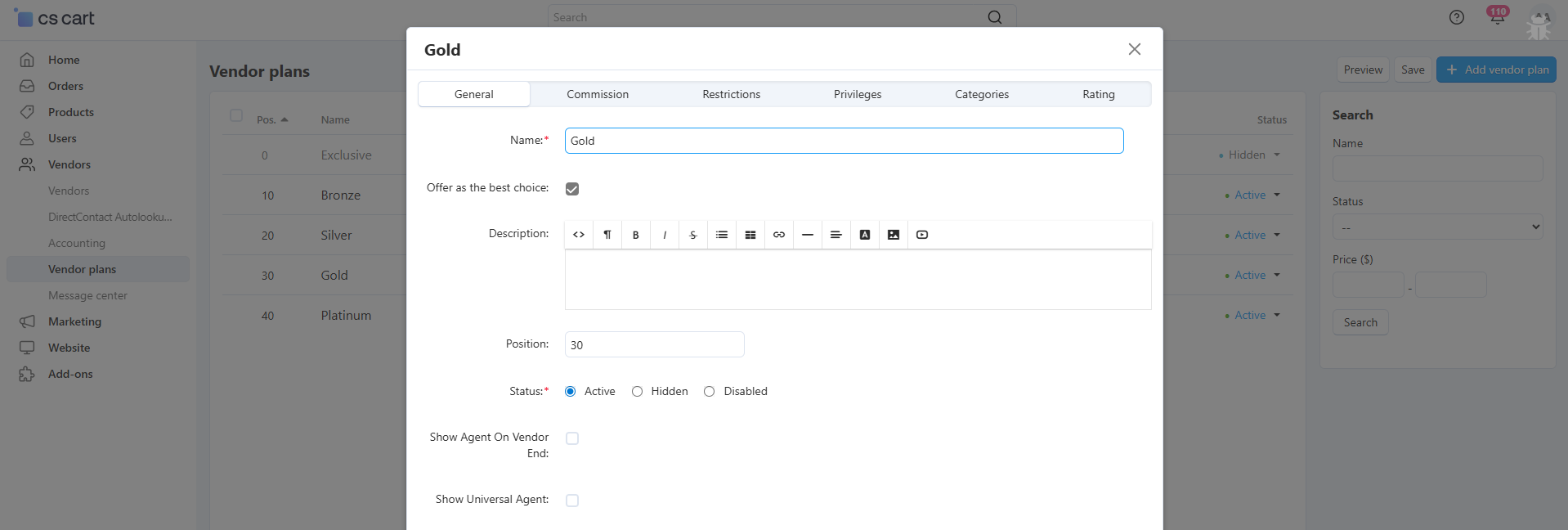
Running a multi-vendor marketplace? Give vendors controlled access to the AI agent:
Administrator Control:
Go to Vendors → Vendor plans
Edit or create a vendor plan
Check "Show Agent On Vendor End"
Vendors with this plan can use the AI agent in their panel
Go to Vendors → Vendor plans
Edit or create a vendor plan
Check "Show Agent On Vendor End"
Vendors with this plan can use the AI agent in their panel
Automatic Data Isolation:
Each vendor sees only their own data
No access to other vendor's information
Admins get full marketplace analytics
Perfect for secure multi-vendor operations
Each vendor sees only their own data
No access to other vendor's information
Admins get full marketplace analytics
Perfect for secure multi-vendor operations
What Can You Do with Universal AI Agent?
The AI agent can perform comprehensive CRUD (Create, Read, Update, Delete) operations on all major store entities:
Products
Create single or multiple products with all details
Update product prices, inventory, and descriptions
Search and filter products by any criteria
Find low stock items and out-of-stock products
Identify profitable products and best sellers
Delete test products or discontinued items
Categories
Create category hierarchies effortlessly
Update category information and structure
Count products per category instantly
Find empty categories that need attention
Reorganize category structure with simple commands
Users
Create new users (Admin/Vendor/Customer)
Update user information and profiles
Search users by type, status, or activity
Count active and disabled users
Manage user permissions and roles
Orders
View detailed order information
Search orders by status, date, or customer
Calculate revenue (daily, weekly, monthly)
Find top-selling products
Identify best customers and VIPs
Track unpaid orders and pending payments
Perfect For Every Store Size
Small Store Owners
Quick Inventory Checks:
No need to navigate multiple pages - ask and get instant answers
No need to navigate multiple pages - ask and get instant answers
Simple Analytics:
Get insights without complex reporting tools or technical knowledge
Get insights without complex reporting tools or technical knowledge
Fast Product Updates:
Change prices, update stock, or modify details in seconds through conversation
Change prices, update stock, or modify details in seconds through conversation
Multi-Vendor Marketplaces
Vendor Access Control:
Give vendors limited AI access through customizable vendor plans
Give vendors limited AI access through customizable vendor plans
Automatic Data Isolation:
Each vendor sees only their own data - complete security and privacy
Each vendor sees only their own data - complete security and privacy
Admin Oversight:
Administrators get full marketplace analytics and control
Administrators get full marketplace analytics and control
Final Thoughts
Your Universal AI Agent is now ready to revolutionize how you manage your CS-Cart store. Say goodbye to complex SQL queries, tedious navigation, and time-consuming manual tasks. With natural language commands, you can:
Pro Tip: Start with read-only operations to get comfortable with the AI, then gradually enable write operations as you build confidence. Use the SQL preview feature to learn how your natural language queries translate to database commands!