
AI Assistant – Smart Conversational Bot
AI Companion helps you automate customer journeys and store operations using a smart Dialogflow-powered chatbot. From user and vendor registrations to real-time order tracking and personalized product recommendations like "Bestsellers" or "Products under $1000," this addon transforms your store into an interactive shopping hub. Reduce support tickets and boost conversions with a bot that truly understands your store's data.AI Assistant – The Conversational Commerce & Business Automation Engine for CS-Cart
AI Assistant supercharges your CS-Cart store with powerful conversational AI. Automate your entire store journey—from User & Vendor registrations to real-time Order Tracking and Cart management—using Dialogflow’s smart engine.
Go beyond basic chat with action-driven search: instantly show Bestsellers, Latest Products, or custom filters like "Products under $1000" directly in the chat. With a built-in Custom Knowledge Base, your bot learns your business to provide 24/7 expert support. One assistant. Complete automation for modern CS-Cart marketplaces.
Key Features of AI Assistant
Powered by Google Dialogflow, providing human-like interaction. Automate complex queries and guide customers through your store with a fully customizable Knowledge Base.
Simplify your marketplace operations with built-in flows for User Registration, Vendor Signups, and seamless Account Login directly within the chat interface.
Go beyond simple chat—users can instantly use commands like "Show my cart" or "Track my order" to get live updates without leaving the current page.
Boost sales with AI-driven filters. Let customers find exactly what they need with queries like "Bestselling products," "Latest arrivals," or price-specific searches like "Products under 1000 USD."
Fully compatible with CS-Cart, Multi-Vendor, and Ultimate editions. Works perfectly with any theme, hosting, or custom modification
No technical expertise required—connect your Dialogflow Agent ID and get your AI Assistant live in just a few minutes.
Step-by-Step Setup Guide
Step 1: Install the Addon
Installing the AI Assistant Addon is simple:
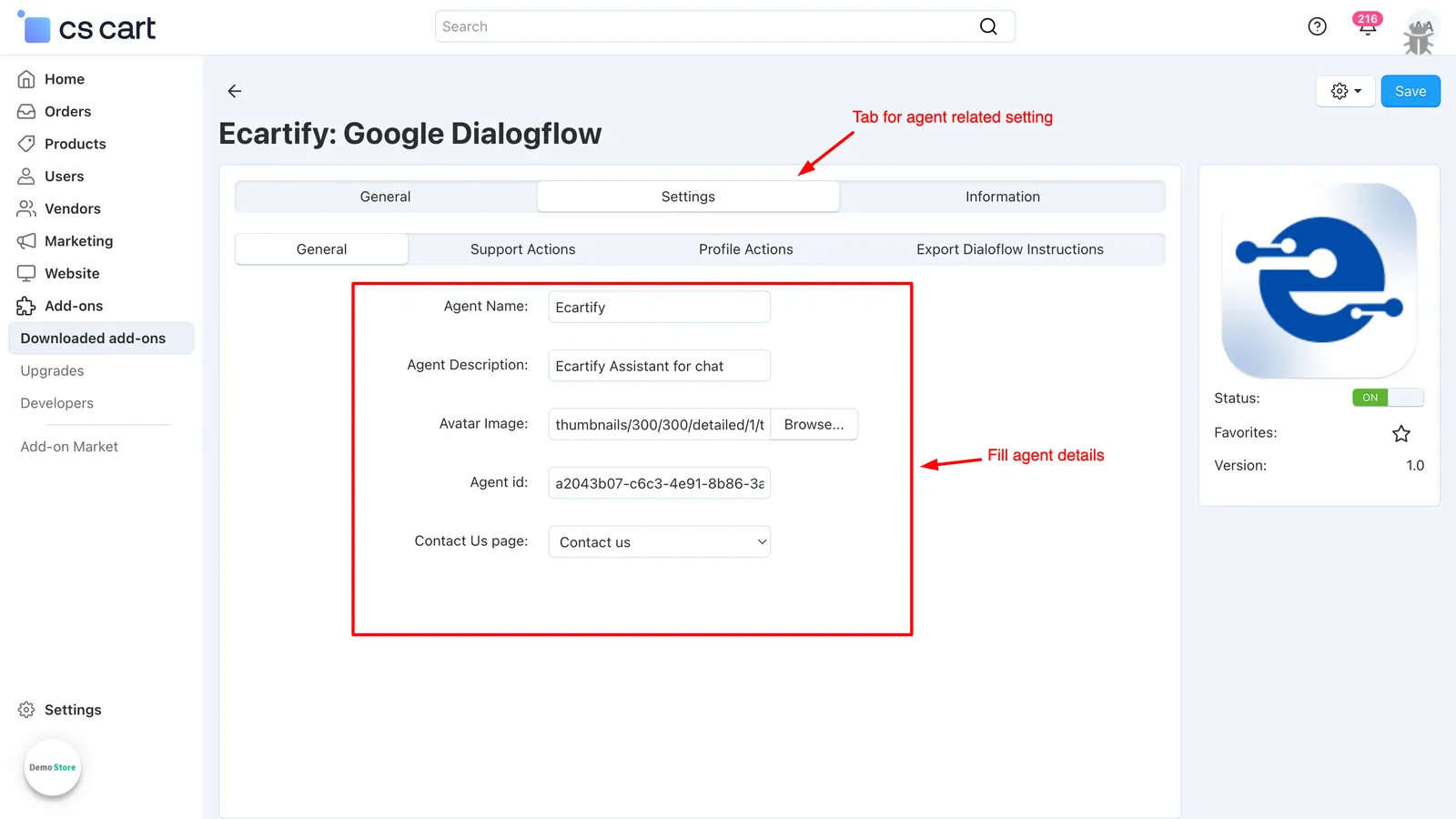
This process takes only a few minutes and requires no coding knowledge.
Step 2: Configure the Settings
After installing the add-on, you need to connect your store with Google Dialogflow. Follow these simple steps to get your AI Assistant ready:
i) Create a Dialogflow Account:
Visit the Dialogflow Console and create a new Project/Agent for your store. This will be the "brain" of your assistant.
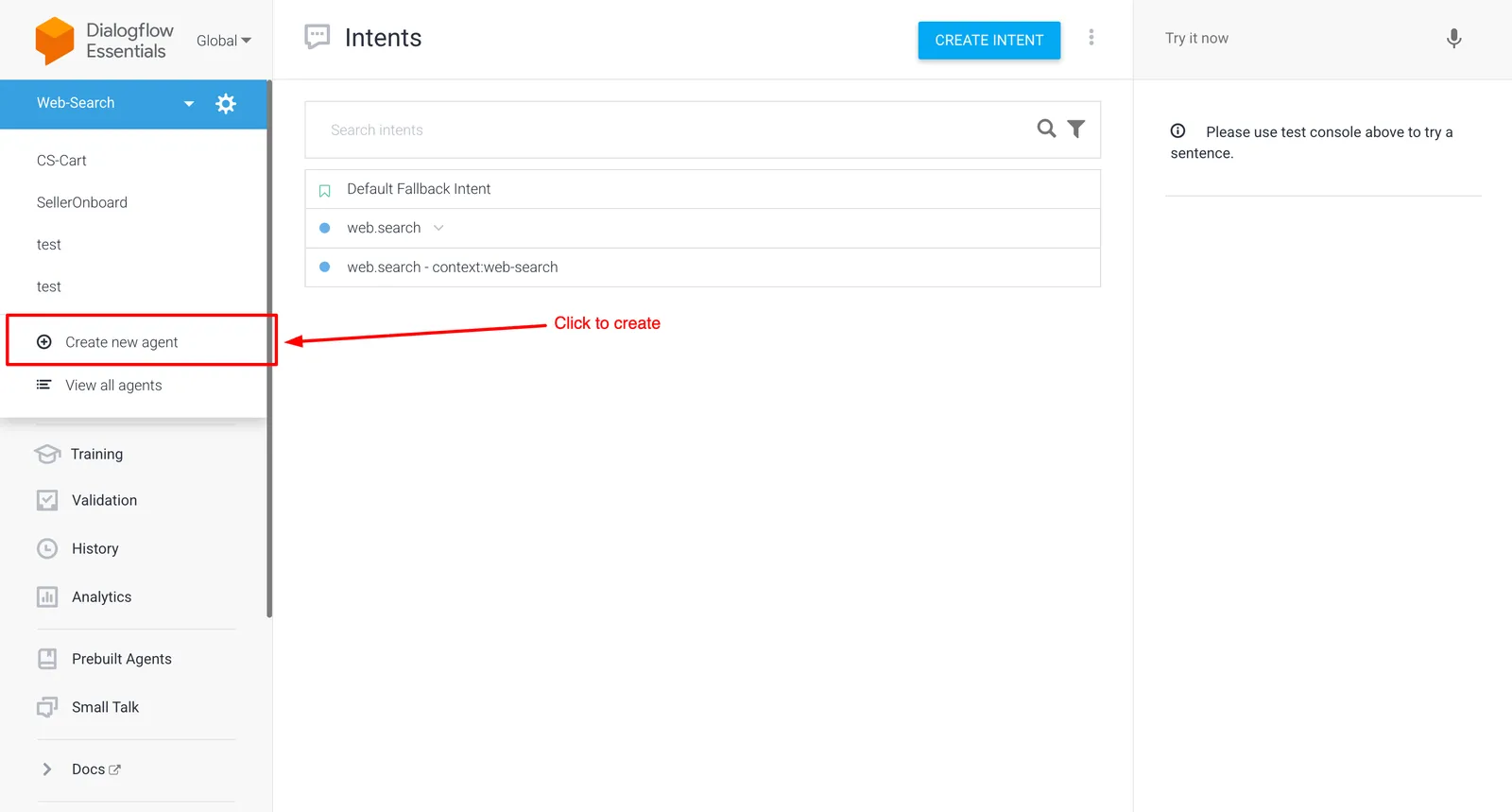
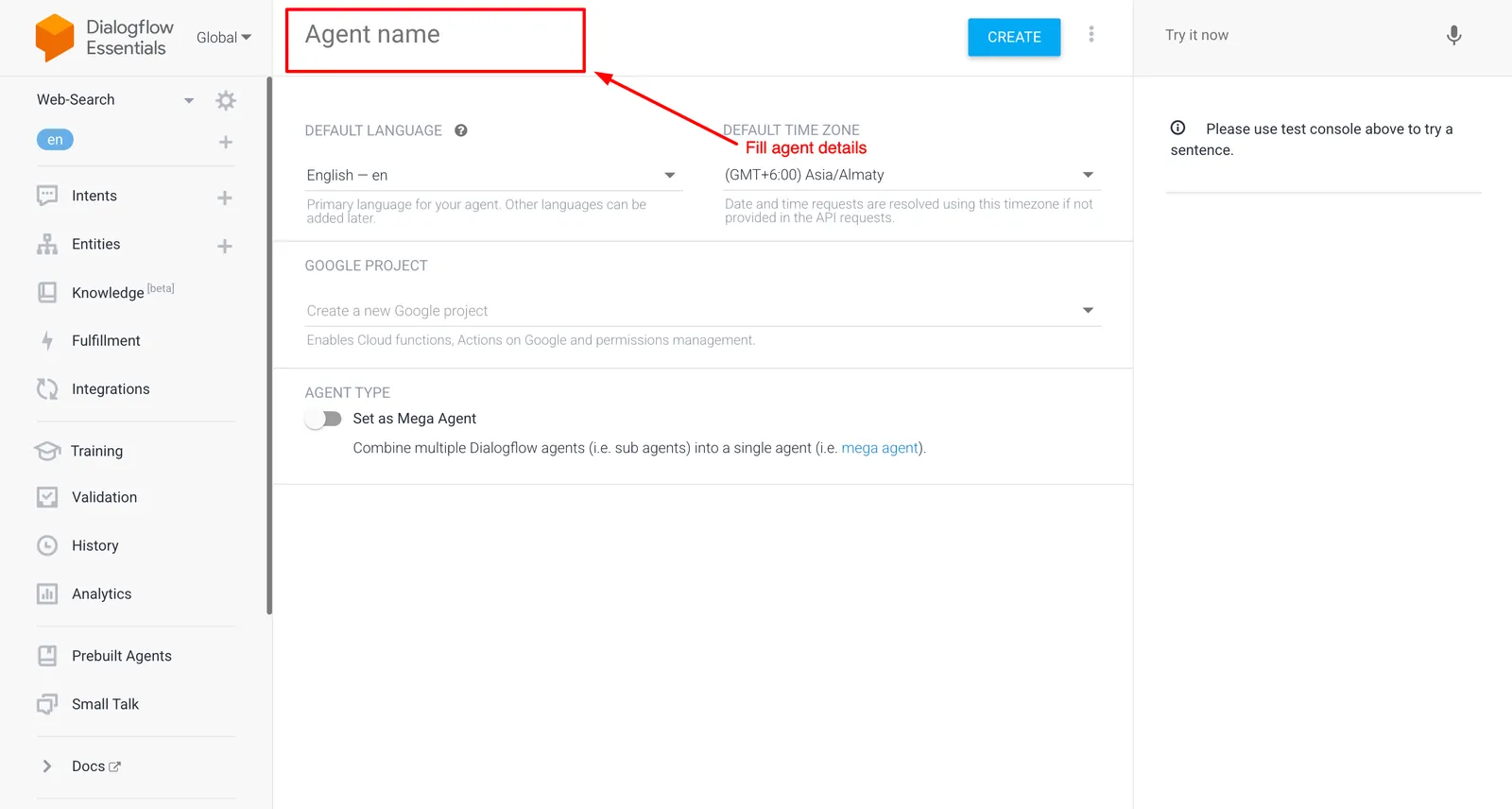
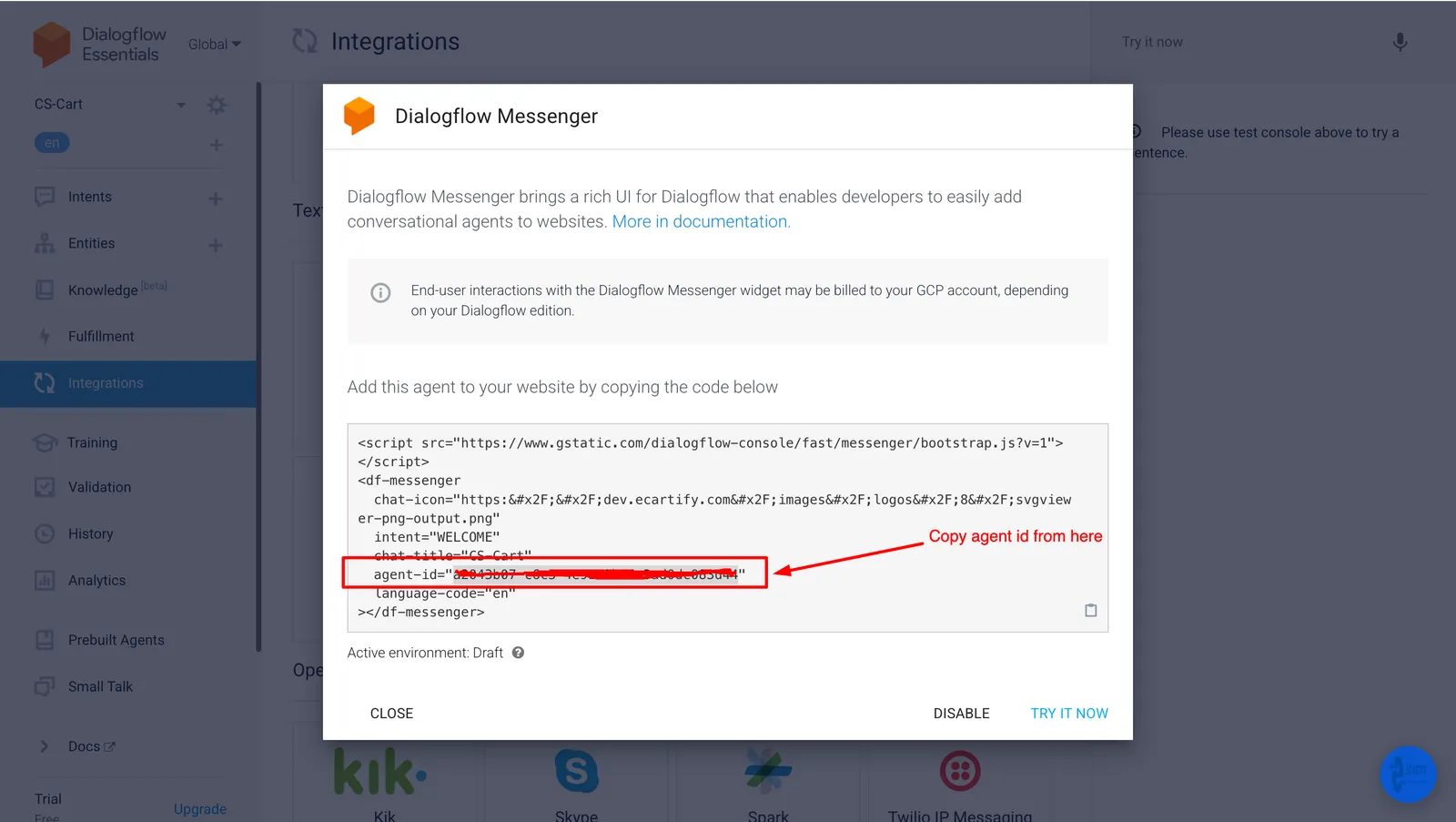
ii) Copy agent id from dialogflow
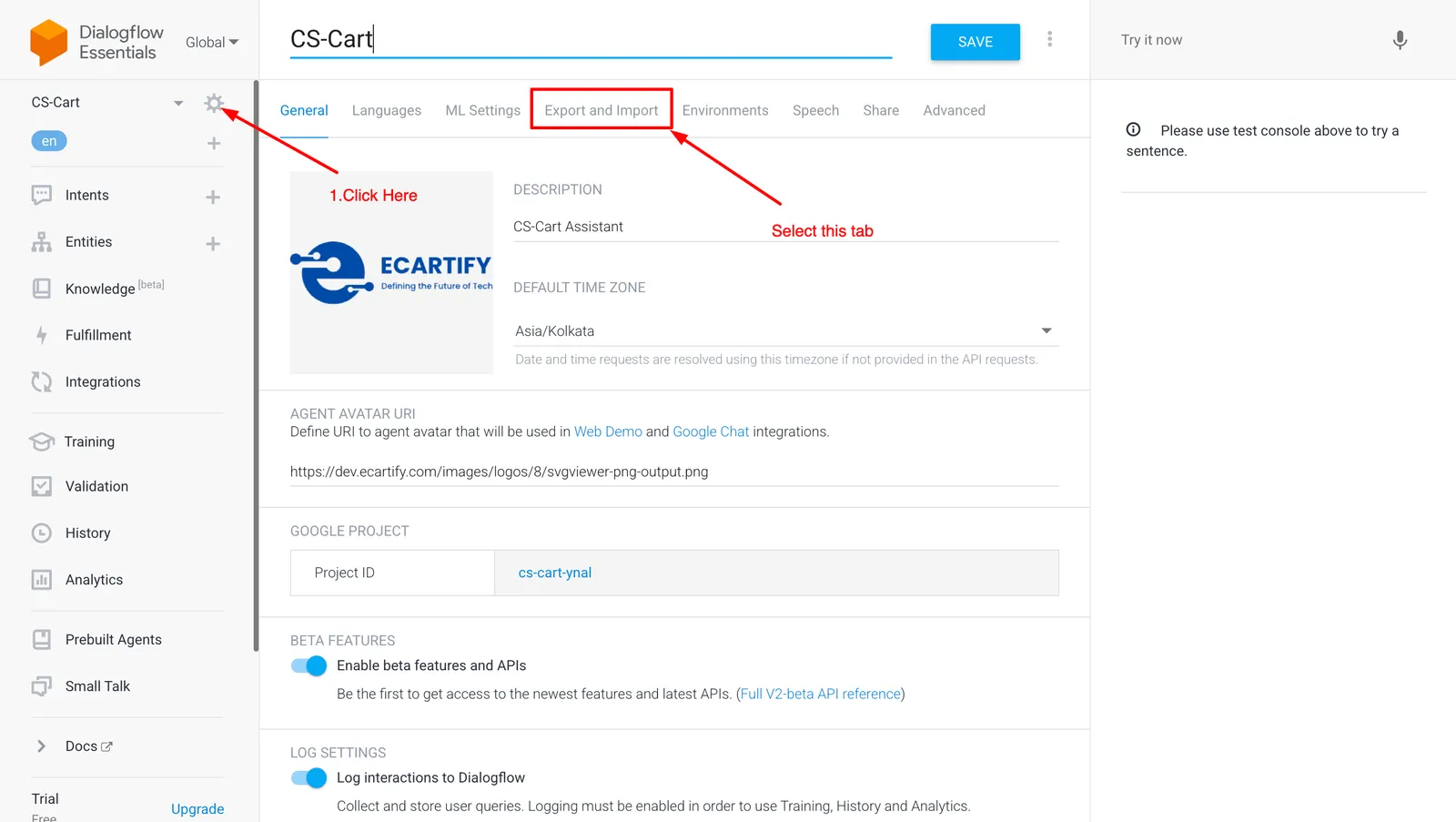
To connect your specific bot to CS-Cart, you need to provide the unique ID:
Copy Agent ID from Dialogflow: Go to your Dialogflow Console, click on the Settings gear icon (⚙️) next to your agent's name, and copy the "Project ID" or "Agent ID" displayed there.
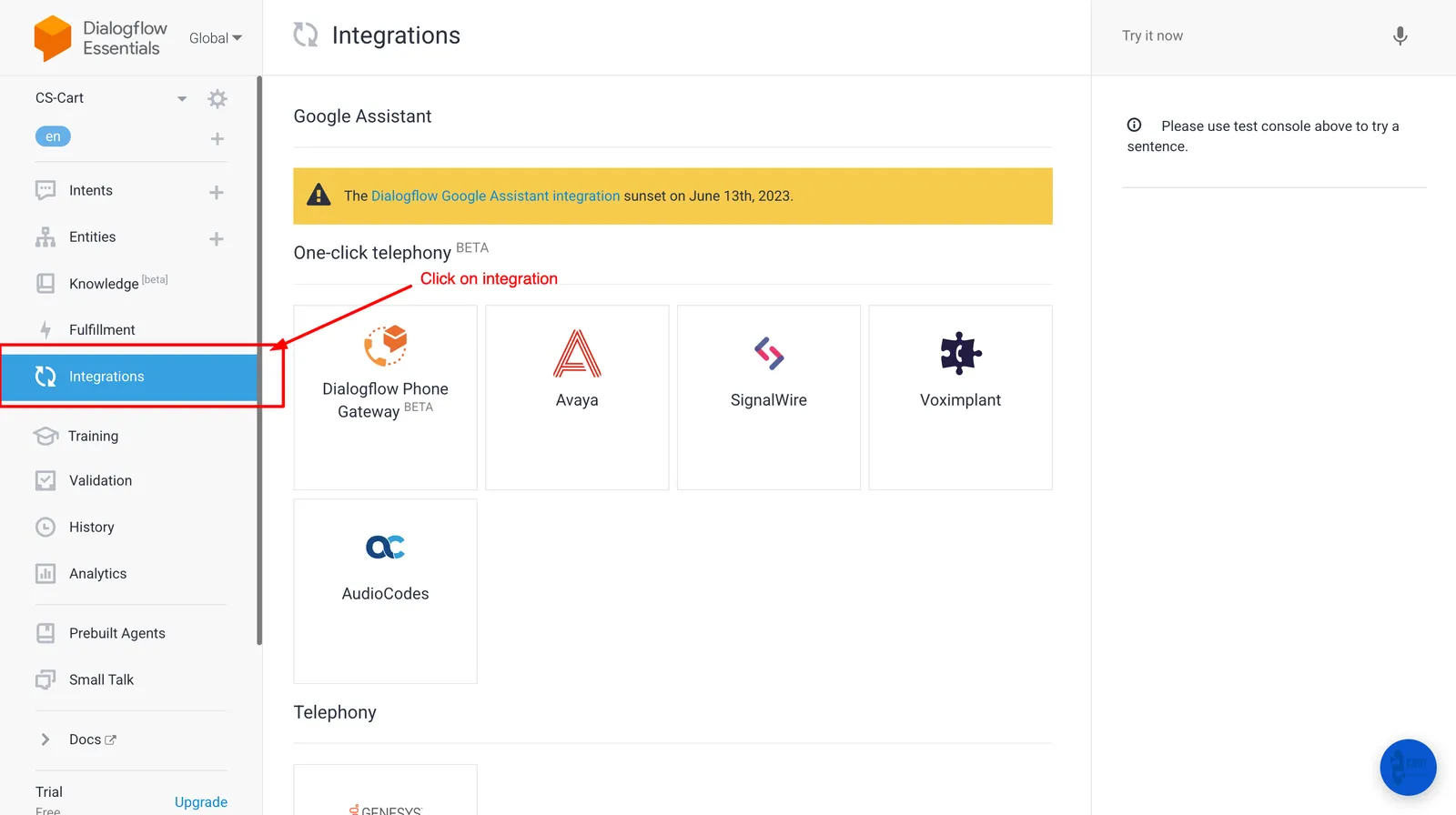
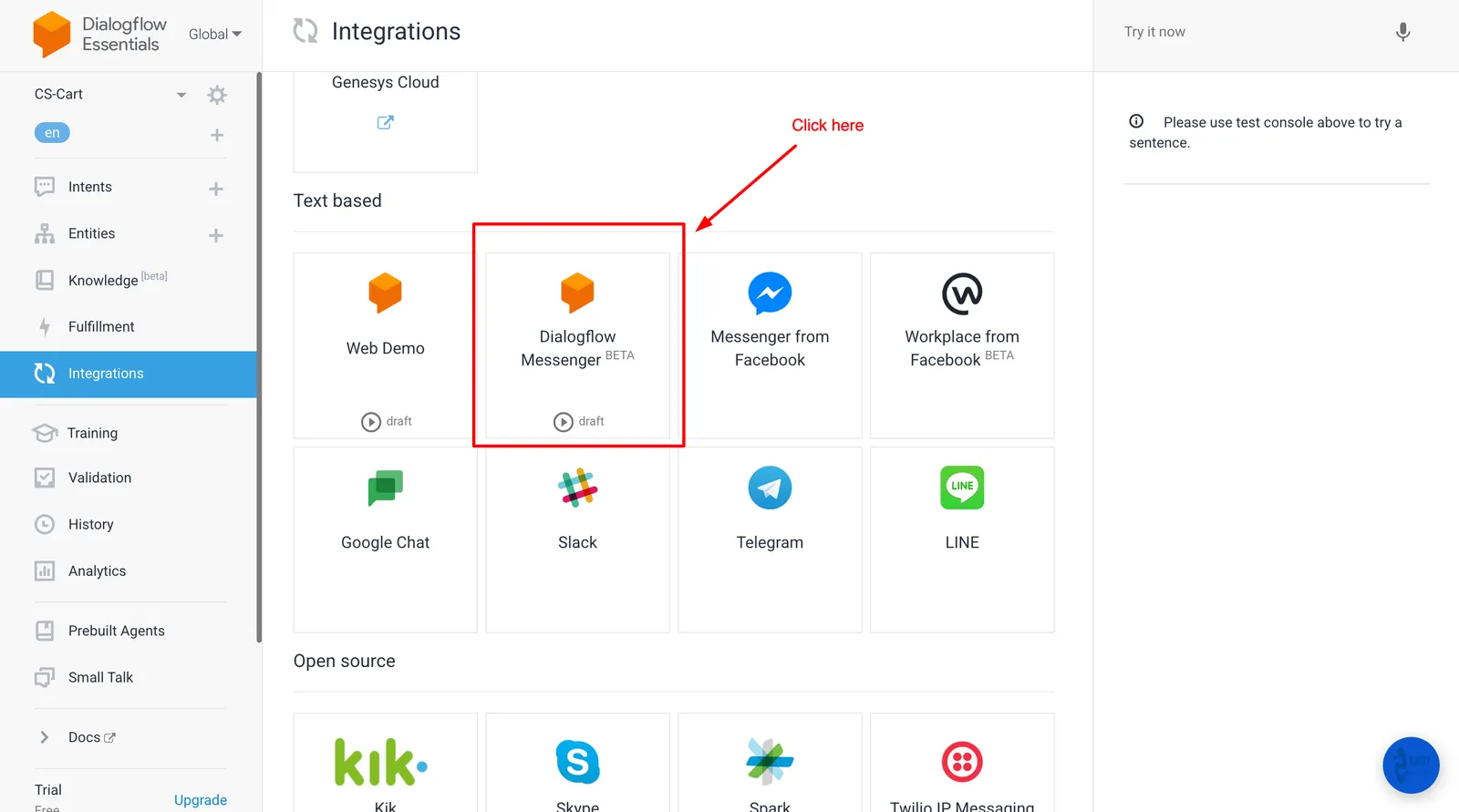
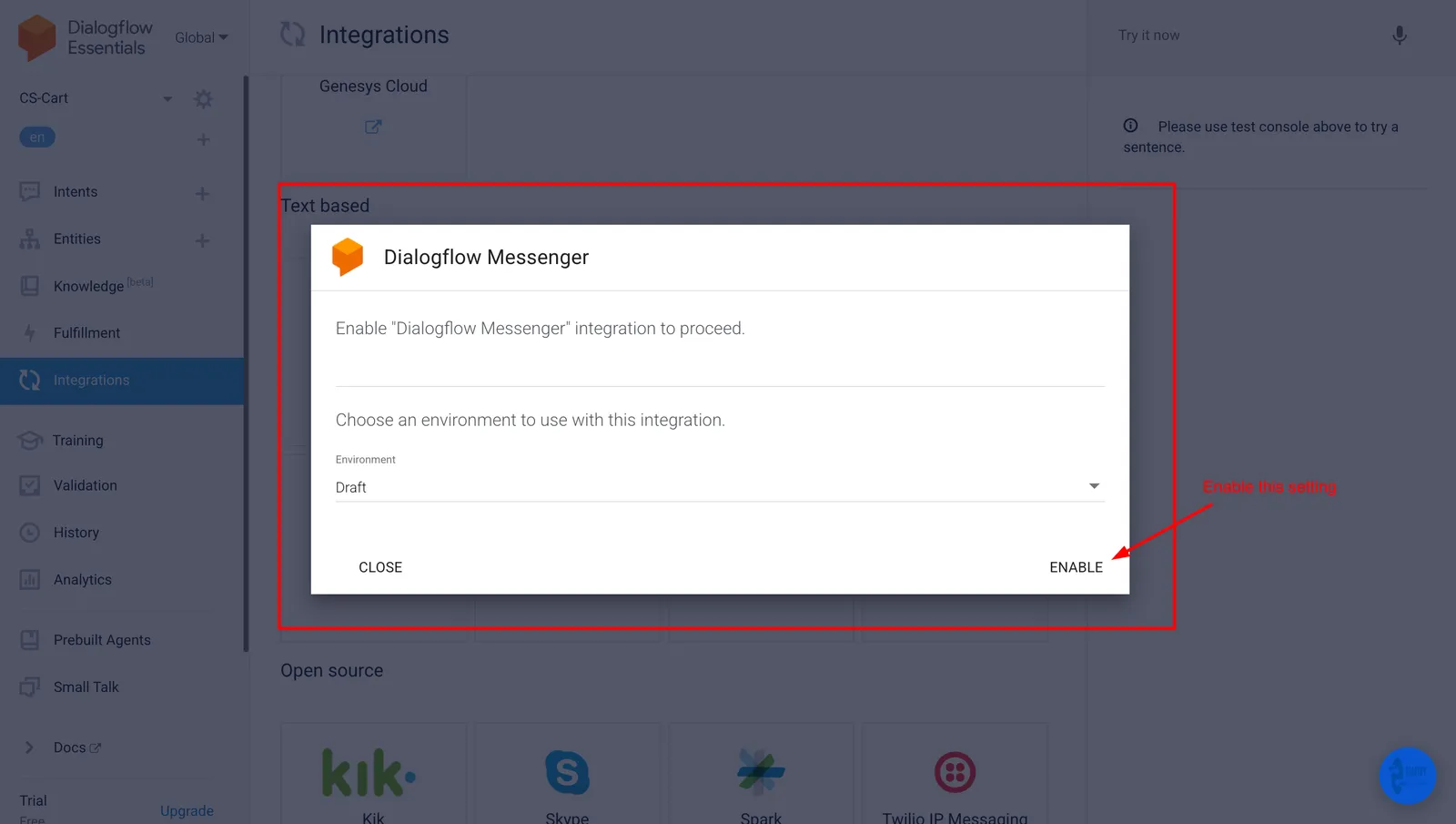
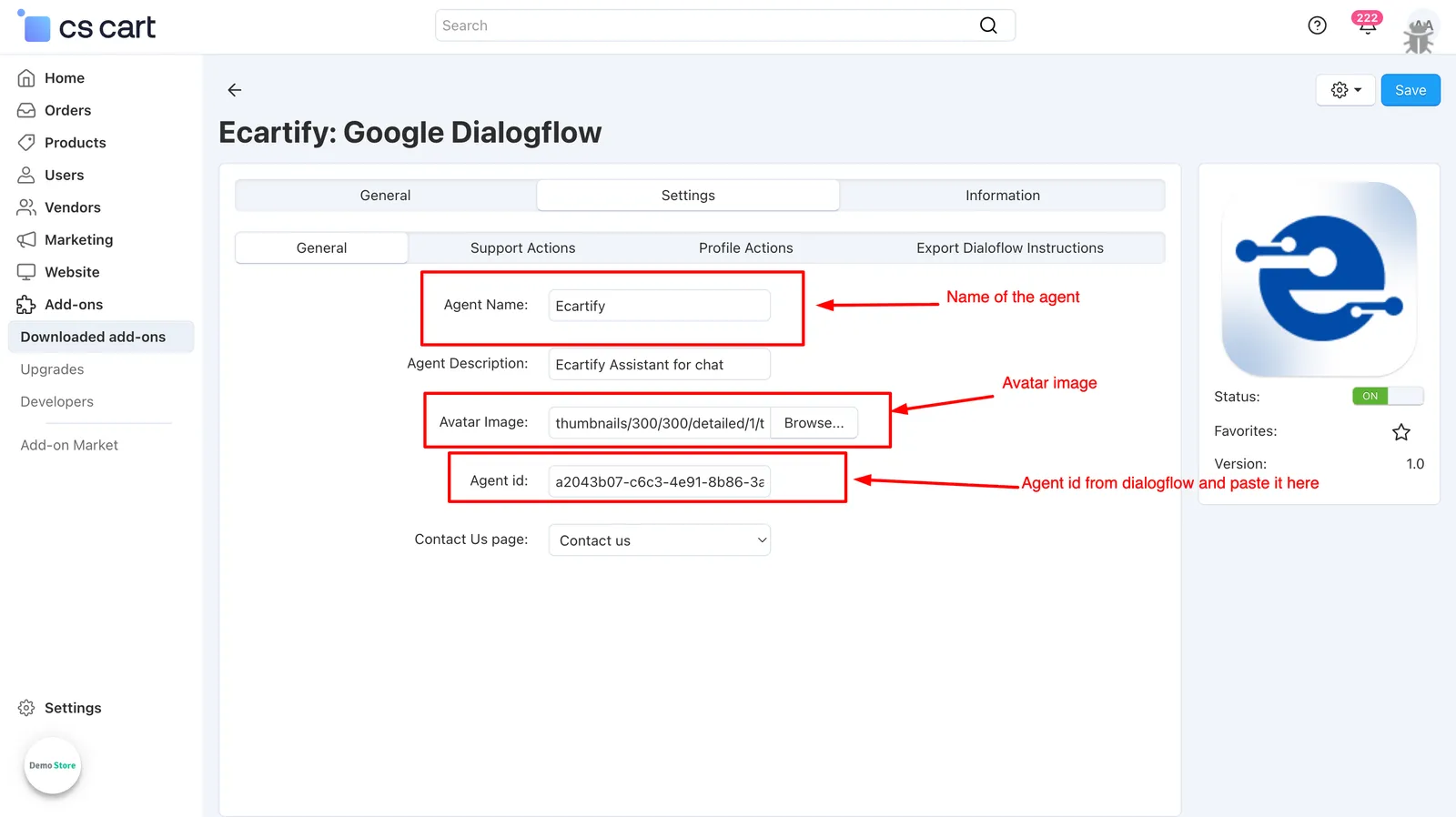
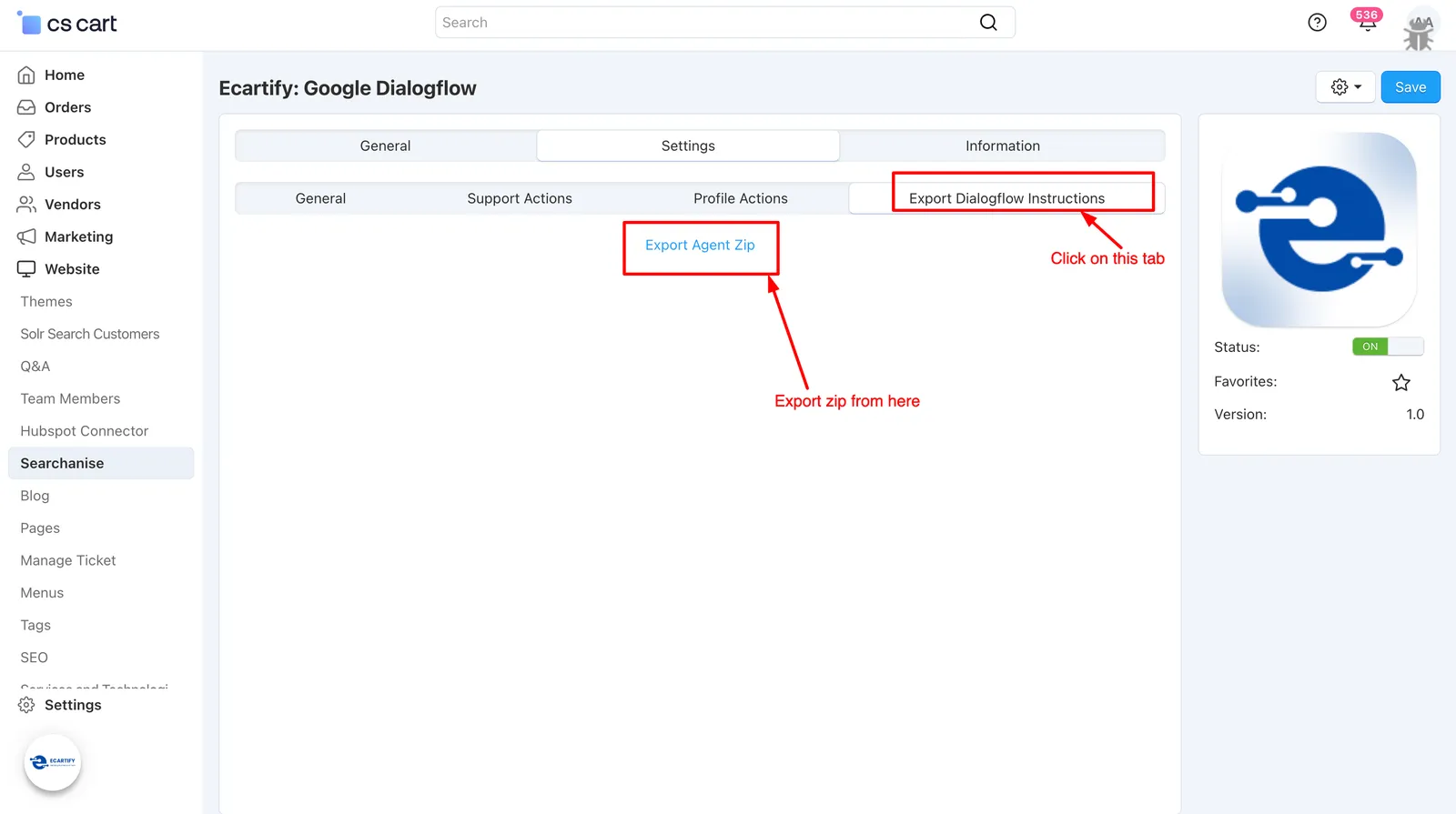
iii) Agent zip file generation
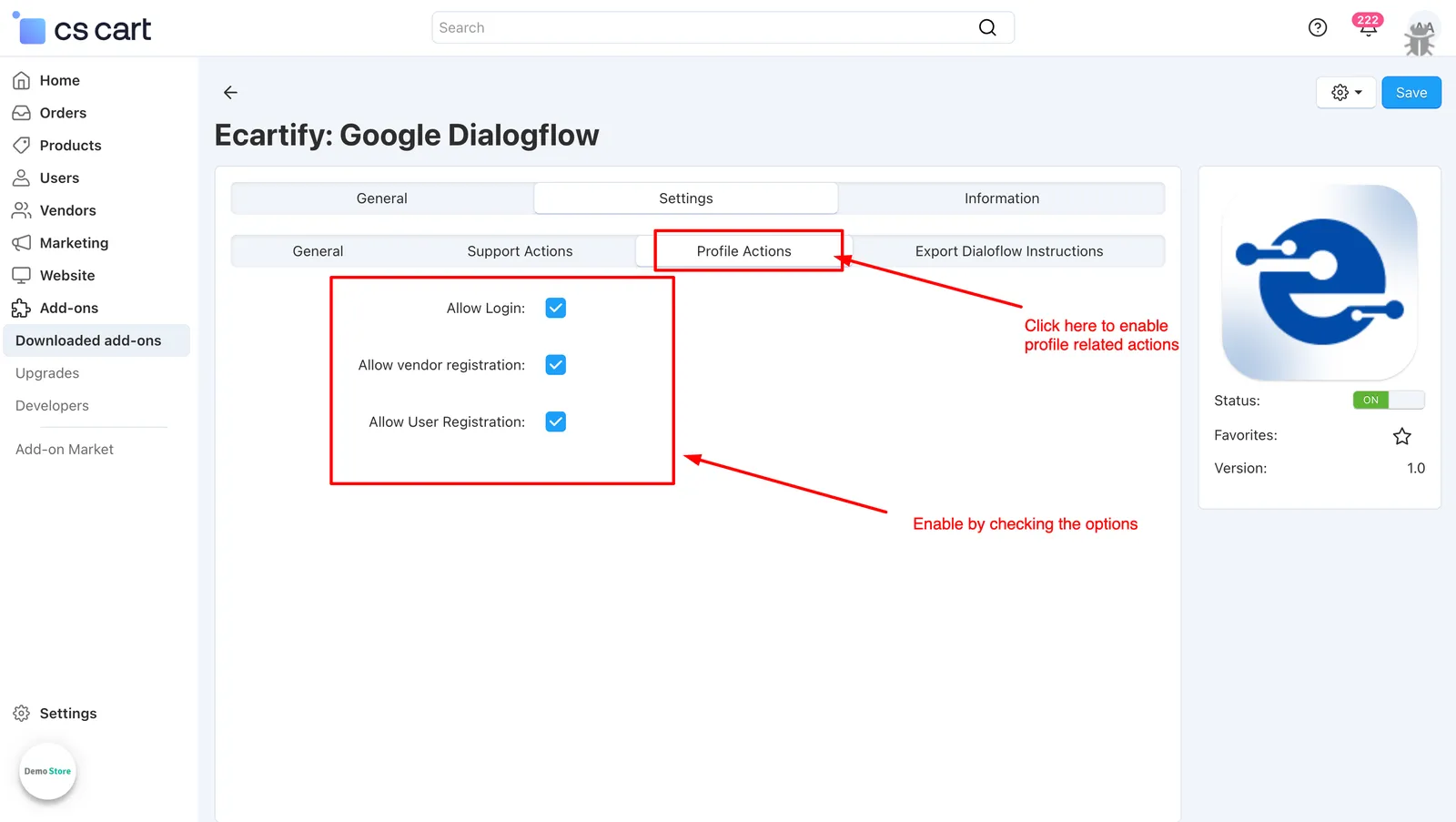
v) Profile Actions:
Configure how the AI agent interacts with user accounts and registrations:
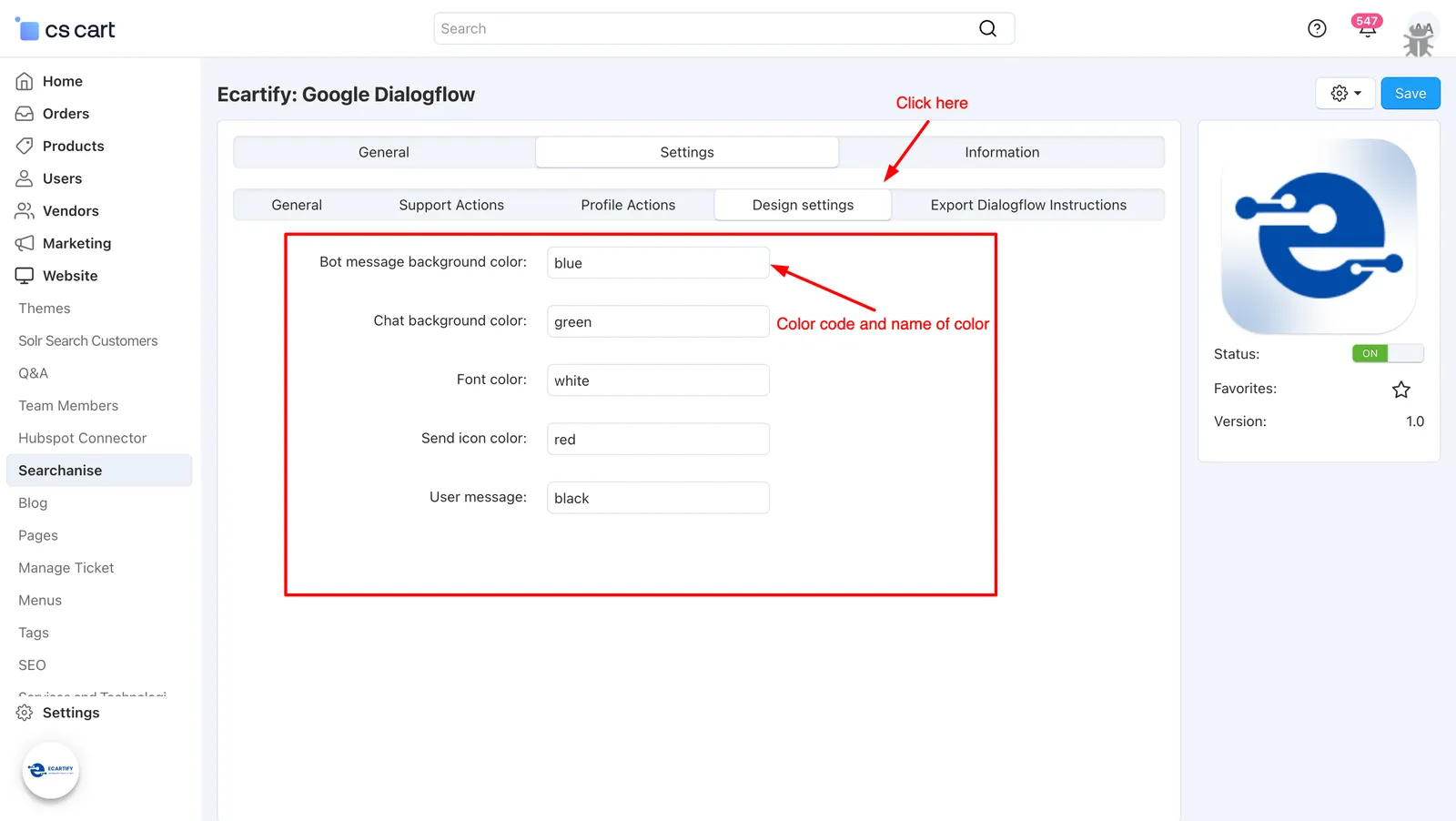
vi) Design Settings:
You can customize the design of your chatbot from these settings.
Step 3: Exporting Your Configuration
Now that you have configured all your settings, you need to generate the bundle for your add-on:
Step 4: How to Import the Agent File in Dialogflow
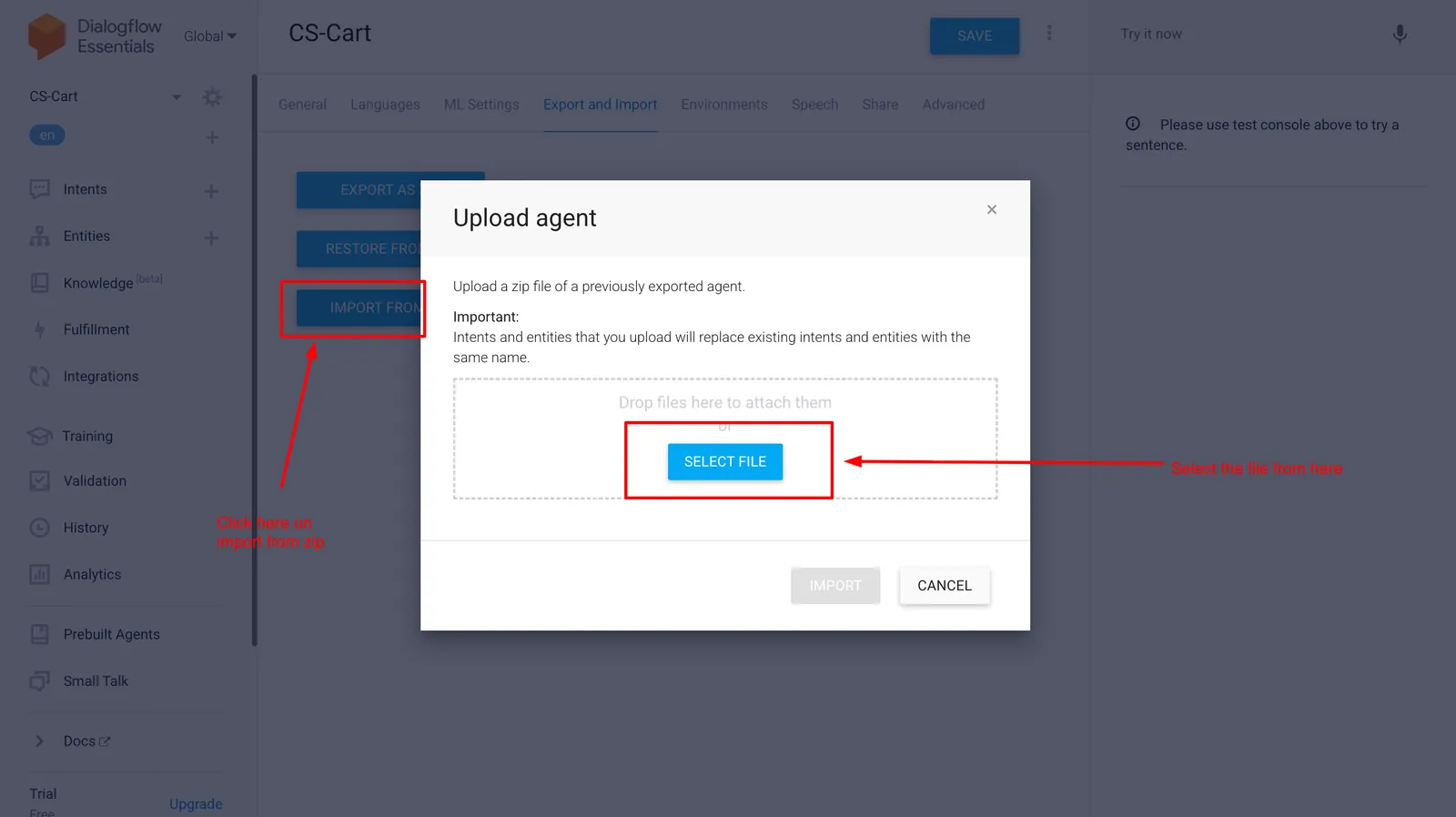
Once you have downloaded the zip file from your settings, follow these steps to upload it:
Note: Use "Restore" instead of "Import" to ensure all intents and entities are fully updated with your new settings.
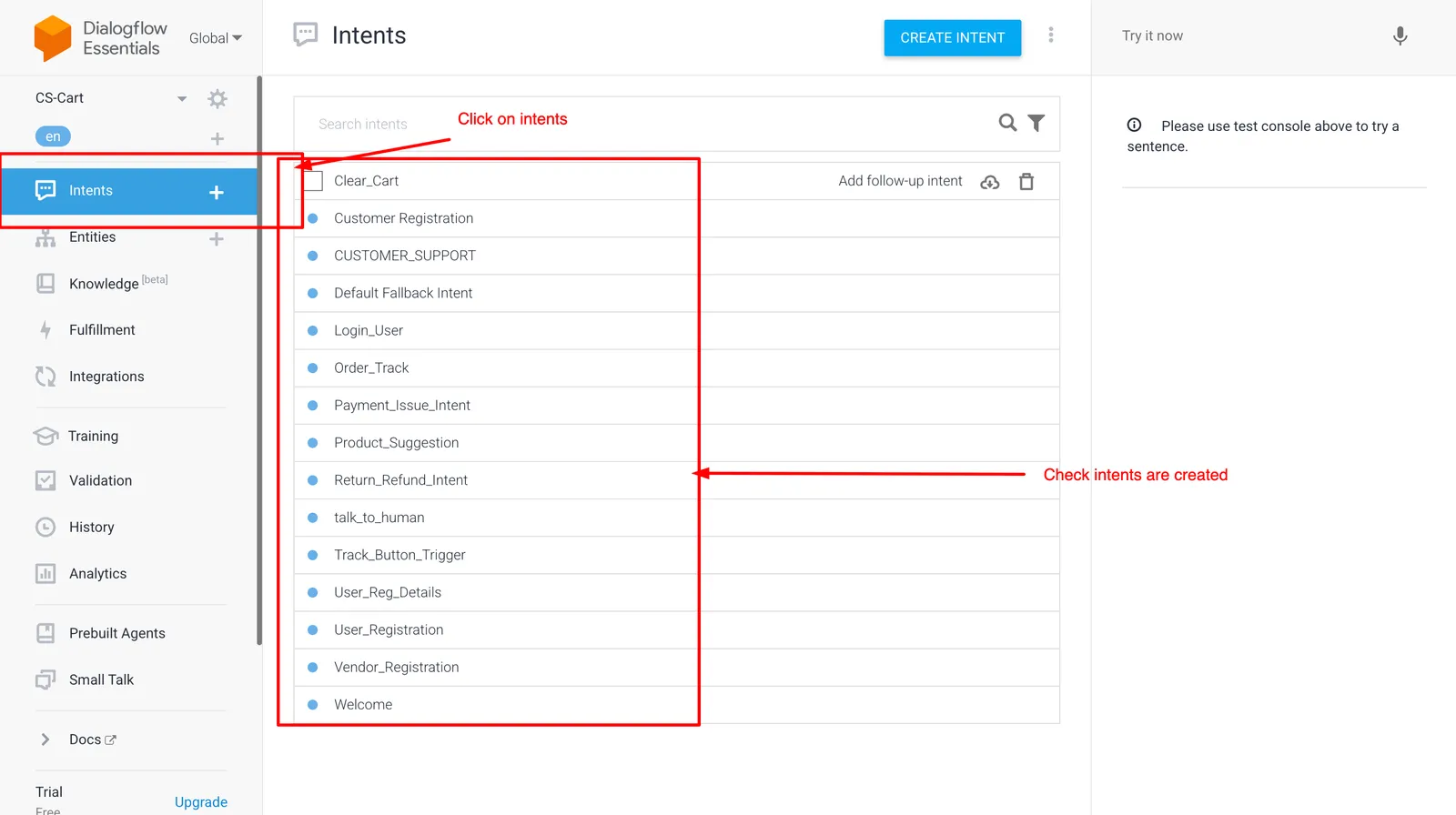
Step 4: Final Step: Test Your AI Agent
Congratulations! Your setup is now complete. Before going live, you should verify that everything is working as expected:
Now open storefront
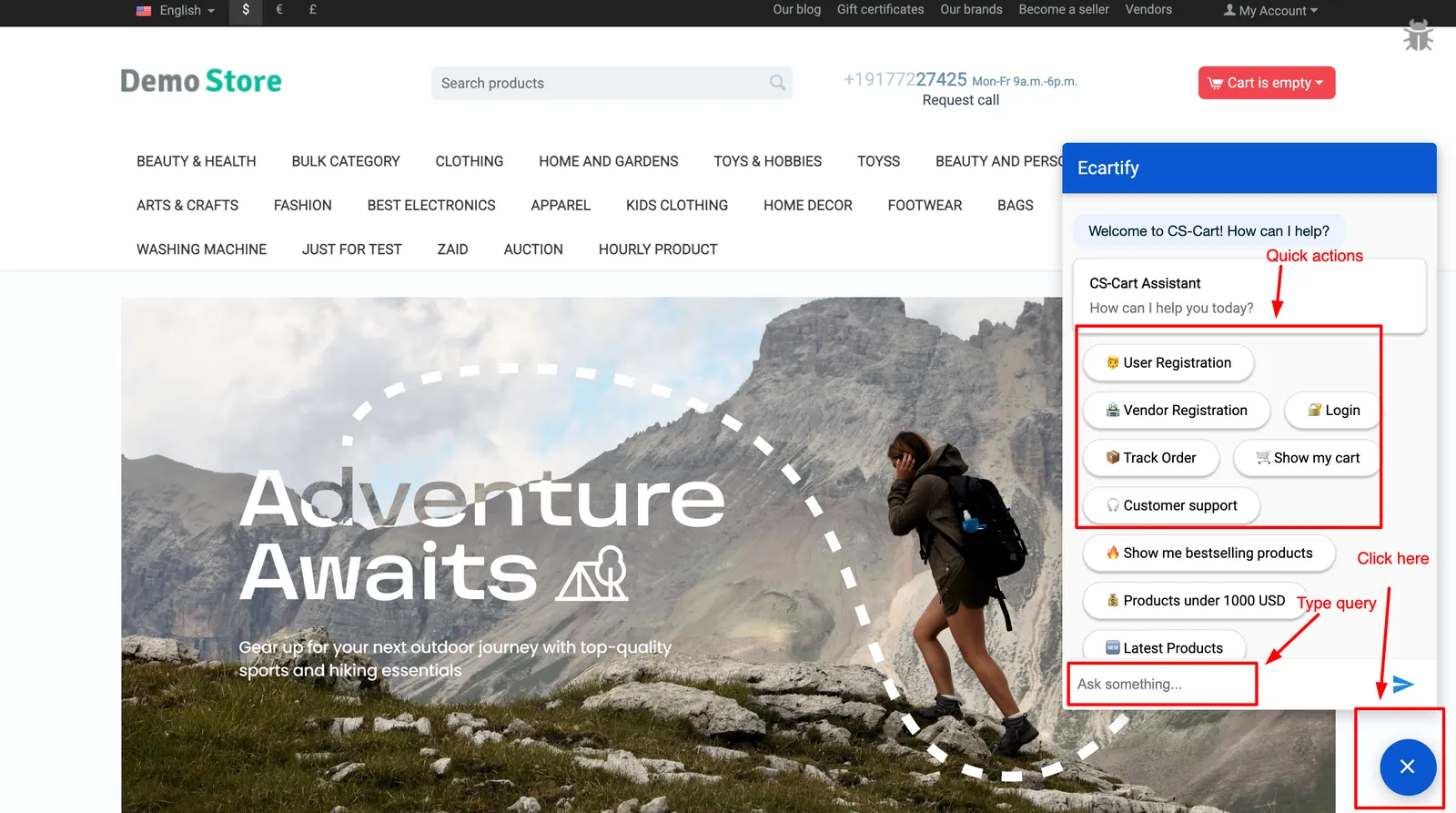
Why Choose AI Conversational Assistant for Your CS-Cart Store?
AI conversational Assistant addon turns your CS-Cart store into a 24/7 automated powerhouse. By integrating Dialogflow, you get a smart assistant that doesn't just "chat"—it understands your customers, handles support, and automates store actions without you lifting a finger.
Deep Store Integration:
Unlike basic bots, this agent is built for CS-Cart. It can assist with User Registrations, Vendor Sign-ups, and Login issues directly through the chat interface.
Final Thoughts
AI Assistant transforms your store into an interactive shopping hub. By leveraging Google Dialogflow, this addon automates customer journeys—from User & Vendor registrations to real-time Order Tracking and personalized product discovery.
Go beyond basic chat with action-driven search: instantly show Bestsellers, Latest Products, or custom filters like "Products under $1000" directly in the chat. With a built-in Custom Knowledge Base, your bot learns your specific business rules to provide 24/7 expert support, reducing tickets and boosting conversions.