
Geo Currency & Localization – Auto Currency, Language & Live Rates
Detect where your customers are, show them the right currency and language automatically, and keep exchange rates up to date — all without lifting a finger.Get Started
Geo Currency & Localization for CS-Cart – Automatic Currency & Language Detection
Give every visitor a localized shopping experience with the Geo Currency & Localization add-on. On a customer's first visit, their country is detected automatically, and the storefront currency and language are switched to match — no manual selection needed.
Exchange rates are fetched and updated on a schedule via cron, with an optional markup percent so you stay in control of your margins on converted prices. Every rate update is logged to a full exchange-rate history.
Customer preferences are remembered for future visits, and each order stores the exact exchange rate used at checkout — so historical orders are never affected by future rate changes.
Key Features of Geo Currency & Localization
Automatic Localization
Automatically detects a visitor's country on their first visit to the store.
Currency and language are auto-selected based on the detected country, giving every visitor a localized experience by default.
If a customer manually changes their currency or language, that choice is remembered for future visits.
If the detected country's currency or language isn't available in your store, the storefront simply stays on its default currency and language — nothing breaks.
Exchange Rate Management
Exchange rates are fetched and updated automatically via a scheduled cron job.
Apply a configurable markup percentage on top of live exchange rates to protect your margins.
Every rate update is stored, giving you a full historical record of currency movements.
Order Accuracy
The exact exchange rate used at checkout is saved with each order, so historical orders are never affected by future rate changes.
Step-by-Step Setup Guide
Step 1: Install the Add-on
Get Geo Currency & Localization running on your CS-Cart store in a few minutes:
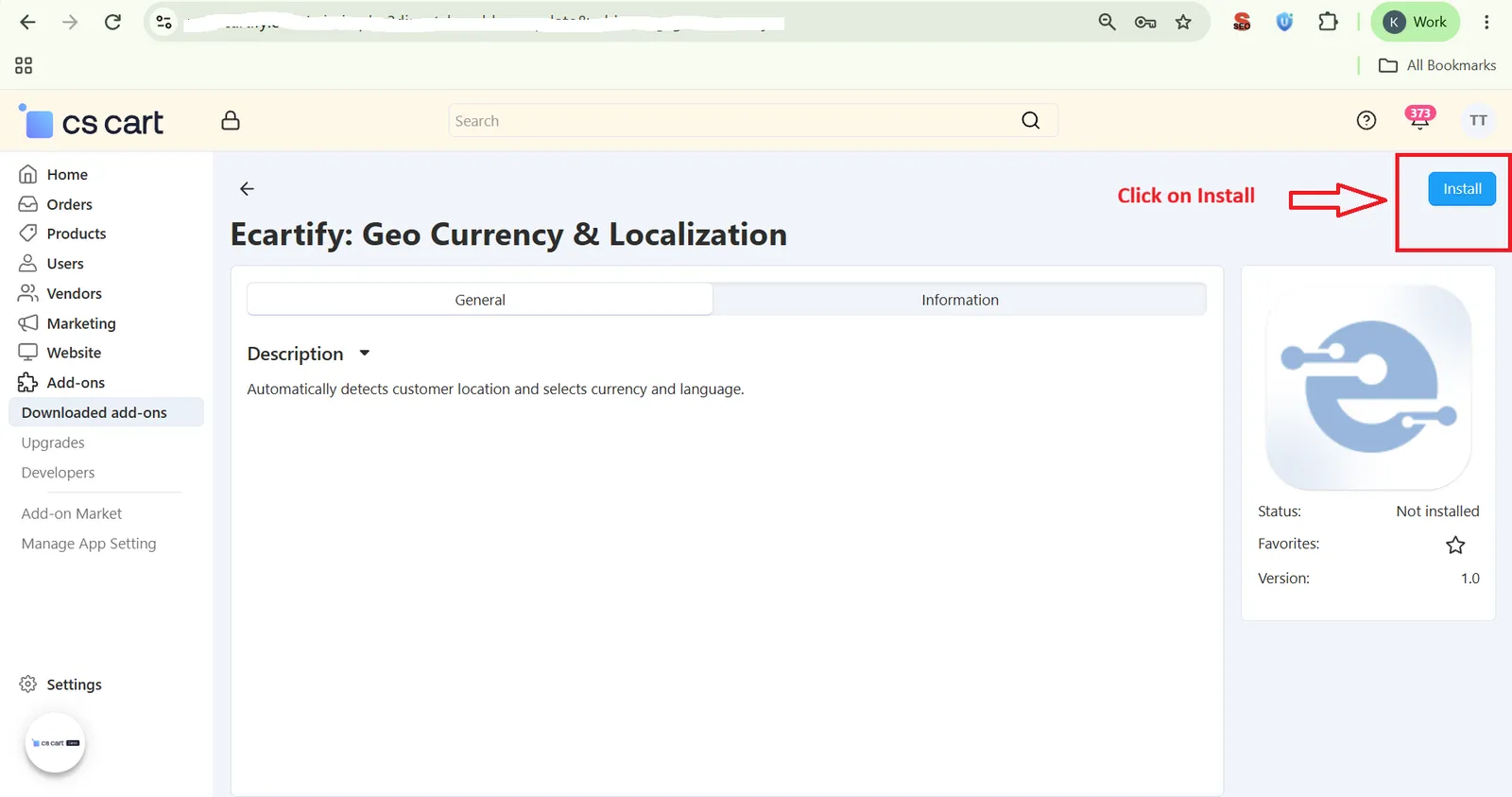
- Download the Add-on – Download the Geo Currency & Localization package from the Ecartify website or CS-Cart Marketplace.
- Open Add-ons – Go to Add-ons → Manage Add-ons in the CS-Cart admin panel.
- Upload the Package – Click the "+" button and upload the Ecartify: Geo Currency & Localization package.
- Install & Activate – Click 'Install' and set the add-on status to 'ON'.
Step 2: Configure Cron & Markup Settings
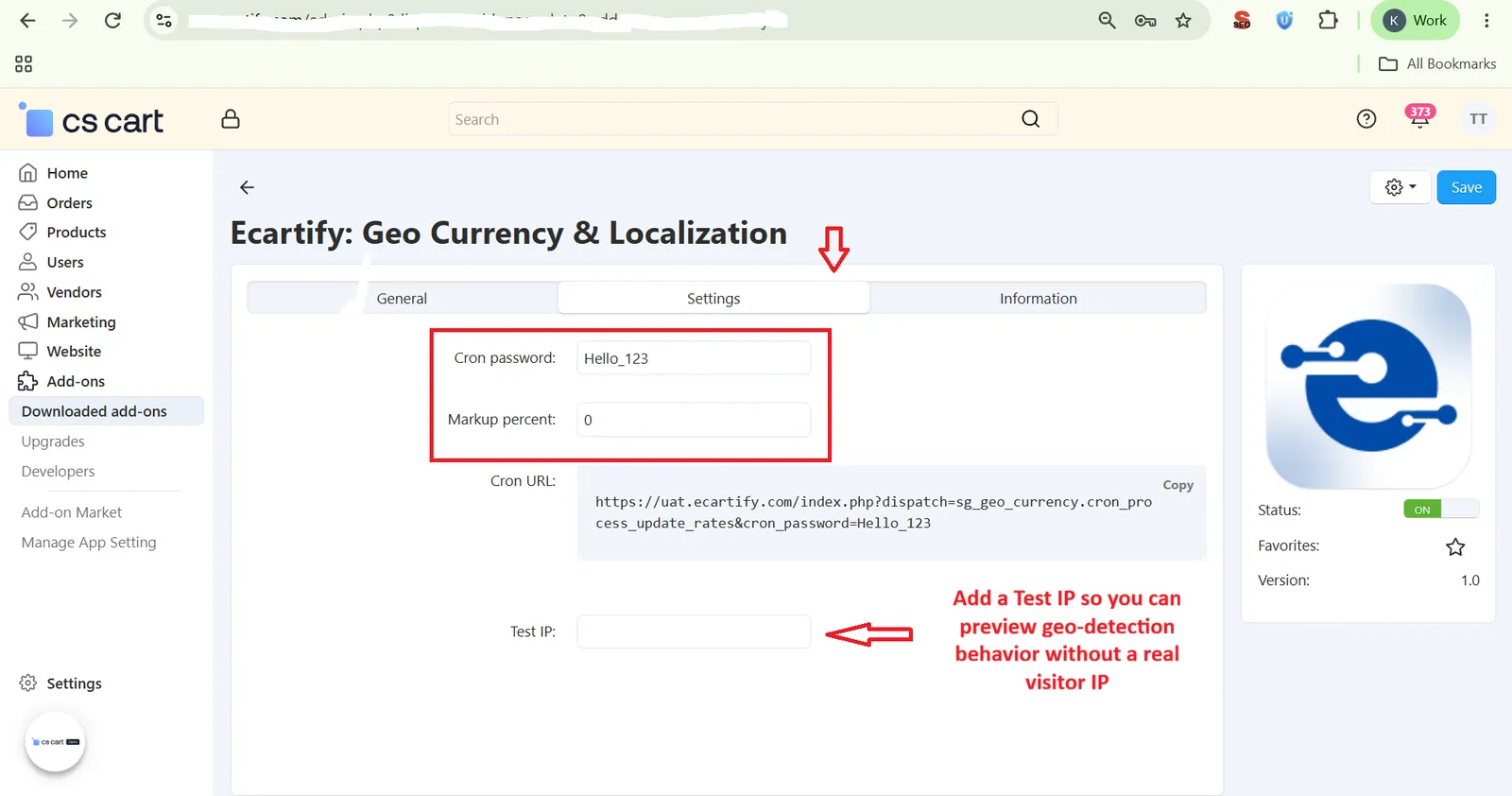
Go to Add-ons → Ecartify: Geo Currency & Localization → Settings:
- Set Cron Password – Add a secure password used to authenticate the exchange-rate update job.
- Copy Cron URL – Copy the generated Cron URL and schedule it on your server to auto-fetch exchange rates.
- Set Markup Percent – Enter a markup percentage to apply on top of live exchange rates.
- Set Test IP – Add a Test IP so you can preview geo-detection behavior without a real visitor IP. This is especially useful when testing from localhost or an internal/office network, since local and private IP addresses are automatically skipped from real geo-detection.
Step 3: Automatic Country, Currency & Language Detection
On a customer's first visit, the storefront automatically adapts:
- Country Detected – The visitor's country is detected automatically based on their IP.
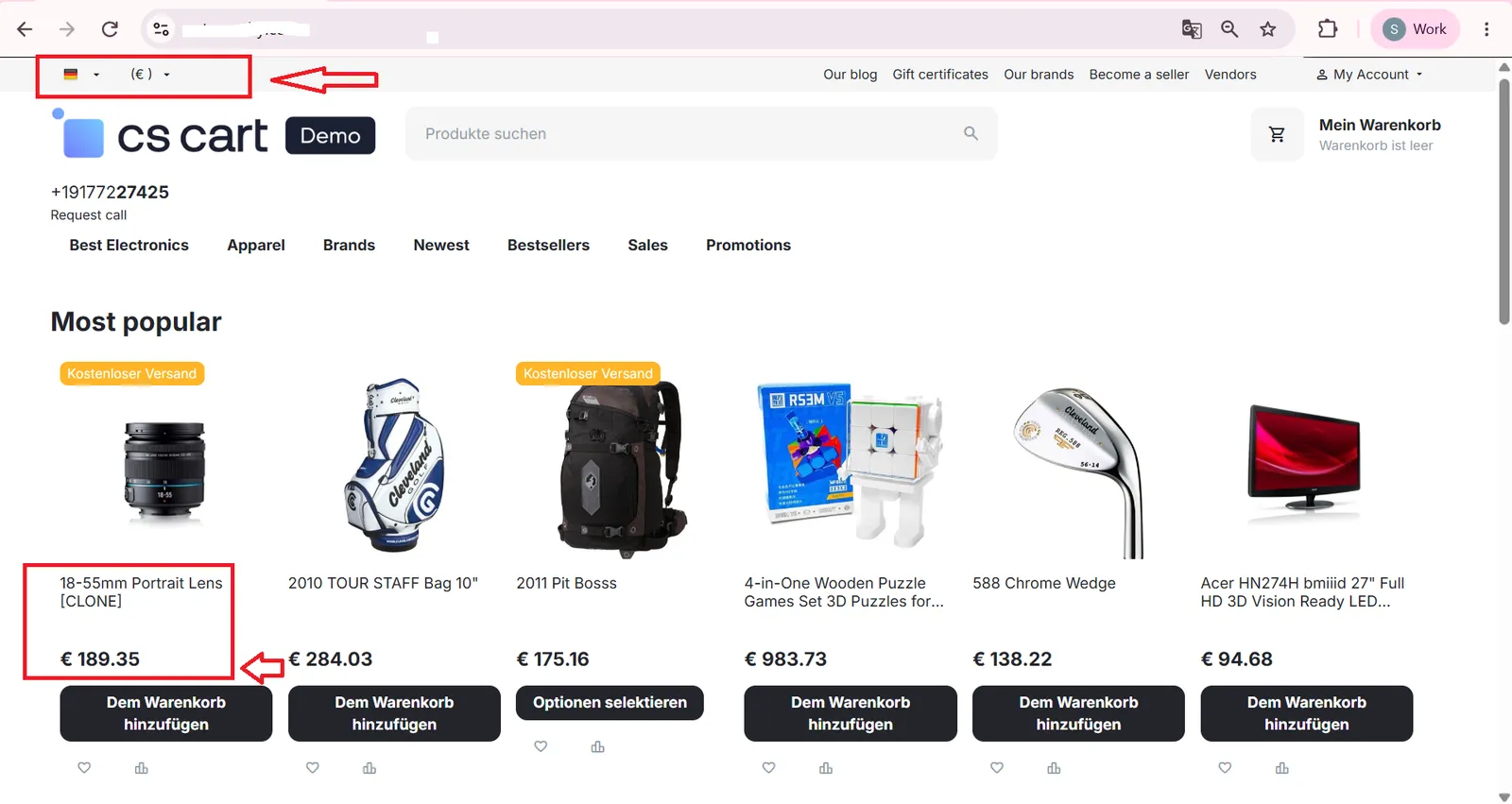
- Currency & Language Switched – The storefront currency and language automatically switch to match the detected country.

Step 4: See the Markup Reflected in Storefront Prices
Once a markup percent is set, converted prices update automatically:
- Update Markup Percent – Change the markup value in add-on settings.
- Price Reflects Instantly – Storefront prices in the secondary currency update to reflect the new markup on top of the live exchange rate.
Real-World Benefits & Results
Better Customer Experience
Customers see prices in their own currency and language from the first visit, without changing any settings.
Manual currency or language changes are saved for future visits — permanently for logged-in customers, and for the length of their browsing session for guests.
Accurate, Controlled Pricing
Exchange rates refresh automatically via cron, with no manual updates needed.
A configurable markup percent keeps converted prices aligned with your business needs.
Each order locks in the exchange rate used at checkout, so past orders are never affected by future rate changes.
Localization That Just Works, Automatically
Give every visitor the right currency and language from their first click, keep exchange rates fresh, and protect your margins — all without manual work.
Country, currency, and language detected automatically on first visit.
Rates fetched and updated automatically via cron.
Apply a markup percent to protect your margins on conversions.
Full historical record of every exchange-rate update.
Each order locks in its own rate, unaffected by future changes.
Customer's manual currency/language choice is remembered next time.