
Follow Vendor – Let Customers Stay Connected to Their Favorite Sellers
Give shoppers a way to follow the vendors they love, and keep them coming back with automatic email alerts every time that vendor lists something new.Get Started
Follow Vendor for CS-Cart – Build Repeat Customers Through Vendor Follows
Every marketplace has shoppers who keep coming back to the same one or two sellers — the Follow Vendor add-on turns that loyalty into an automatic connection. With a single click, customers can follow their favorite vendors and get notified by email the moment that vendor lists a new product.
The moment a customer follows a vendor, both sides get an email — the customer gets a friendly confirmation that they'll be notified about new arrivals, and the vendor gets to know a new customer is following their store. From there, every new product the vendor lists automatically triggers a follower email with a direct link to the product.
To keep things fast for the vendor and reliable at scale, new-product notification emails are queued and sent through a cron job instead of firing instantly — so listing a product never leaves the vendor panel stuck loading, even when a vendor has thousands of followers. Customers stay in control too, with the option to unfollow a vendor whenever they like, and admins get a clear view of follower counts for every vendor right from the admin panel.
Key Features of Follow Vendor
Follow & Notify
Customers can follow any vendor they like right from the all-vendors listing page or that vendor's product pages, building a personal list of sellers they trust.
Following a vendor triggers an instant email to both sides — the customer gets a "thank you for following, you'll be notified about new products" email, and the vendor is notified that a new customer is following their store.
Customers stay in full control and can unfollow a vendor whenever they want, no restrictions.
New Product Alerts
Whenever a followed vendor lists a new product, every follower gets an email with a direct link to that product.
Notification emails are sent via a scheduled cron job rather than instantly on product post, so the vendor panel never sits in a loading state — even with a large follower base.
Admin Visibility
Admins can see how many customers follow each vendor directly from the admin panel — a quick way to spot your most-loved sellers.
Step-by-Step Setup Guide
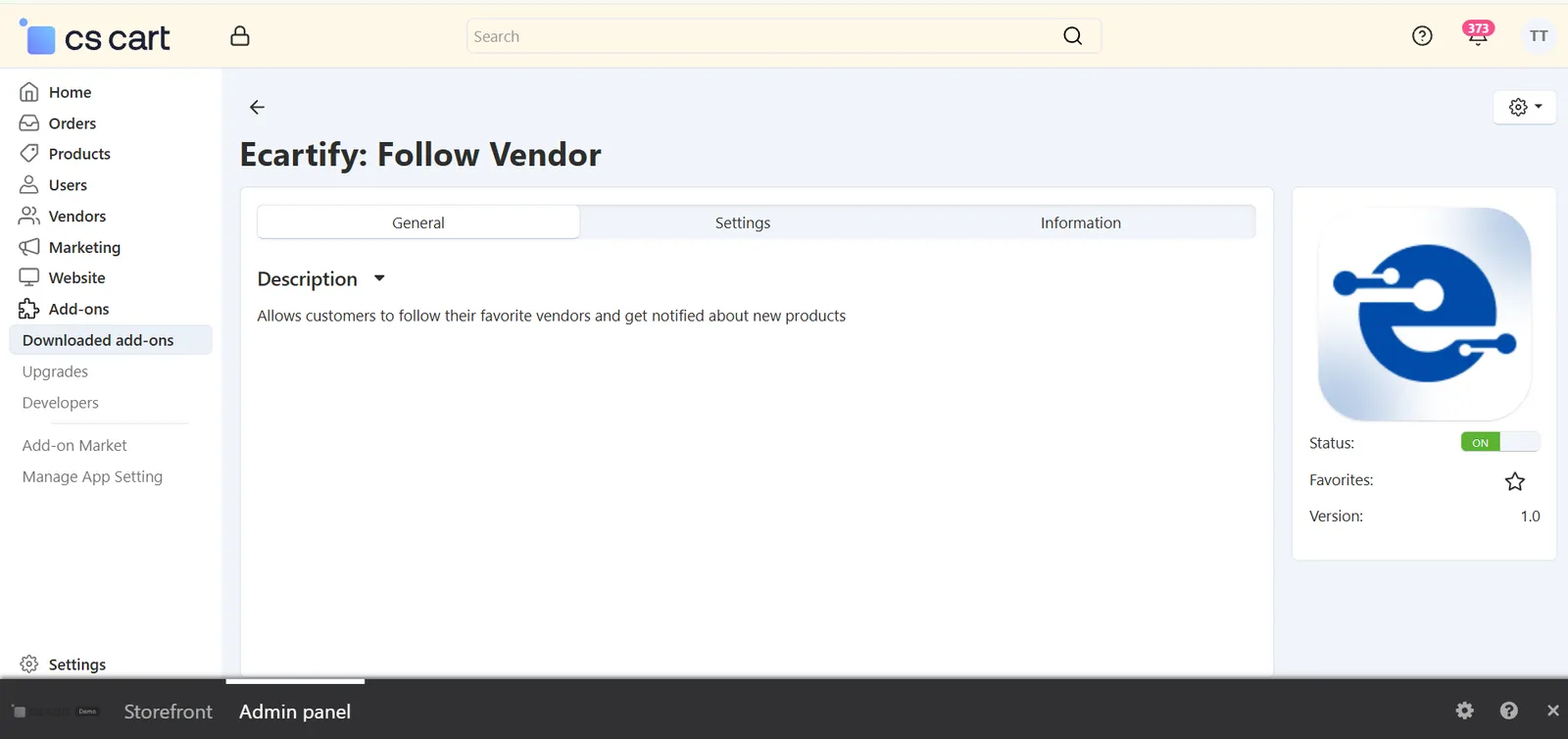
Step 1: Install the Add-on
Get Follow Vendor running on your CS-Cart store in a few minutes:
- Download the Add-on – Download the Follow Vendor package from the Ecartify website or CS-Cart Marketplace.
- Open Add-ons – Go to Add-ons → Manage Add-ons in the CS-Cart admin panel.
- Upload the Package – Click the "+" button and upload the Follow Vendor package.
- Install & Activate – Click 'Install' and set the add-on status to 'ON'.
Step 2: Set the Cron Password & Schedule the Cron Job
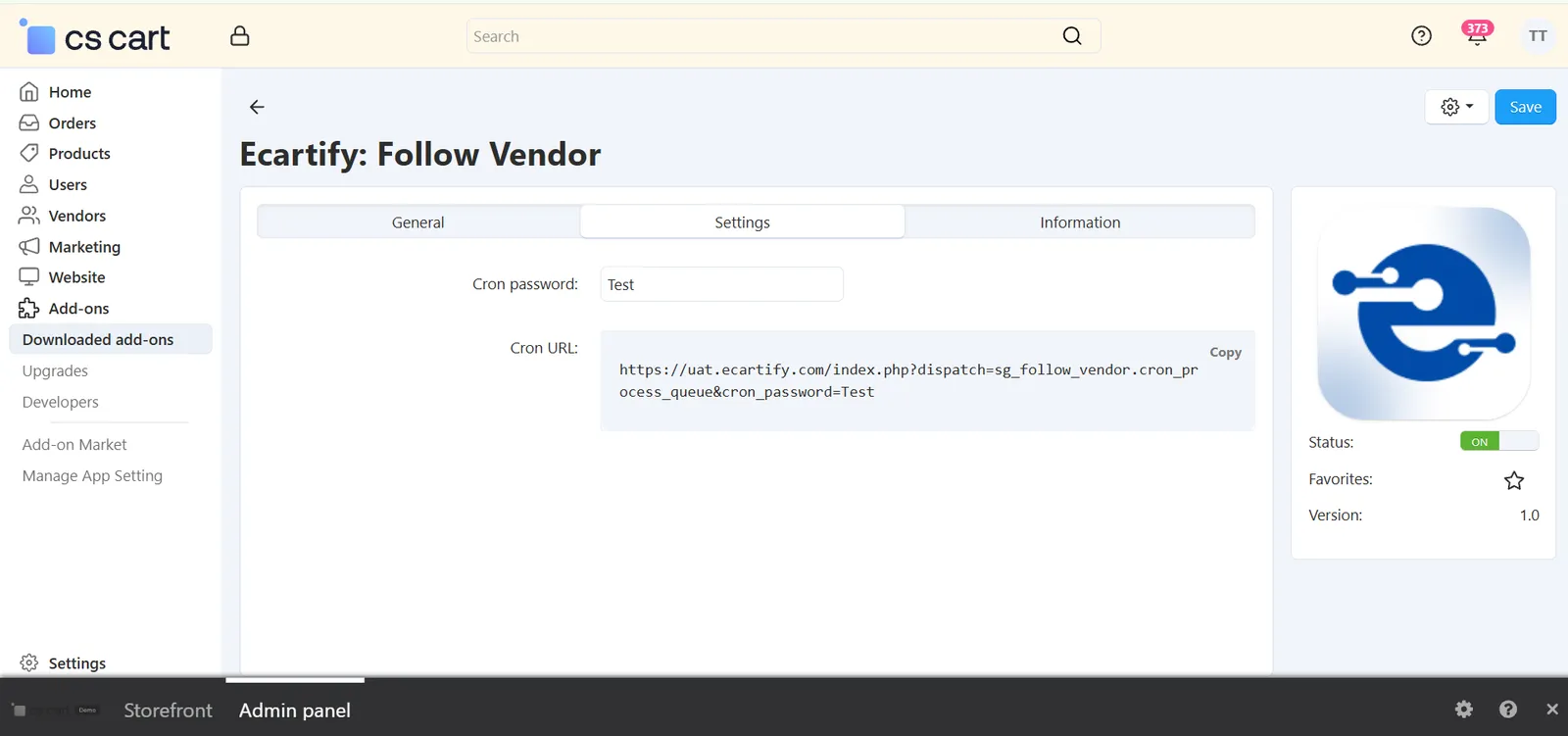
New-product notification emails for larger vendors go out via a scheduled cron job, so this one-time setup needs to be completed right after installation:
- Open Add-on Settings – Go to Add-ons → Manage Add-ons, find Follow Vendor, and open its settings.
- Set a Secure Cron Password – Replace the default password with your own and save it. This password authenticates the scheduled email job, so don't leave it at the default value.
- Copy the Cron URL – The same settings page generates a unique Cron URL (with the password included) — copy it using the provided "Copy" button.
- Add It to Your Server's Cron Scheduler – Paste the copied URL into your hosting's cron job manager (for example, cPanel → Cron Jobs) and schedule it to run every 15–30 minutes — it's safe to run this often since it simply skips the check when there's nothing queued. Without this step, notification emails for vendors with a larger follower base will stay queued and will never be sent.
Step 3: Follow Button Goes Live on the Storefront
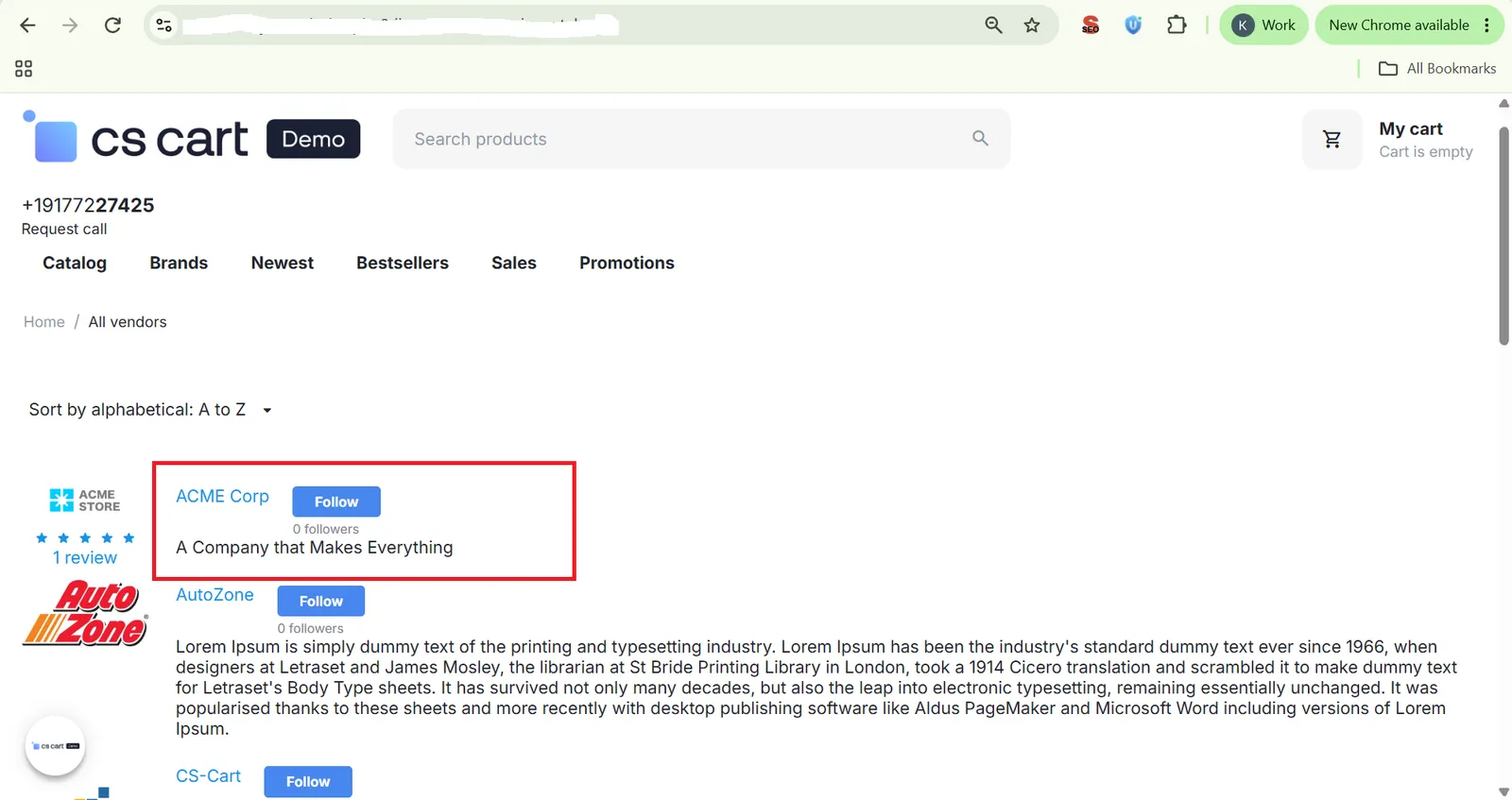
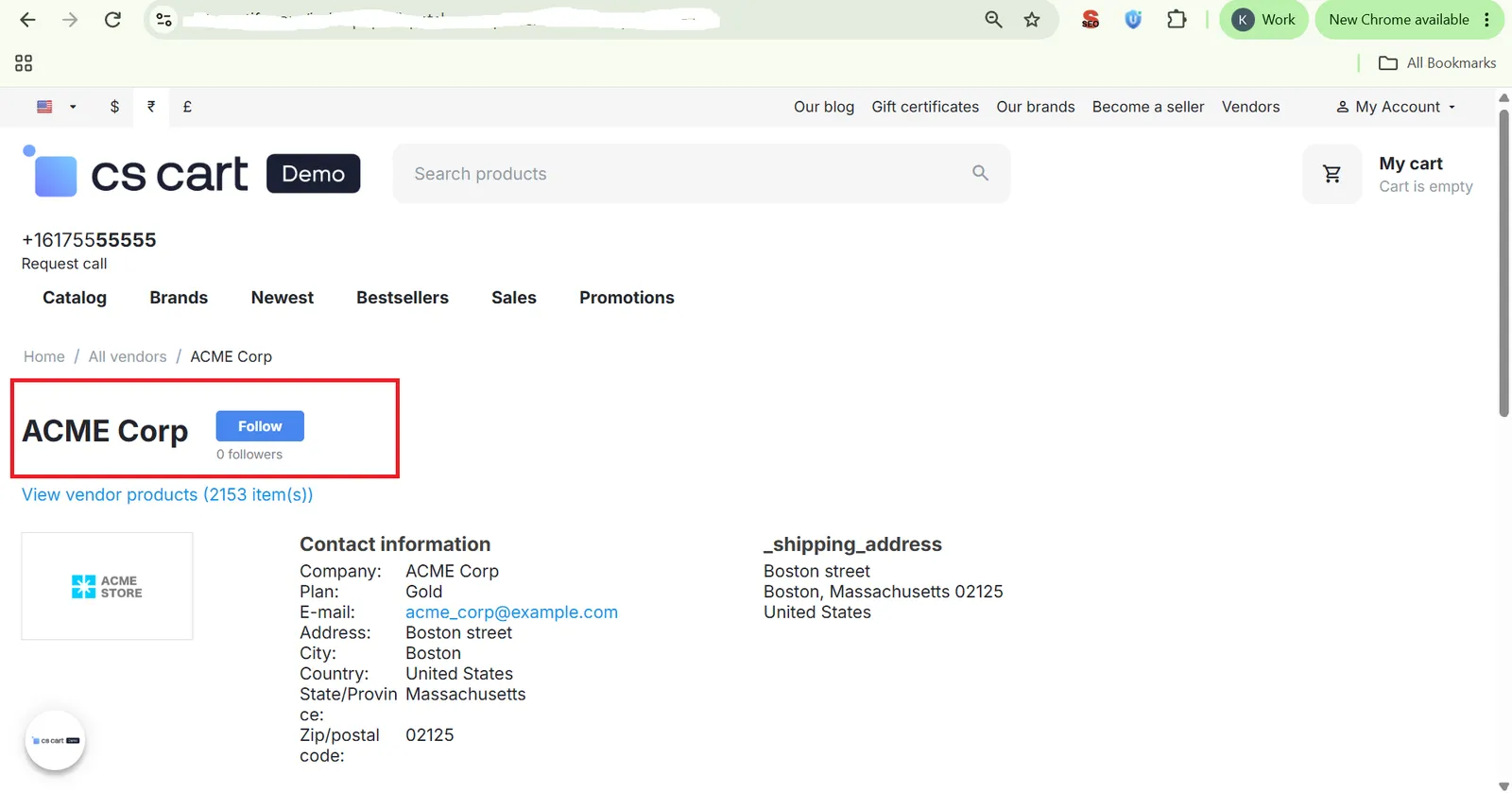
Once activated, a Follow button appears automatically in three places. It's visible to every visitor — guests included — though a guest is asked to log in first when they click it:
- All Vendors Listing Page – Customers can follow directly from the marketplace's full vendor listing, without opening each store individually.
- Vendor's Own Store Page – The Follow button also appears right on the vendor's storefront/detail page, where a customer is most likely to decide to follow them.
- Product Page – The Follow button also shows on the product page, so customers can follow the vendor while browsing that vendor's products.
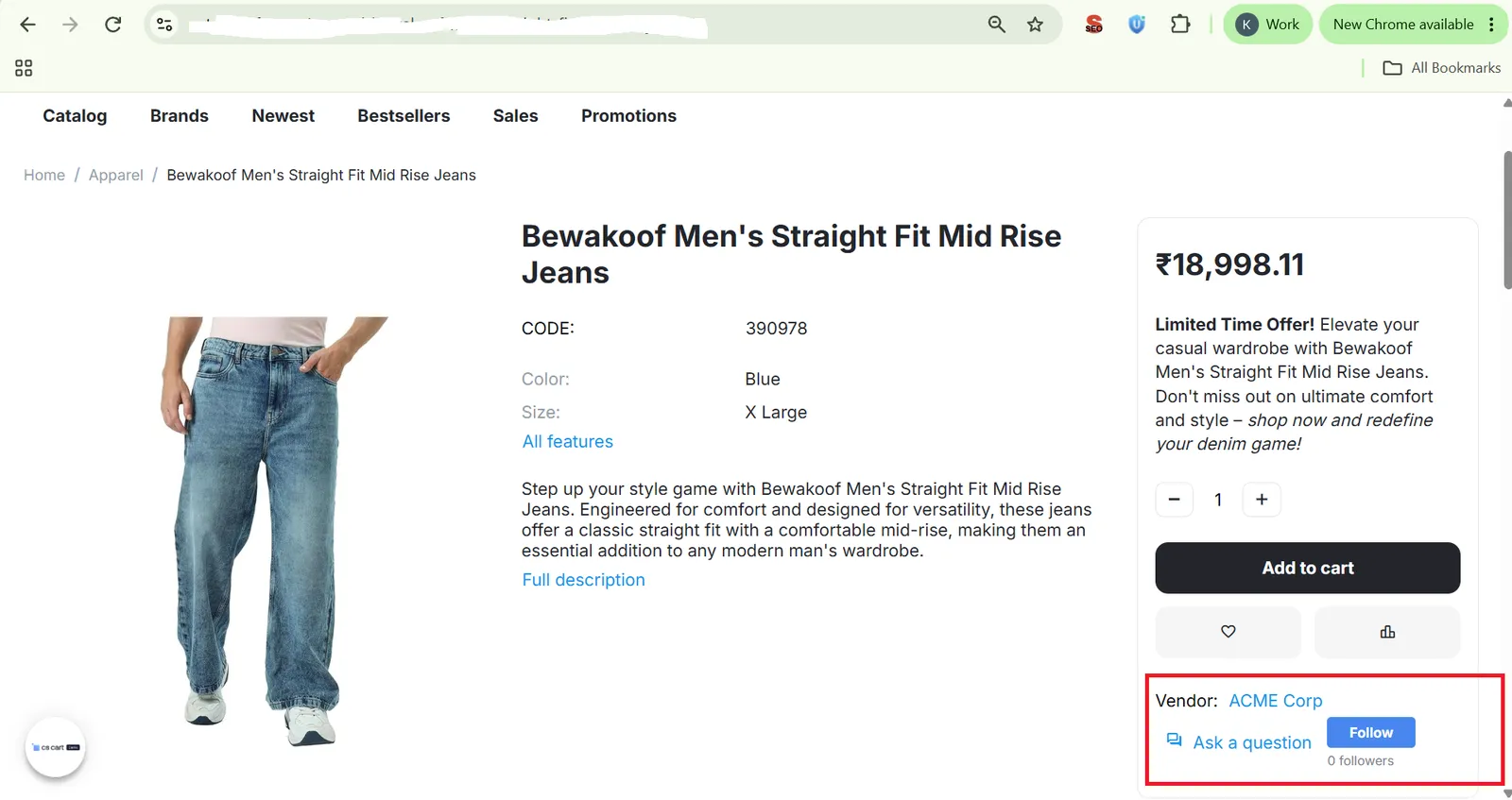
Step 4: What Happens When a Customer Follows a Vendor
The follow action instantly kicks off two emails, one to each side:
Step 5: New Product Notification Flow
When a followed vendor lists a brand-new product, followers are notified automatically — and the delivery method adapts to the vendor's follower count. Note that this only triggers for products the vendor newly creates; editing an existing product does not send an email.
- Vendor Lists Product:
Vendor adds a new product from their vendor panel as usual — no extra steps needed. - Smart Routing:
If the vendor has a small follower base, emails go out right away. Once the follower base grows, notifications are automatically queued and picked up by the scheduled cron job instead, keeping the vendor panel fast. - Followers Notified:
Every follower receives an email with a direct link to the new product, even if the vendor has a large follower base.
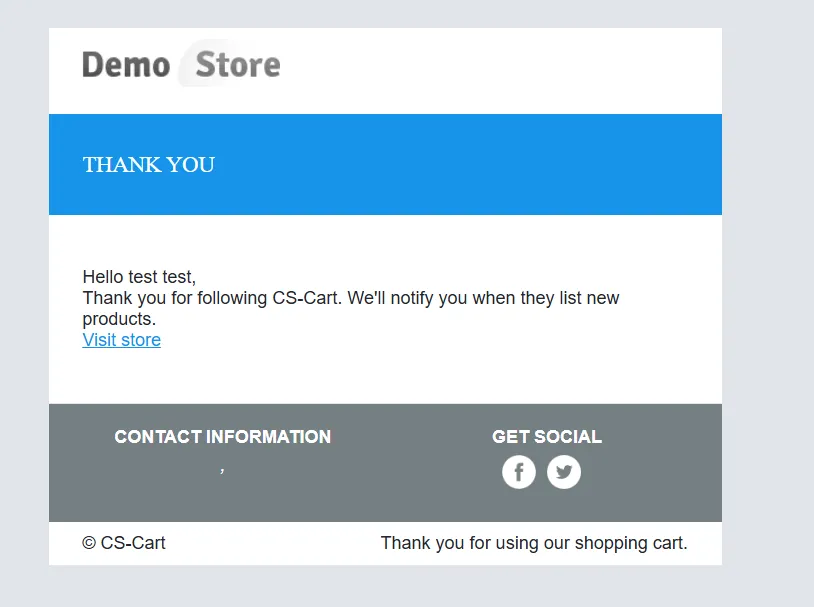

Step 6: Unfollow a Vendor
No separate followed-vendors list needed — the same Follow button doubles as the unfollow control:
- Button Switches to "Following" – Once a customer follows a vendor, the button label changes from "Follow" to "Following" right on the vendor page.
- Click Again to Unfollow – Clicking the "Following" button again instantly unfollows the vendor, and product notification emails for that vendor stop right away — even if an email was already queued for the next cron run, that customer is skipped since they're no longer on the follower list.
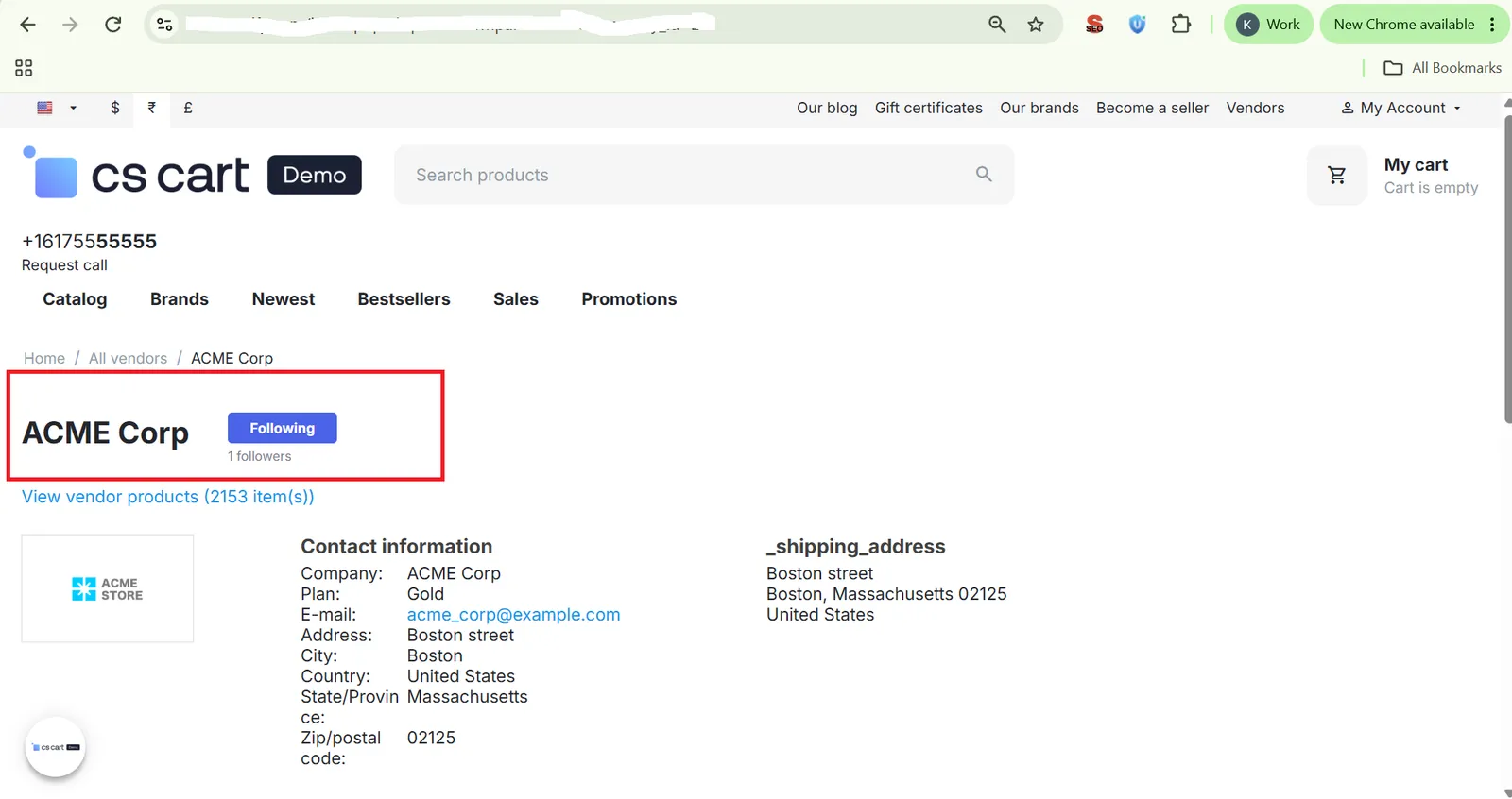
Step 7: Check Follower Counts from the Admin Panel
Admins get a clear, store-wide view of vendor popularity:
- Open Vendor List – Go to the vendor management section of the CS-Cart admin panel.
- View Follower Count – Each vendor shows its current follower count, updated automatically as customers follow or unfollow. Note that this currently shows the total count only, not an individual list of who's following.
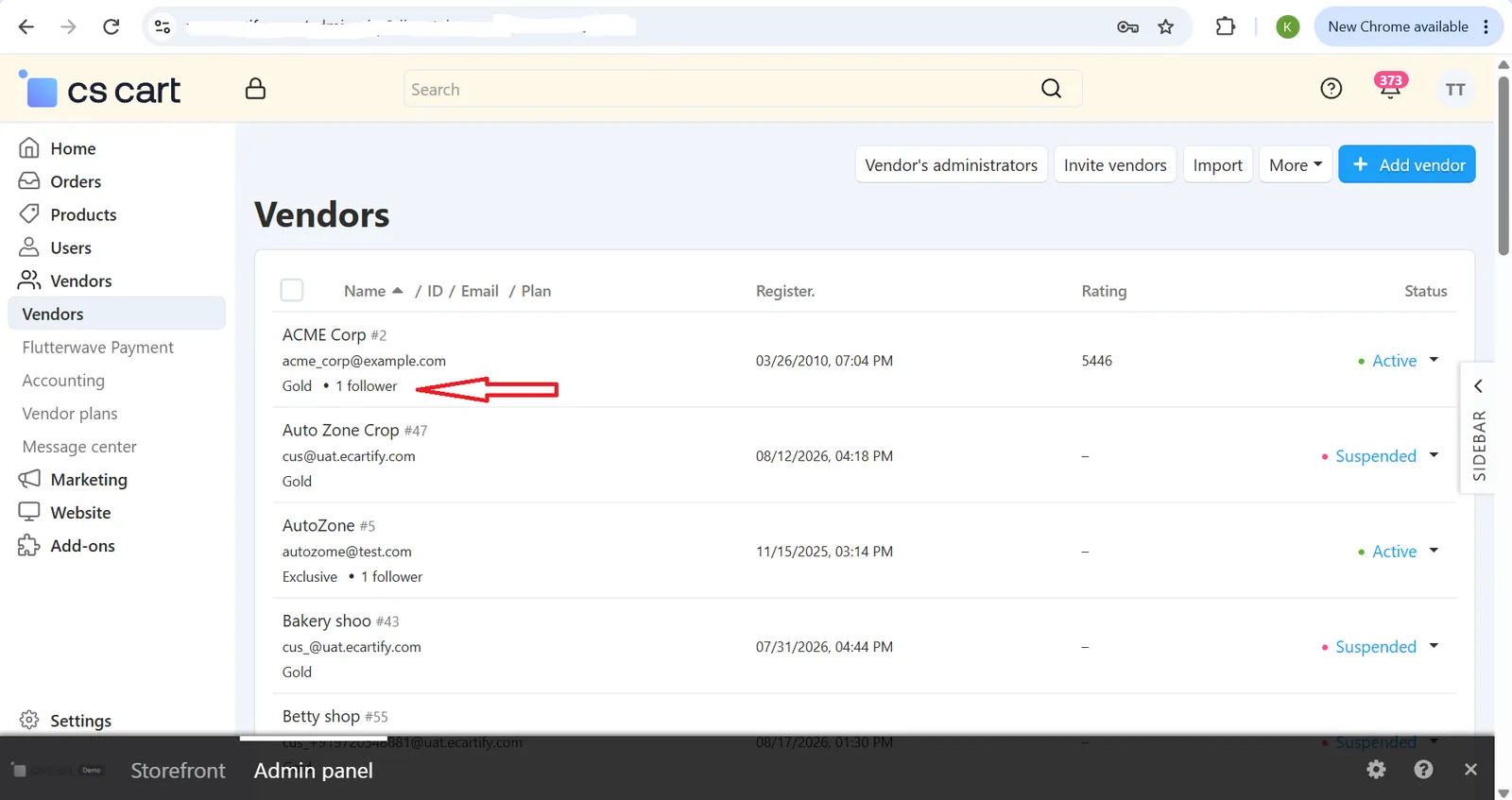
Real-World Benefits & Results
Stronger Customer-Vendor Connection
Customers get a simple way to stay connected to sellers they already trust, instead of having to remember to check back.
Vendors know exactly who's following them, right from the confirmation email.
Follow or unfollow anytime, with no friction either way.
More Repeat Traffic for Vendors
New product emails bring followers back to the store without the vendor doing any extra marketing.
Followers land straight on the new product page, cutting friction between the email and the sale.
Cron-based sending means the notification system holds up just as well for 10 followers as for 10,000.
Performance & Visibility
Product listing stays fast for vendors since notification emails never send synchronously.
Admins can spot top-performing vendors at a glance using the follower count.
Works out of the box across single-vendor and multi-vendor CS-Cart stores.
Turn One-Time Buyers Into Loyal Followers — Starting Today
Give your customers a reason to come back to the vendors they love, and give your vendors a built-in way to reach their most engaged shoppers — automatically.
Both customer and vendor are notified the moment a follow happens.
Followers get a direct link the moment a vendor lists something new.
Emails send in the background, so listing products always stays fast.
Customers stay in control of who they follow, always.
Admins see follower counts for every vendor at a glance.
Works seamlessly across single-vendor and multi-vendor stores.