

Grow with WhatsApp Reports | Daily, Weekly & Monthly Insights for Vendors
Automatically send business performance reports to vendors via WhatsApp. Orders, revenue, and key metrics — delivered on time, every time.Ecartify: Business WhatsApp Report
Keep your vendors informed with the Business WhatsApp Report addon. Automatically send daily, weekly, and monthly business reports directly to vendor WhatsApp numbers. Track orders, revenue, customers, and key metrics without manual effort. Perfect for multi-vendor marketplaces that need automated, professional reporting!
Key Features of Business WhatsApp Report
Send daily, weekly (any day), and monthly reports automatically via WhatsApp.
Secure integration with official WhatsApp Business API for reliable delivery.
Each vendor receives reports with only their isolated data and metrics.
Orders, revenue, customers, products, order status, and top-selling items.
Choose specific days for weekly reports (Monday-Sunday).
Centralized dashboard to manage WhatsApp numbers and report preferences per vendor.
View complete history of sent reports with status, timestamps.
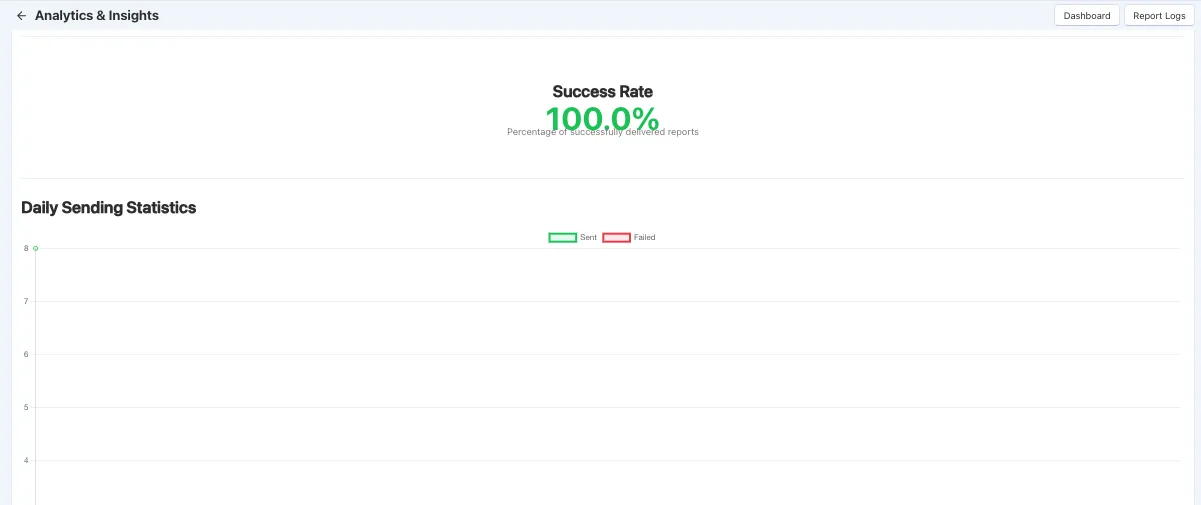
Monitor success rates, daily statistics, and delivery performance.
Set-and-forget automation with easy cPanel cron job setup.
Step-by-Step Setup Guide
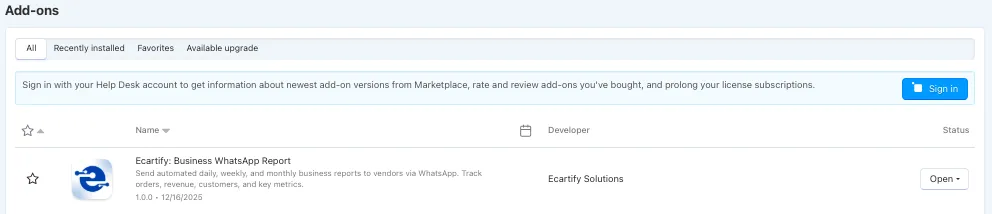
Step 1: Install the Addon
Installing the Business WhatsApp Report addon is quick and straightforward:
The addon will appear in Marketing → WhatsApp Reports for easy access!
Step 2: Configure WhatsApp Business API
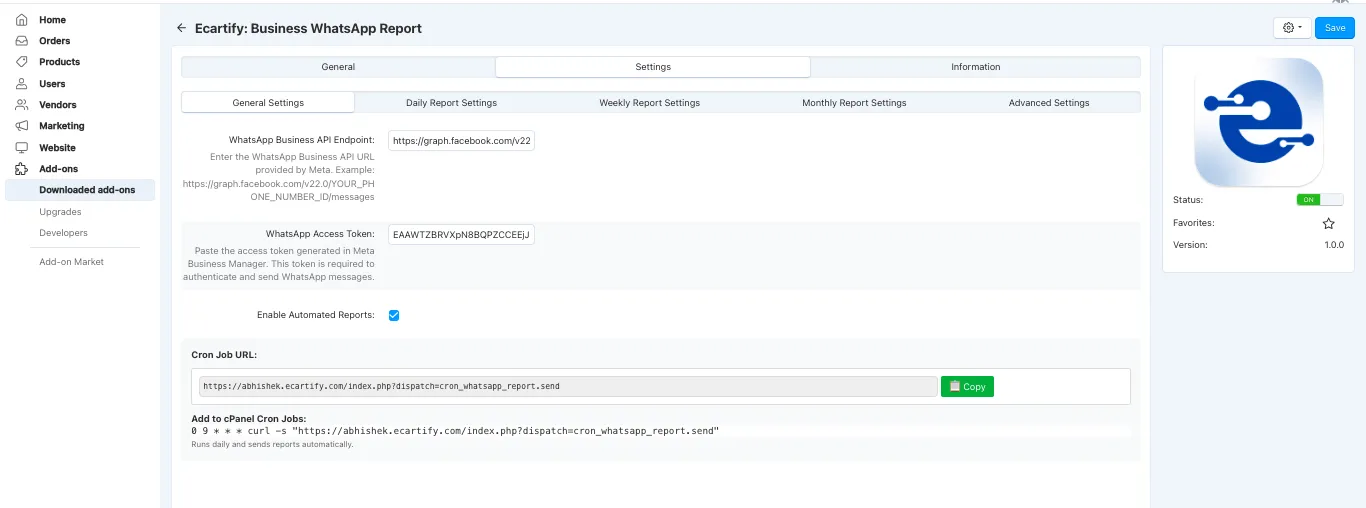
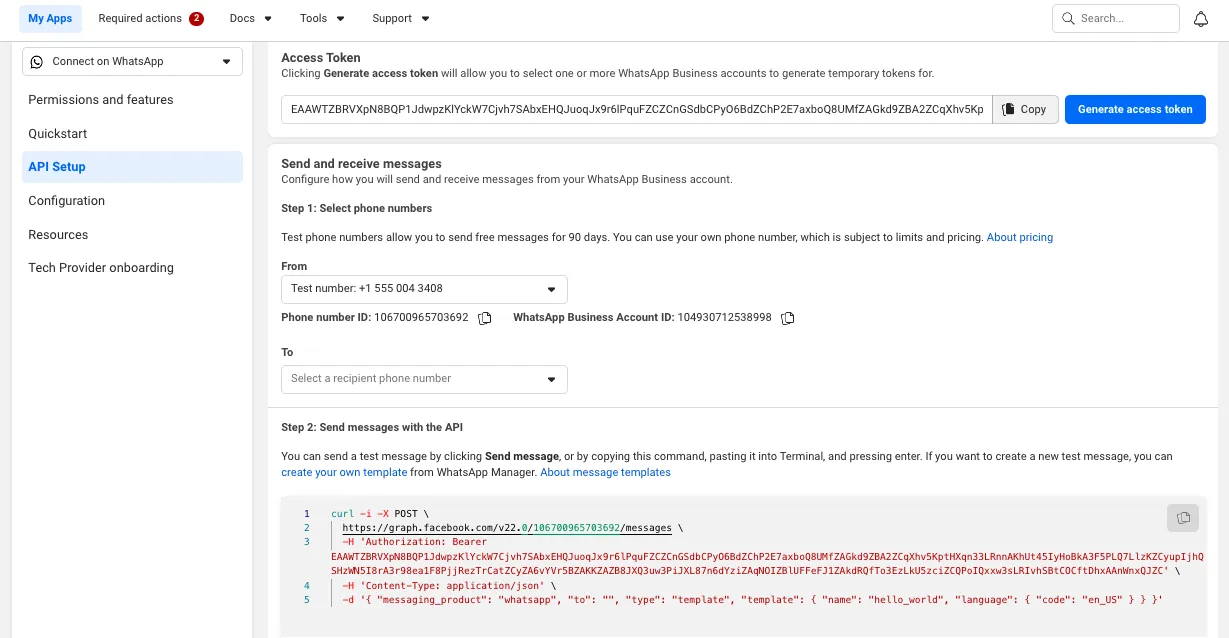
Connect to the official WhatsApp Business API for secure message delivery:
Create an app in Meta Business Manager at developers.facebook.com
Enter your endpoint URL (e.g., https://graph.facebook.com/v22)
Paste the access token generated in Meta Business Manager
Toggle the checkbox to activate automatic report sending
Step 3: Configure Report Schedules
Choose which report frequencies to enable:
Enable checkbox to send reports every day at the cron job time
Enable and select day (Monday-Sunday) to receive weekly summaries
Enable to send comprehensive monthly business reports
Each vendor can have different report preferences configured individually!
Step 4: Manage Vendor WhatsApp Settings
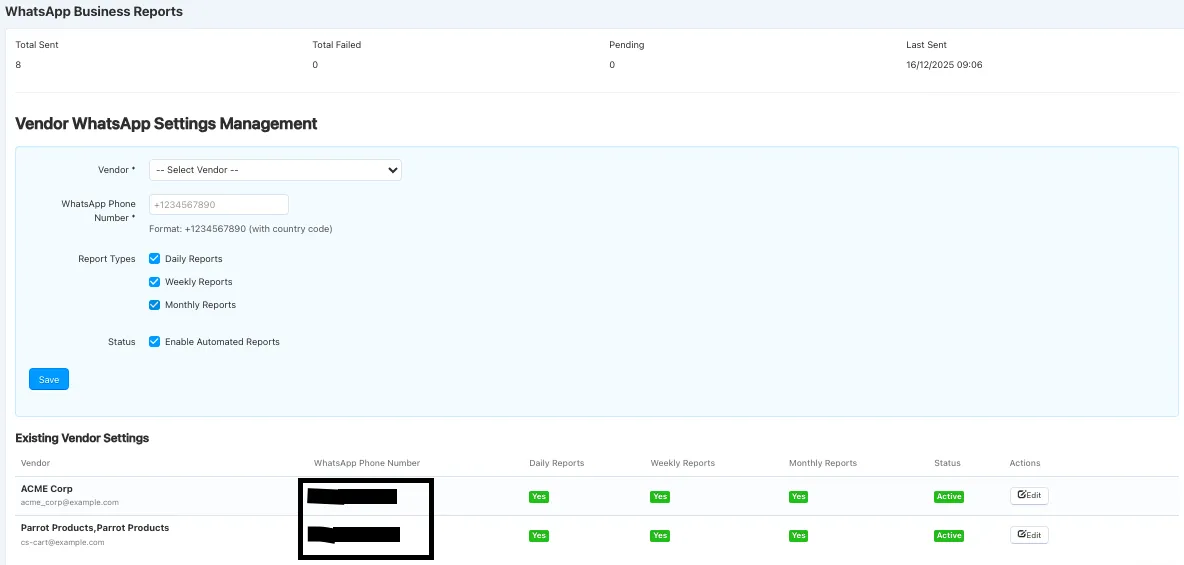
Configure WhatsApp numbers and report preferences for each vendor:
Choose vendor from dropdown in the management form
Enter number with country code (e.g., +1234567890)
Check Daily, Weekly, and/or Monthly as needed
Activate automated reports for this vendor
Click Save to apply settings
View all existing vendor configurations in the table below the form!
Step 5: Enable Report Logging (Optional)
Track all report deliveries for troubleshooting and monitoring:
Click the Advanced Settings tab
Toggle the checkbox to activate detailed logging
Logs capture report type, send time, phone number, status, and retry attempts!
Step 6: Monitor Analytics & Insights
Track report delivery success and performance metrics:
View percentage of successfully delivered reports
Monitor sent vs failed reports with visual charts
Select custom date ranges to analyze specific periods
Identify trends and optimize delivery timing
What's Included in Reports?
Each WhatsApp report provides comprehensive business insights tailored to vendor performance:
Daily Summary
Order Status Breakdown
Top Products
Inventory Insights
Revenue & Performance
Benefits for Different Users
For Vendors
For Marketplace Owners
For Store Managers
Perfect For Every Marketplace
Multi-Vendor Marketplaces
Mobile-First Businesses
Technical Features & Security
Security Features
Monitoring Features
Transform Your Vendor Communication Today
Your Business WhatsApp Report addon is now ready to revolutionize how you communicate with vendors. Say goodbye to manual report creation, email chains, and vendor inquiries about performance. With automated WhatsApp delivery, you can:
Pro Tip: Start with daily reports enabled for all vendors to establish the routine. After vendors become familiar with the format, you can customize frequencies based on individual preferences. The analytics dashboard helps you monitor delivery success and optimize timing!