
HubSpot Vendor Management with Seamless CS-Cart Integration
Sync vendor profiles, performance metrics, products, and communications automatically to optimize vendor relationships and marketplace operations.HubSpot Vendor Connector - For Marketplace Vendors
As a vendor on our marketplace, the HubSpot Vendor Connector empowers you to connect your personal HubSpot account and automatically sync your products, customers, and orders. Take control of your vendor business by maintaining a unified view of all your marketplace data in HubSpot. Grow your business faster with automated data synchronization, powerful marketing automation, and real-time customer insights - all while keeping your data secure with industry-standard OAuth 2.0 authentication.
Key Features for Vendors
Connect your own HubSpot account securely and keep your business data completely private and under your control.
Your marketplace products automatically sync to HubSpot with pricing, inventory, and complete product details in real-time.
All your customers from the marketplace sync to HubSpot contacts, giving you a complete customer database.
Every order appears as a deal in your HubSpot pipeline, with status updates that automatically reflect marketplace changes.
Create targeted email campaigns in HubSpot based on customer behavior, purchase history, and engagement patterns.
Industry-standard secure connection ensures your HubSpot data and marketplace information are protected.
How to Connect Your HubSpot Account
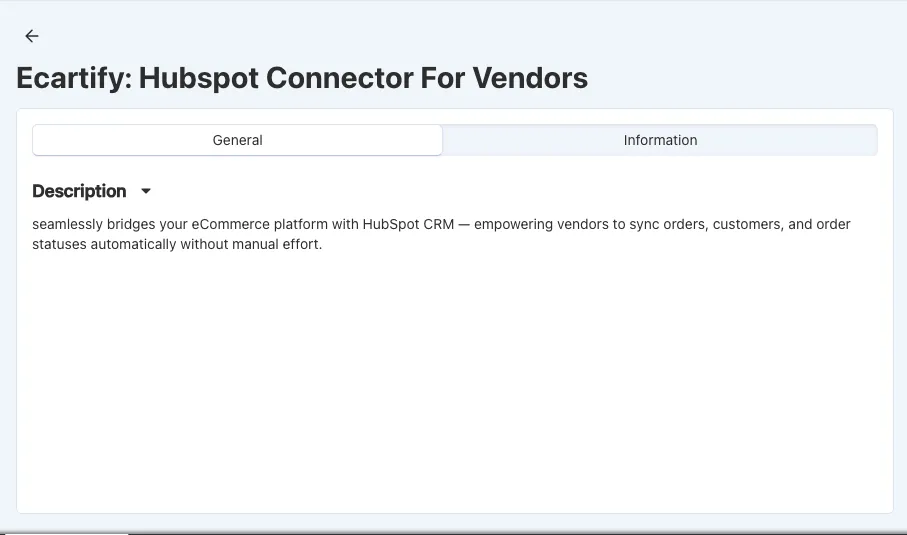
Step 1: Access Your Vendor Dashboard
Log in to your vendor account and find the HubSpot Connector option:
The connector interface is simple and designed specifically for vendors like you!
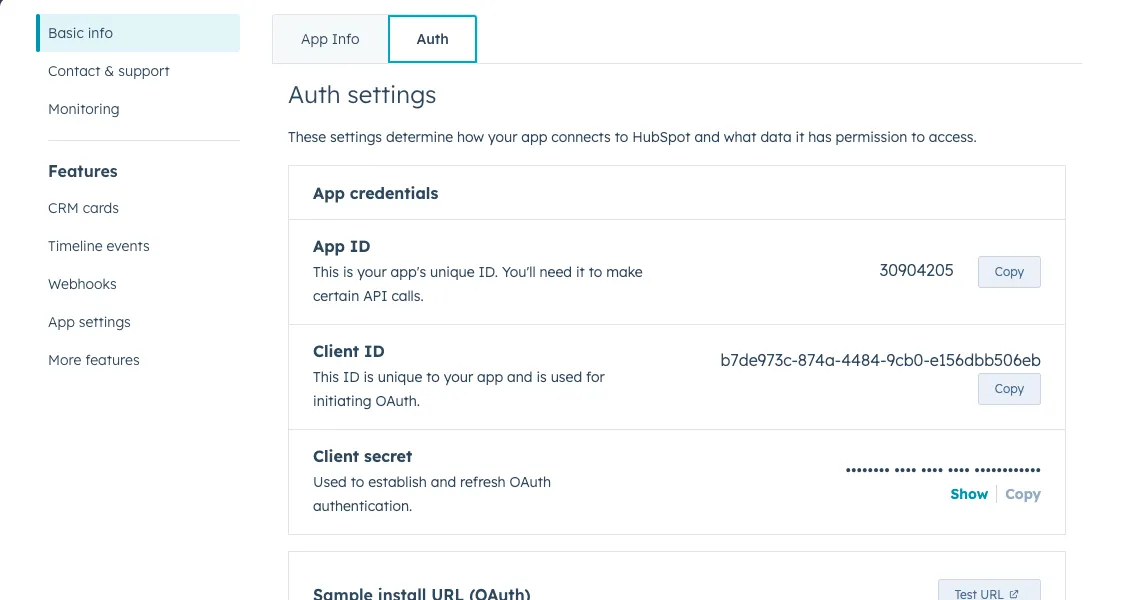
Step 2: Create a HubSpot Private App
You'll need to create a Private App in your HubSpot account to allow the marketplace to sync your data:
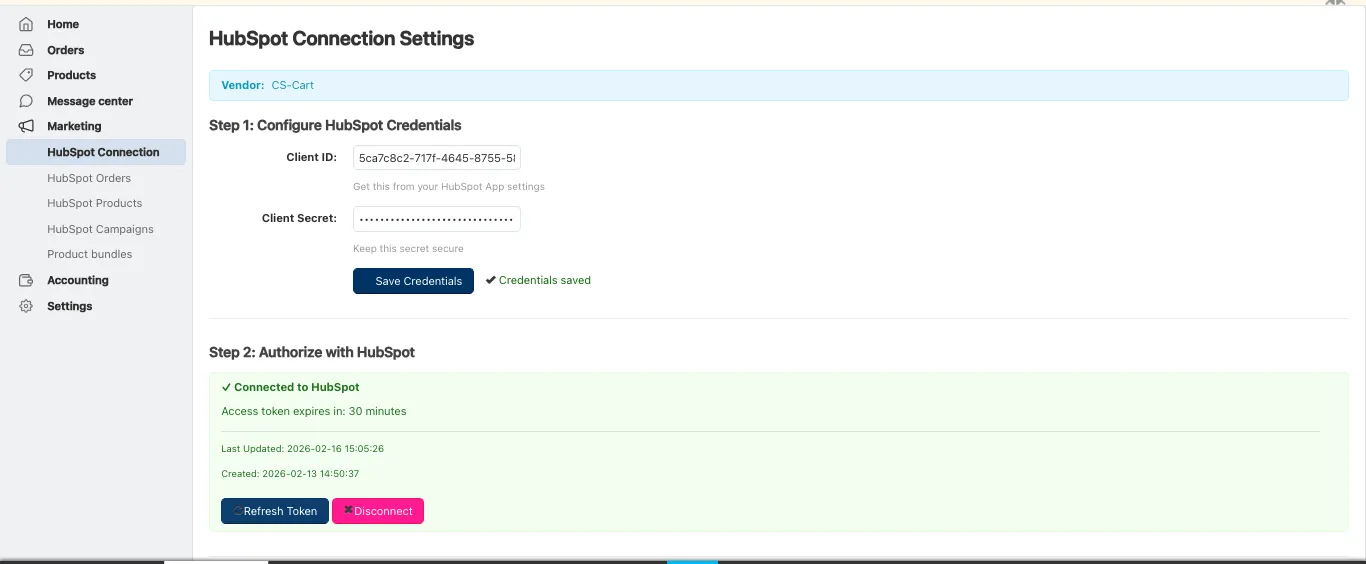
Step 3: Enter Your HubSpot Credentials
Paste your HubSpot credentials into the vendor connector:
Your HubSpot credentials are encrypted using enterprise-grade security.
Step 4: Authorize the Connection
Complete the secure OAuth connection to your HubSpot account:
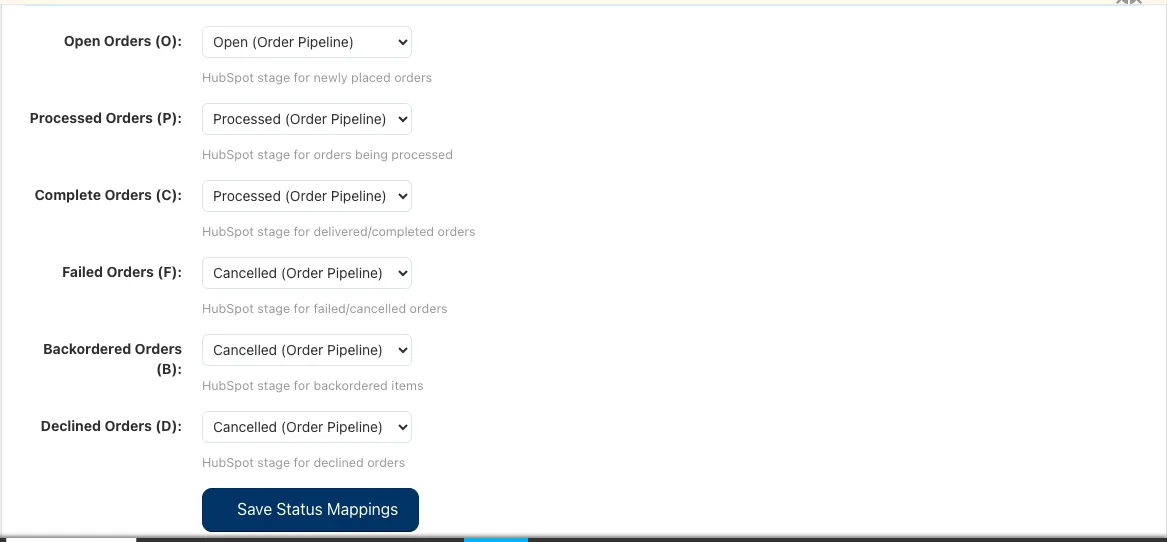
Step 5: Configure Order Status Mapping
Map your marketplace order statuses to HubSpot deal stages so your pipeline reflects your real business:
Click "Save Configuration" to apply your status mapping.
Step 6: Sync Your Products
Start synchronizing your marketplace products to HubSpot:
Your products stay synchronized, allowing you to manage inventory and create targeted marketing campaigns.
Step 7: AutoSync Your Customers
Bring all your marketplace customers into HubSpot for better relationship management:
Step 8: Sync Your Orders
Get your complete order history into HubSpot as deals in your sales pipeline:
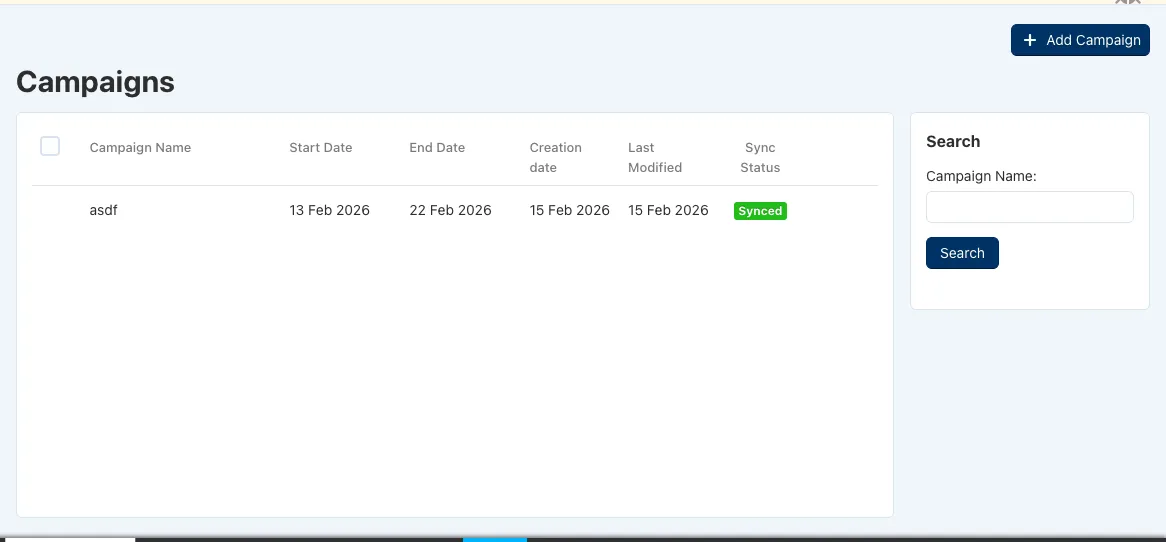
Step 9: Create Marketing Campaigns
Use HubSpot's powerful marketing tools to grow your vendor business:
Your customers and products are now synchronized - you can leverage HubSpot's full marketing power!
What Gets Synchronized?
When you connect HubSpot, these marketplace items automatically sync to your HubSpot account:
Your Products → HubSpot Products
Your Customers → HubSpot Contacts
Your Orders → HubSpot Deals
Marketing Campaigns → HubSpot
How This Helps Your Vendor Business
Grow Your Business
Save Time
Better Customer Relationships
Professional Business Tool
Your Data is Secure
Common Questions
Do I need a HubSpot account?
Is my data secure?
How often does data sync?
Can I disconnect later?
Do I have to sync everything?
Ready to Take Your Vendor Business to the Next Level?
The HubSpot Vendor Connector is designed to help you grow your marketplace business. By connecting your personal HubSpot account, you get access to powerful marketing, sales, and customer management tools - all synchronized with your marketplace data in real-time.
What you gain:
✓ A complete view of your customers and orders
✓ Powerful email marketing tools
✓ Sales pipeline to track your growth
✓ Customer insights to drive business decisions
✓ Professional business management tools
✓ Full control over your data
Ready to connect? Click the button above to get started. The setup takes just minutes, and you'll immediately start seeing the benefits. If you have any questions, our support team is here to help!
Start growing your vendor business today with HubSpot!