
Unlock Smarter Automation with a Universal AI Agent
Learn how a flexible, adaptable AI agent can streamline processes, learn from context, and handle multi-step tasks across systems.Ecartify: Universal AI Agent – Complete Description & Setup
Transform your CS-Cart store management with the Universal AI Agent. This revolutionary addon enables you to interact with your store's database using natural language - no SQL knowledge required! Simply ask questions like "Show me products with low stock" or "What were today's sales?" and get instant, accurate answers. Manage inventory, analyze sales, create products, and track orders - all through simple conversation.
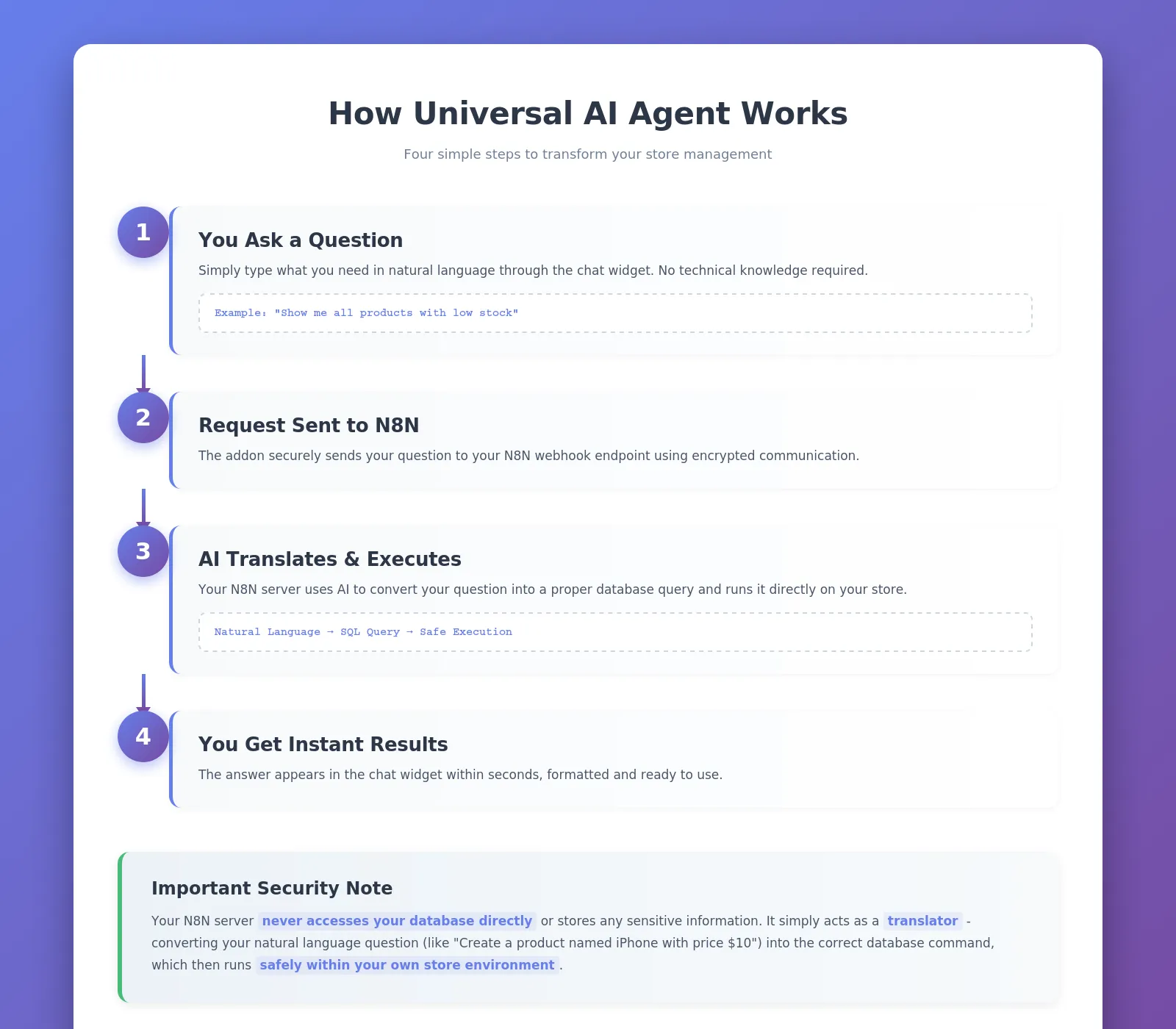
Key Features of Universal AI Agent
Ask questions in plain English - no technical knowledge required.
Create, Read, Update, and Delete products, categories, orders, and users.
Get real-time insights on sales, inventory, and customer behavior.
Control what operations the AI can perform with approval workflows.
Perfect for marketplaces with vendor-specific access controls.
Maintains context across multiple queries for natural interactions.
Built-in protection against abuse with customizable request limits.
See the actual database query before execution for complete transparency.
Use our free server or host your own.
Step-by-Step Setup Guide
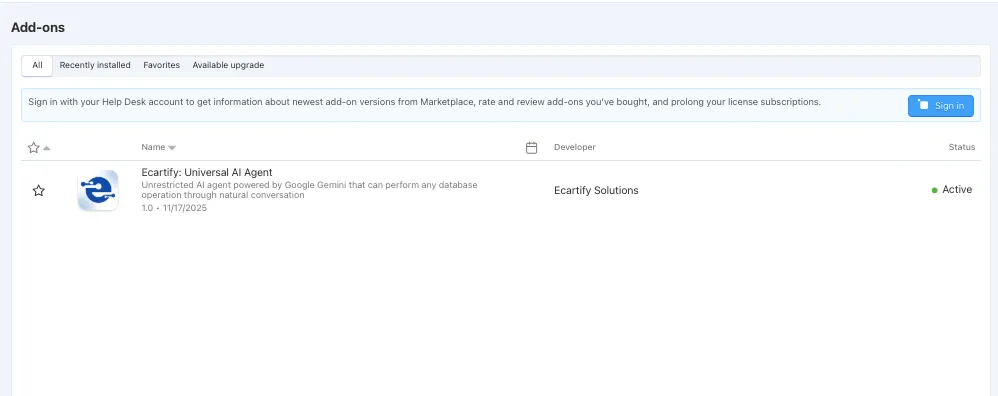
Step 1: Install the Addon
Installing the Universal AI Agent addon is simple and takes just a few minutes:
No coding knowledge required - the entire process is automated!
Step 2: Configure N8N Integration
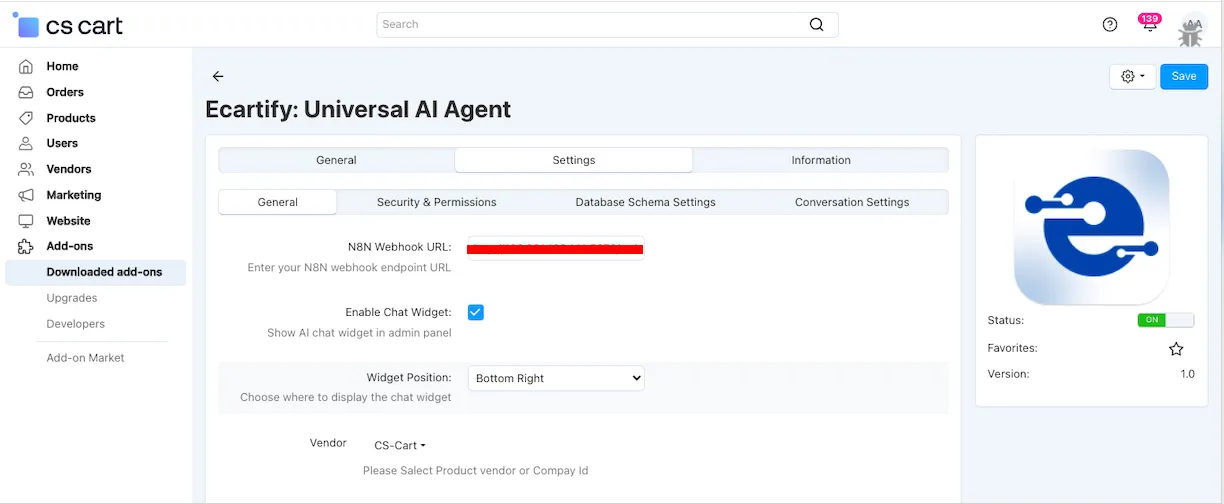
After installation, navigate to the addon settings page. You have two easy options to get started:
We provide a free N8N server that's already configured and ready to use!
Live URL: You can find the URL on the addon settings page.
Simply paste this URL into the addon settings and start asking questions immediately.
Note: Currently free during beta. Future subscription plans may apply.
Prefer complete control? Set up your own N8N server:
• Install N8N on your hosting
• Go to Addon Settings and import our workflow template
• Configure Gemini or any AI model
• Get your webhook URL
• Add it to the addon settings
Both options work perfectly - choose what fits your needs!
Step 3: Configure Chat Widget
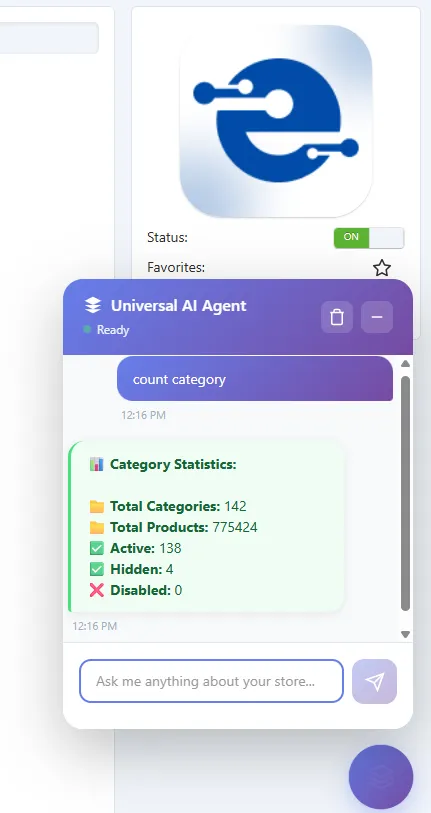
Customize how the AI assistant appears in your admin panel:
The widget provides one-click access to AI assistance - always there when you need it, hidden when you don't!
Step 4: Configure Security Settings
Control exactly what the AI can do with your database for maximum safety:
Step 5: Configure Conversation Settings
Maintain context and transparency across multiple queries:
This allows the AI to understand follow-up questions and maintain context
Review past conversations to improve efficiency
Keeps your database clean and compliant
Complete transparency for what's happening in your database
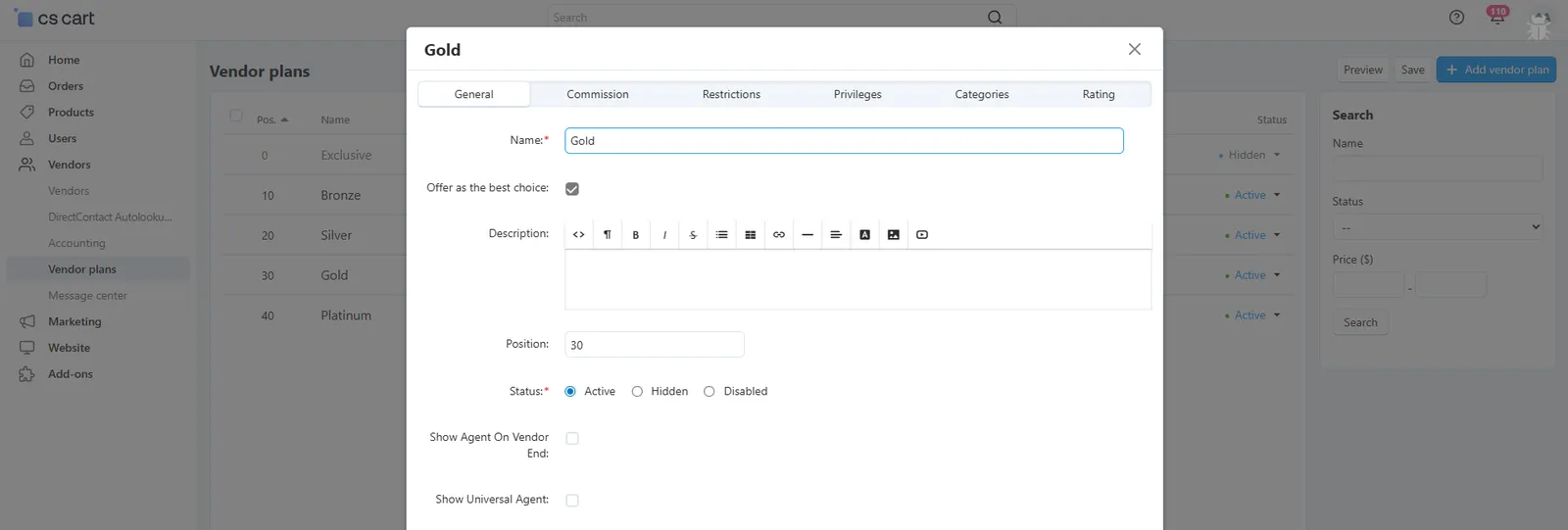
Step 6: Set Up Vendor Permissions (Optional)
Running a multi-vendor marketplace? Give vendors controlled access to the AI agent:
Go to Vendors → Vendor plans
Edit or create a vendor plan
Check "Show Agent On Vendor End"
Vendors with this plan can use the AI agent in their panel
Each vendor sees only their own data
No access to other vendor's information
Admins get full marketplace analytics
Perfect for secure multi-vendor operations
What Can You Do with Universal AI Agent?
The AI agent can perform comprehensive CRUD (Create, Read, Update, Delete) operations on all major store entities:
Products
Categories
Users
Orders
Perfect For Every Store Size
Small Store Owners
No need to navigate multiple pages - ask and get instant answers
Get insights without complex reporting tools or technical knowledge
Change prices, update stock, or modify details in seconds through conversation
Multi-Vendor Marketplaces
Give vendors limited AI access through customizable vendor plans
Each vendor sees only their own data - complete security and privacy
Administrators get full marketplace analytics and control
Final Thoughts
Your Universal AI Agent is now ready to revolutionize how you manage your CS-Cart store. Say goodbye to complex SQL queries, tedious navigation, and time-consuming manual tasks. With natural language commands, you can:
Pro Tip: Start with read-only operations to get comfortable with the AI, then gradually enable write operations as you build confidence. Use the SQL preview feature to learn how your natural language queries translate to database commands!