
Xero Accounting Vendor Financial Management
Automate vendor invoices, purchase orders, and bill payments with seamless Xero integration for multi-vendor marketplaces.Ecartify: Xero Accounting Integration for Vendors
Streamline your multi-vendor marketplace accounting with the Xero Vendor Integration. This specialized addon automatically synchronizes vendor bills, purchase orders, commission payouts, and vendor settlements between your CS-Cart marketplace and Xero accounting software. Manage vendor finances effortlessly, track commissions accurately, and maintain complete financial transparency with automated vendor accounting.
Key Features for Vendor Management
Vendor orders automatically generate bills in Xero with complete details and commission deductions.
Vendors sync as Xero suppliers with complete business details.
Map vendor commissions to appropriate revenue accounts in Xero.
Monitor pending and completed vendor payments with detailed transaction history.
Enterprise-grade security with encrypted vendor financial data transmission.
Step-by-Step Vendor Setup Guide
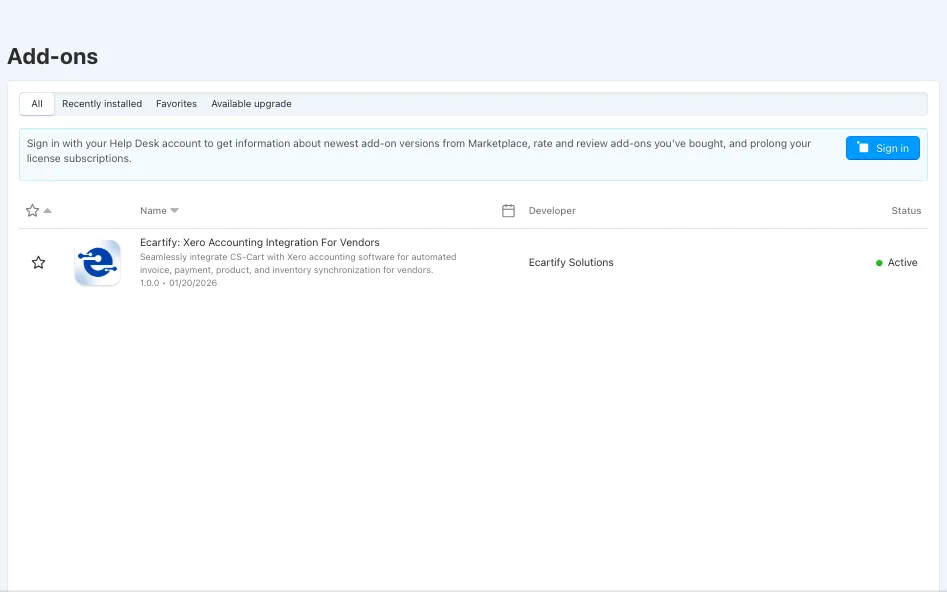
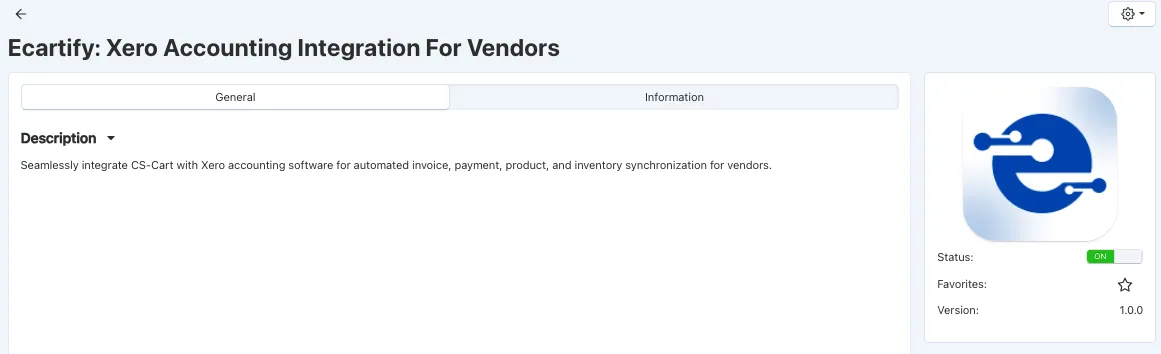
Step 1: Install the Vendor Addon
Installing the Xero Vendor Accounting Integration takes just minutes:
Step 2: Configure Xero Developer Credentials
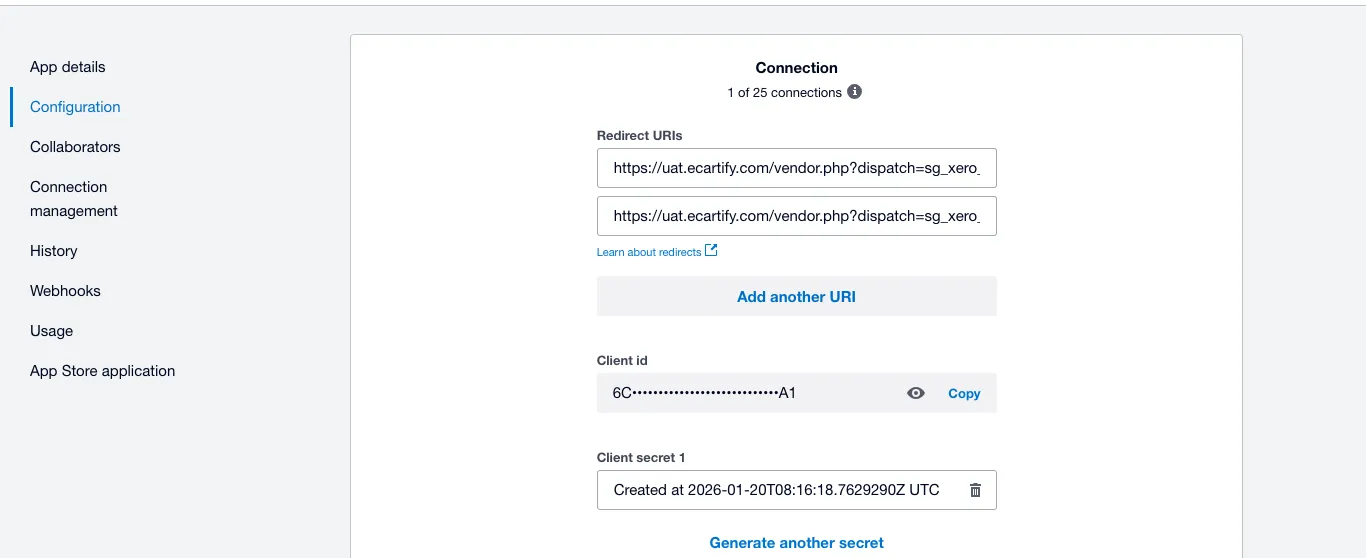
Set up your Xero API connection for vendor data synchronization:
Visit developer.xero.com and sign in
Create a new application specifically for vendor accounting integration
Copy your Client ID and Client Secret for vendor authentication
Add the provided vendor callback URLs to your Xero app settings
Step 3: Establish Vendor Connection
Connect your marketplace to Xero with secure vendor-specific authentication:
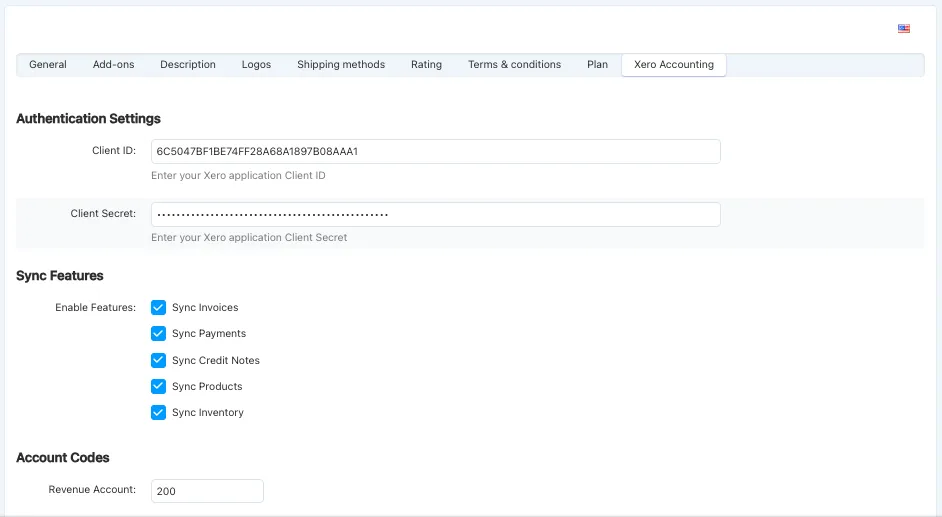
Enter your Xero Client ID for vendor data access
Securely store your Client Secret for encrypted connections
Set up both vendor authentication callback URLs
Complete OAuth 2.0 vendor authentication flow
Your vendor accounting system is now securely connected to Xero!
Step 4: Enable Vendor Sync Features
Choose which vendor financial data to synchronize with Xero:
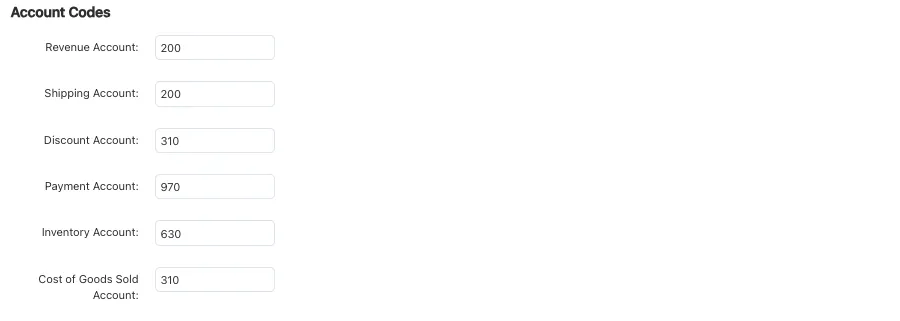
Step 5: Map Vendor Account Codes
Configure Xero accounts specifically for vendor financial tracking:
Proper vendor account mapping ensures accurate commission tracking and vendor payouts!
Step 6: Configure Vendor Tax Settings
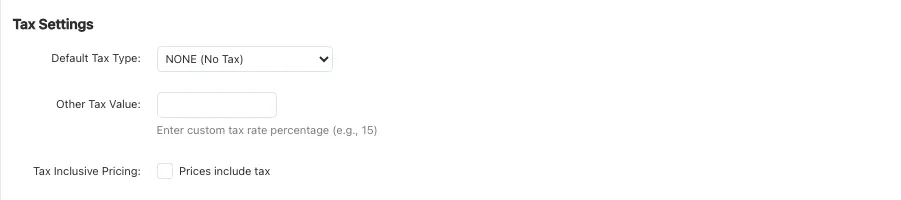
Set up tax handling for vendor transactions and commissions:
Configure appropriate tax treatment for vendor bills (Input Tax, GST on Purchases)
Set tax type for commission revenue (Output Tax, GST on Income)
Specify whether vendor prices include or exclude tax
Accurate vendor tax configuration ensures compliance and correct commission calculations!
Step 7: Set Vendor Order Triggers
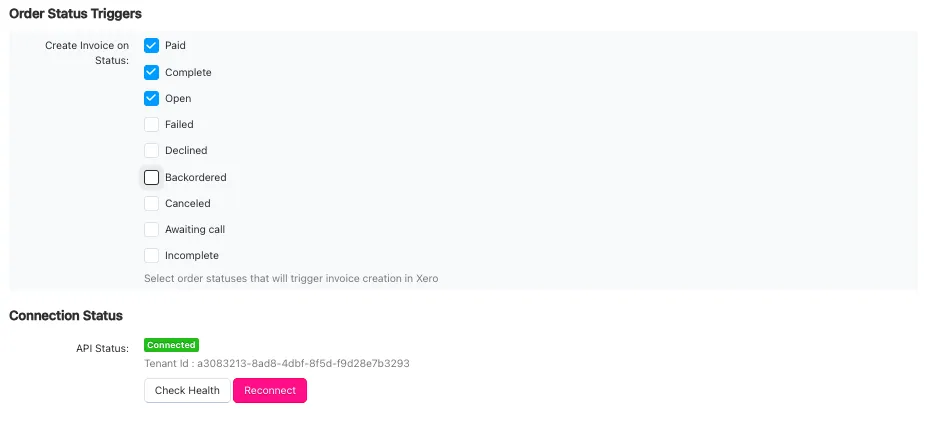
Define when vendor bills and settlements sync to Xero:
Choose trigger: Paid, Complete, Shipped, All Statuses
Configure when vendor settlements are recorded in Xero
Customize triggers to match your vendor payout workflow and business rules!
Step 9: Monitor Vendor API Health
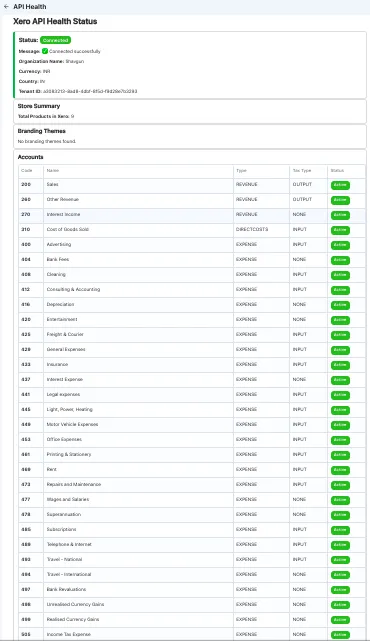
Track vendor integration status and financial synchronization metrics:
Complete visibility into your vendor accounting integration performance!
Benefits for Marketplace Operators
Automated Vendor Accounting
Financial Transparency
Scalability for Growth
Transform Your Vendor Accounting Today
Your Xero Vendor Integration is ready to revolutionize multi-vendor marketplace accounting. Eliminate manual vendor reconciliation, automate commission tracking, and provide complete financial transparency to your vendors. With automated synchronization, you can:
Pro Tip: Start by syncing existing vendor data to populate Xero with historical commission and settlement records, then enable real-time synchronization for all new vendor transactions. Use vendor-specific reports to analyze performance and optimize your commission structure!
Ready to automate vendor accounting? Install the Xero Vendor Integration today and experience seamless multi-vendor financial management!